
StreamNeo update — 19 September 2026: Every slot streams whatever you upload — any quality, up to 4K 60fps — at one price per billing term, so the prices below are the whole story. The 24-hour trial includes one YouTube stream, your videos in their original quality, and 10 GB of storage. See current plans.
A free trial is useful only when it exposes the part of the product you intend to rely on. For a continuous pre-recorded channel, a five-minute dashboard tour proves almost nothing. You need to upload your own file, cross a real loop boundary, leave the stream alone overnight, and operate it from the device you will actually use.
This comparison was checked against each provider’s public pricing, help, and terms pages on 26 July 2026. “Tested” here means the published terms were verified and every service is measured with one repeatable test plan below. We did not invent uptime results, support timings, or scores.
Disclosure: StreamNeo is our product. Its trial appears in the same table and gets the same limits-and-evidence treatment as every other option.
What a trial must let you test
Before creating six accounts, decide what evidence you want. These five checks separate a useful 24/7 streaming service free trial from a signup that merely previews the interface.
- Upload speed from your connection. Time a representative upload from the Wi-Fi or mobile data connection you normally use. A provider’s server speed cannot remove a slow last mile from your home, studio, temple office, or cafe. Test the largest practical file, not a tiny placeholder.
- The loop seam. Watch the last 30 seconds and first 30 seconds of your file back-to-back. Look for a frozen frame, black flash, duplicated audio, volume jump, or clock reset. For a playlist, inspect the handoff between two different files as well as the final-to-first wrap.
- One overnight run. Shut the setup laptop, lock your phone, and let the cloud service keep publishing. In the morning, check both the service dashboard and YouTube Studio → Go Live → Manage. The point is to verify that your device is no longer part of the broadcast path.
- The phone dashboard. From a normal mobile browser, find stream health, change the selected video if the product allows it, and locate Stop. A desktop-only control that is awkward at 2 a.m. may be the wrong fit for a mobile-first creator.
- A clean stop and restart. Stop from the service, confirm YouTube receives the end correctly, then restart if the allowance permits. Record whether the provider reuses the existing destination configuration and whether the transition is understandable.
Use content you own or are licensed to broadcast. A trial does not relax YouTube’s copyright rules, and a copyright interruption tells you little about the streaming service itself.
Trial terms compared as of 26 July 2026
The table distinguishes a time-limited trial from a free plan. That matters: OneStream Live and LiveReacting let you explore their products for free, but their free limits do not support a full overnight 24/7 test.
| Service | Free access | Card required? | Main locks | Destination limit |
|---|---|---|---|---|
| StreamNeo | 24 hours; full product workflow | No | One stream for 24 hours; original video quality; 10 GB storage | One YouTube stream |
| Gyre | 7 calendar days | Yes; a payment method is entered | One HD stream, 20 GB and up to 15 files, 1080p/30fps, Gyre watermark | One simultaneous stream to a supported platform |
| OneStream Live | Free-forever plan, not a timed trial | No | 15-minute pre-recorded limit, 720p, 500 MB storage, branding, no playlist or 24/7 stream | Two social destinations |
| Castr | 7-day Starter trial | No | 5 GB player bandwidth, 1 GB video storage; advanced delivery features require paid plan | Up to six multistream destinations on the Starter configuration |
| Upstream.so | 24 streaming hours every month | No | One stream, 24 hours/month, 1080p/30fps, 100 GB storage | Up to ten simultaneous destinations |
| LiveReacting | Free-forever plan, not a 24/7 trial | No paid checkout for the $0 plan | Three streams/month, 30 minutes each, 720p, 0.5 GB storage/file limit, watermark | One destination |
Two nuances prevent bad comparisons. Gyre’s public homepage describes full platform access, while its pricing row still lists concrete trial caps and a watermark; those visible caps are what matter here. Castr’s current pricing FAQ says the seven-day trial is on Starter and lists reduced player bandwidth and storage, even though some broader product pages describe access to a wide feature set.
If you want the paid plans behind these trials, see the broader 24/7 streaming services comparison. If the word “free” is driving the decision, our free-versus-paid guide separates useful allowances from hidden operating work.
Card-required trials: what to check first
Among these six routes, Gyre is the one whose terms require payment-instrument details for the trial. Its terms say billing can begin on the first day after the seven-day trial. The current pricing FAQ says an uncancelled trial moves to Start+.
Set a calendar reminder before you upload anything. Gyre publishes this cancellation path: avatar → Settings → Subscriptions → Active → three-dot menu → Unsubscribe. Do not rely on deleting files or stopping a stream; neither action is the same as cancelling a subscription.
The others avoid trial auto-charge in different ways. StreamNeo and Castr do not collect a card for their timed trials; Castr says dashboard access ends after day seven unless you subscribe. Upstream’s free allowance resets monthly. OneStream and LiveReacting keep accounts on limited free plans until you actively buy. If you later purchase Castr, its documented cancellation path is Dashboard → Settings → Billing → Cancel Subscription; LiveReacting says paid subscriptions auto-renew and can be cancelled from the profile page.
A no-card trial removes billing risk. It does not remove the need to note the exact expiry time, because an unfinished overnight test can still waste the allowance.
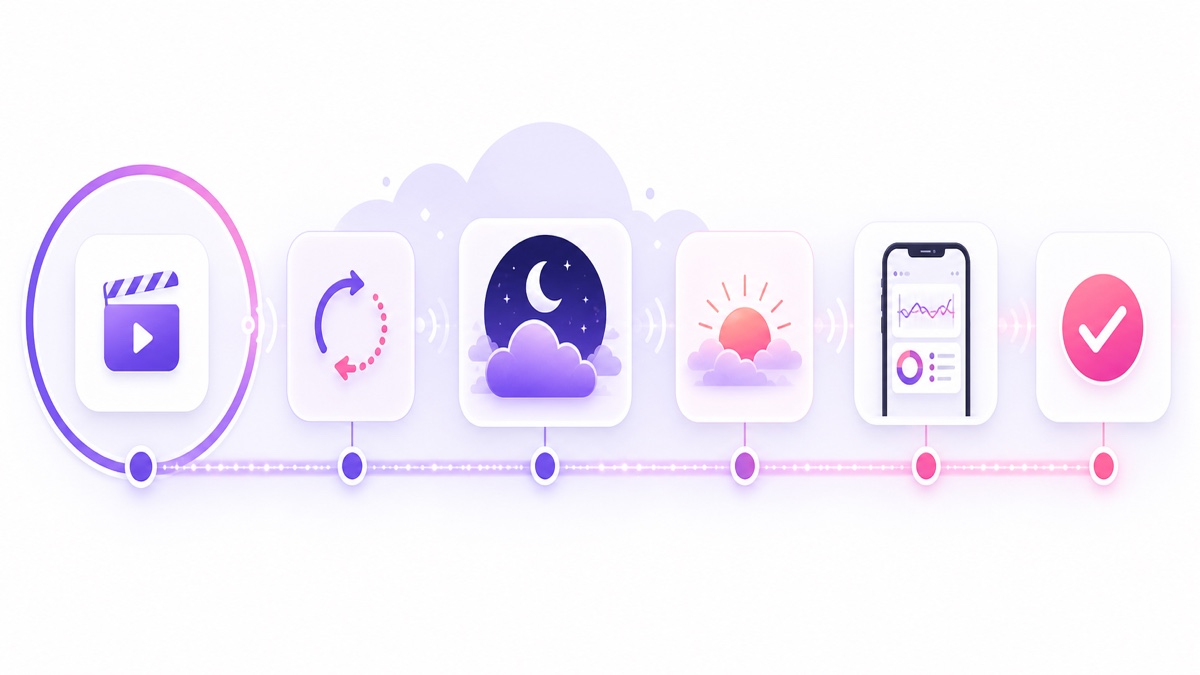
A 24-hour test plan, hour by hour
Use the same file, destination, and notes for every provider. A 20–30 minute video with an obvious opening frame, closing frame, spoken audio, and steady music makes loop problems easy to spot. Create an unlisted broadcast in YouTube Studio → Go Live → Stream so the comparison does not confuse product testing with audience traffic.
- Hour 0–1: upload and record the baseline. Start a timer when the upload begins. Note file size, connection type, upload completion time, processing time, and whether the dashboard explains each state. Never compare one service on fibre with another on mobile data.
- Hour 1–2: connect the destination. Copy the unlisted event’s stream key into the service, start the cloud stream, and confirm YouTube’s Stream health panel receives video and audio. Save the start time and one screenshot.
- Hour 2–3: inspect the seam. Watch at least one complete ending-to-beginning transition with headphones. For a playlist-capable plan, add a second short file and inspect both directions. Write observations immediately; “seemed fine” is not a result.
- Hour 3–8: remove your device. Close the service tab and shut or disconnect the setup computer. Check once from your phone on a different network. The stream should remain live because the provider, not your browser, is sending it.
- Hour 8–16: leave it overnight. Note stream health before sleeping and after waking. Do not keep refreshing all night; the test is whether the system stays understandable and live while unattended.
- Hour 16–20: use the phone controls. Find status, media selection, destination settings, and Stop from a mobile browser. If hot-swapping is offered, change the video and observe the boundary. If it is not offered, record that fact instead of forcing a failure.
- Hour 20–23: perform a controlled stop. Stop through the provider, confirm the destination state, then restart only if the trial and your YouTube event setup permit it. Check whether audio begins cleanly and the dashboard reports the new state promptly.
- Hour 23–24: export your evidence. Save timestamps, screenshots, health messages, and support questions. Cancel any card-backed trial through its actual subscription screen, then keep the confirmation.
Read the results without fooling yourself
One clean night is meaningful: it shows that this file, this destination, and this account completed at least one unattended run. It does not establish perfect uptime, prove automatic recovery from every platform error, or predict how the service behaves after weeks of playlist edits.
A 24-hour trial can answer workflow questions well. How long did your upload take? Was the seam visible? Did audio remain aligned? Could you understand status from your phone? Did Stop behave cleanly? A week-long trial adds more repetition and gives you time to contact support, but it still cannot simulate every expired key, provider outage, or storage edge case.
Use a small evidence sheet with columns for time, action, expected state, observed state, and screenshot. Repeat any failed step once under the same conditions. If it fails again, you have a reproducible support question; if it passes, label the first event inconclusive rather than declaring the platform unreliable.
Which trials should you start today?
Choose StreamNeo when the job is a straightforward pre-recorded loop, you want the whole 24-hour evaluation without entering a card, and phone control matters. The allowance fits exactly one overnight test; start it only when your video and unlisted stream key are ready.
Choose Gyre when you want a specialist loop platform and need several days to inspect playlists, scheduling, and its browser workflow. The seven-day window is generous, but use it only if you are comfortable adding a payment method and managing the cancellation deadline.
Choose Castr when your shortlist includes multistreaming, embed players, hosting, or broader video infrastructure alongside pre-recorded playback. Its seven-day no-card trial gives more time than a one-day specialist trial, though the trial’s storage and player-bandwidth caps need to fit your test.
Choose Upstream.so for a no-card, full-featured 24-hour run with radio-style controls and many destinations. Its allowance resets every month, so it is particularly practical for careful repeat testing rather than a single rushed signup.
Choose OneStream Live or LiveReacting to explore scheduling, multistreaming, studio, or interactive workflows at no cost. Their free plans are useful UI samples, not evidence of overnight operation: OneStream caps a pre-recorded event at 15 minutes, while LiveReacting caps one at 30 minutes.
For a fuller product-and-fit discussion before signing up, read the StreamNeo buyer FAQ and check current pricing. Then prepare the file and destination first, and start free — 24-hour trial, no card.
More from the journal: How to Compare 24/7 Streaming Services Without Getting Fooled · VPS vs Managed 24/7 Streaming in 2026: Cost, Effort and Reliability · Castr 24/7 Limits Explained: File Caps, Storage and Pre-Recorded Streams
FAQ
Which 24/7 streaming services have no-card trials?
As checked on 26 July 2026, StreamNeo offers a 24-hour no-card trial, Castr offers seven days without a card, and Upstream.so includes 24 free streaming hours every month without a card. OneStream Live and LiveReacting have no-card free plans, but their short per-stream limits do not support an overnight 24/7 test. Gyre’s terms require a payment instrument and permit billing after its seven-day trial if you do not cancel.
How long do I need to judge a service?
Run at least one complete overnight test. Twenty-four hours is enough to evaluate your upload, loop seam, cloud independence, phone controls, and clean stop. A week is better for repeated transitions, support contact, and confidence, but no trial proves long-term perfection.
What should I test first?
Test upload speed from your own connection first because it varies most between users and locations. If your representative file cannot upload and process within a practical window, the rest of the feature list will not rescue the workflow. After that, test the loop seam.