
StreamNeo update — 19 September 2026: Every slot streams whatever you upload — any quality, up to 4K 60fps — at one price per billing term, so the prices below are the whole story. The 24-hour trial includes one YouTube stream, your videos in their original quality, and 10 GB of storage. See current plans.
If you searched for a StreamNeo review just before signing up, you probably do not need another list of features. You need direct answers: what the product actually does, what one slot buys, what happens to your files, and whether the service fits your kind of live stream.
This review answers those questions from the product's current pricing, dashboard behavior, and published terms. There are no customer ratings or invented success stories here. The useful test is whether the workflow matches your channel.
What StreamNeo does — and what it does not do
StreamNeo takes a video you have already recorded, uploads it to cloud storage, and publishes it as a continuous live stream. You connect a destination with its stream key, choose the video or playlist, and start the slot. The cloud server keeps sending the media after your laptop is closed and your phone is back in your pocket.
That makes it a focused tool for lofi radio, devotional recordings, study sessions, ambience, webinars, product demos, and replay channels. The important condition is that you own the material or have permission to broadcast it.
StreamNeo is not a camera-live production studio. It does not replace OBS for mixing webcams, microphones, browser sources, and scene transitions in real time. It is not a video editor, so you should fix cuts, audio, captions, and the loop seam before uploading. It is also not an interactive graphics tool for live polls, complex overlays, or on-screen games.
Think of it as a managed cloud encoder for pre-recorded media. If that is the job you need done, the narrow focus is useful. If you need a virtual studio with a host on camera, it is the wrong category of product.
Is looping a pre-recorded video allowed on YouTube?
Using a cloud encoder does not create a special policy exemption, but it does not create a violation by itself either. YouTube requires live content to follow its Community Guidelines and requires the publisher to hold the necessary rights. Its spam rules also prohibit deceptive metadata and repetitive mass-production intended to manipulate engagement.
In practical terms: stream material you created or licensed, describe it honestly, and do not present an old recording as a current event. Calling an ambience loop “live” describes the delivery format; claiming that recorded temple footage or a market update is happening right now when it is not would mislead viewers.
Music deserves extra care. Owning a video edit does not automatically give you broadcast rights to the song underneath it. YouTube scans live streams for third-party content, so keep licenses and allowlisting arrangements in order before running the feed continuously.
For the policy details and examples, read is 24/7 looped streaming against YouTube policy?. StreamNeo handles transport; responsibility for the content, rights, title, description, and thumbnail remains with the channel owner.
What StreamNeo really costs
Pricing is per slot. One slot means one concurrent cloud stream: one source loop running as an always-on broadcast. It is a capacity unit, not a charge per uploaded video. If you want two different videos running concurrently as two independent streams, you need two slots.
For Indian customers, the listed choices are ₹49 for a daily slot or ₹999 for a monthly slot. International pricing is $9.99 per month. There is no separate setup fee in those advertised prices. Taxes or payment-provider terms can still apply at checkout, so review the final amount before paying.
| Plan | India | International | Storage |
|---|---|---|---|
| Daily slot | ₹49 per day | $0.99 per day | 10 GB |
| Weekly slot | ₹299 per week | $2.99 per week | 10 GB |
| Monthly slot | ₹999 per month | $9.99 per month | 10 GB |
| 6 months or yearly | See current plans — lower per-month rates on longer terms; every slot streams any quality up to 4K 60fps | 10 GB | |
| 24-hour trial | Free, no card; one YouTube stream in original video quality | 10 GB | |
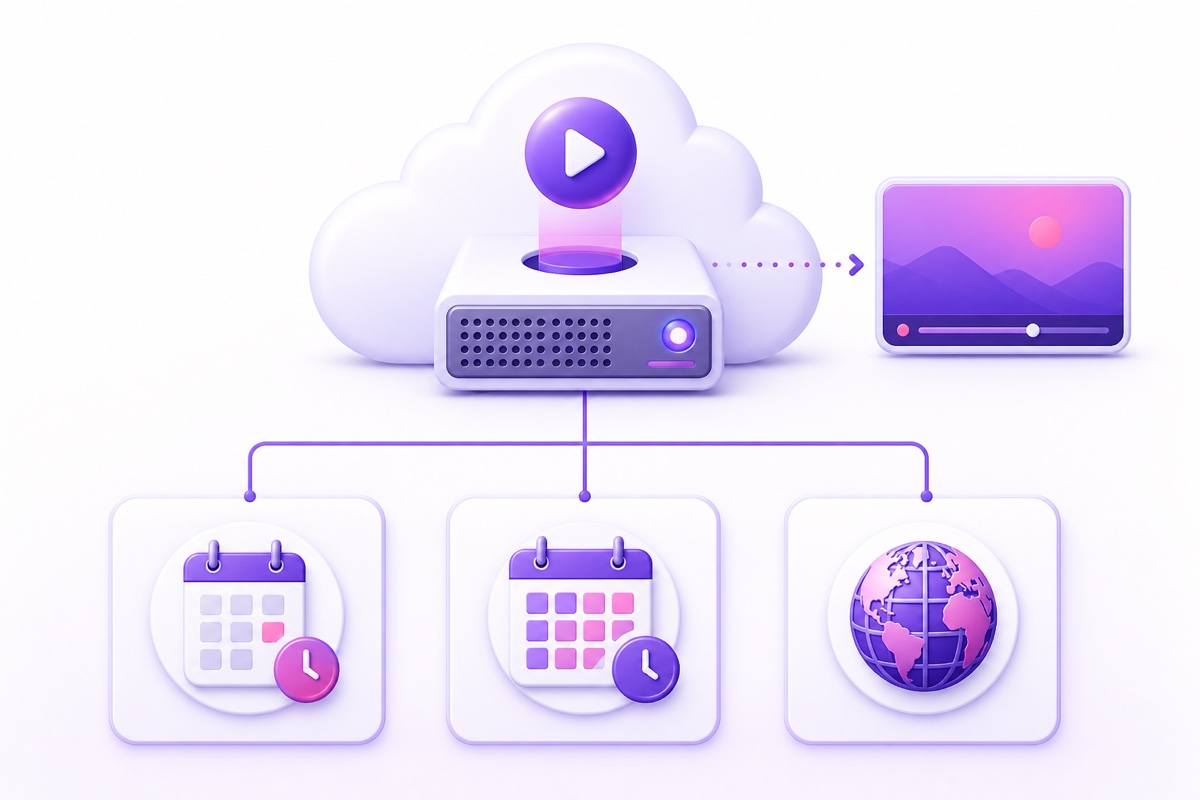
Storage allowances from multiple active slots add together. Auto-renew is controlled per slot and uses the available wallet balance for eligible purchases. If you do not want renewal, keep auto-renew off and plan for the slot to expire at its displayed deadline. Do not build a broadcast schedule around an undocumented post-expiry streaming grace period.
When the latest active slot expires, new uploads are disabled and existing videos enter a documented 30-day storage grace period. The dashboard shows the deletion deadline and account-lifecycle emails are sent before deletion. Purchasing or renewing a slot before that deadline cancels the pending video-deletion cycle. Otherwise the files and backup copies under StreamNeo's control may be permanently removed.
See the current StreamNeo pricing before purchasing, because the live checkout is the source of truth for your region.
What should I know about stream keys and uploaded files?
A stream key is the credential an encoder uses to publish to your YouTube live endpoint. StreamNeo retains the key in your saved slot configuration because its server needs that credential whenever it connects or recovers the broadcast. It does not need your Google password to perform that job.
Treat the key like a password anyway. Do not paste it into a public chat, spreadsheet, screenshot, or support message unless you trust the recipient and the channel. If you stop using a service or believe the key leaked, rotate it in YouTube Studio: open YouTube Studio → Go Live → Stream, reset the stream key, and replace the old value in every encoder you still use.
The dashboard masks the key field during normal entry, but visual masking is not a reason to share it casually. Anyone holding a valid key may be able to publish to its associated live endpoint until you reset it.
Uploaded media is stored so the cloud worker can stream it. Before leaving, download any master file you do not already hold elsewhere; a streaming service should not be your only archive. You can delete unused files yourself, and the 30-day inactive-account policy explains what happens after all slots expire. Paid fees are generally non-refundable except where law or the published refund policy says otherwise.
“Cancel anytime” therefore means there is no annual lock-in: disable auto-renew, let the paid slot reach its expiry, and keep your own copy of every asset. It does not mean that a partly used paid period is automatically refunded.
What happens when a stream breaks?
No responsible streaming provider can promise that a live feed will never drop. YouTube can reject a key, a network path can fail, a media file can be malformed, or infrastructure can restart. The engineering question is how quickly the system detects the failure and whether it recovers without creating a worse loop.
StreamNeo uses a watchdog that checks stream health every 30 seconds. When a recoverable process dies, the worker restarts it. Repeated failures use backoff rather than hammering the destination continuously, and a clearly dead or revoked key should stop the retry chain instead of generating endless failed connections. The dashboard exposes a status message so you can correct the credential or media problem.
That distinction matters. Automatic restart is useful for a transient network disconnect; it cannot make an invalid stream key valid or repair copyright restrictions on your channel. Recovery reduces unattended downtime, but it does not remove the need to check YouTube Studio's stream-health panel and keep an eye on destination-side notices.
The deeper guide to watchdogs, retry timing, and fatal errors is how 24/7 live stream auto-restart should work.
The honest promise is not “zero drops.” It is a system designed to notice trouble, recover when recovery is possible, and stop safely when human action is required.
How should I use the 24-hour trial?
The trial is a 24-hour streaming trial and does not require a card. Activate it when you actually have time to observe the workflow; the countdown begins on activation, not when you first think about testing.
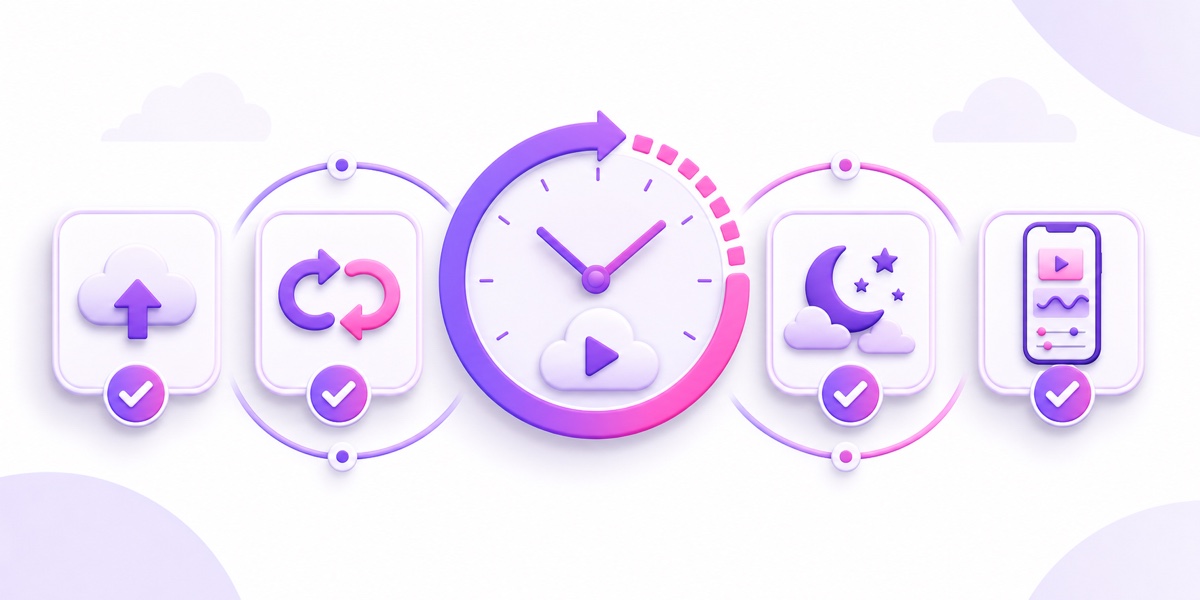
- Prepare a representative file. Use the same resolution, codec, audio, and approximate file size you expect to run later. A tiny sample cannot reveal whether your real upload is practical.
- Upload on your normal connection. If you are mobile-first, use the Wi-Fi or broadband you will rely on and note whether an interrupted upload resumes cleanly.
- Start unlisted first. Create the destination in YouTube Studio, set visibility to Unlisted, paste the stream key into StreamNeo, and confirm that video and audio arrive correctly.
- Watch the loop boundary. Stay through at least one full cycle. Listen for an audio click and look for a frozen or black frame where the file restarts.
- Leave it running overnight. Check both StreamNeo and YouTube Studio the next morning. This is the most useful test of a tool sold for unattended operation.
- Use the phone dashboard. Start, stop, inspect status, and reopen the page after locking the phone. The stream should continue in the cloud when the browser is closed.
Also test the support route you would use during a real problem. A reply does not need to be instant to be useful, but you should know where to ask and what details—slot name, destination, time, and visible error—will help diagnose the issue.
Where StreamNeo is the wrong choice
Choose another setup if your live show depends on a camera, microphone, guests, and scene switching. OBS on a computer gives you direct production control; a browser studio or multistreaming platform may be easier for interviews. This Restream versus 24/7 loop services comparison explains why those products solve a different problem.
If on-screen quizzes, countdowns, reactions, and other interactive graphics are the product, compare a specialized tool instead. The LiveReacting versus StreamNeo breakdown separates interactive production features from simple cloud looping.
StreamNeo is also a poor fit if you want to edit inside the streaming dashboard, if you require a self-hosted stack with root access. Use a video editor before upload, a VPS if infrastructure control is the goal, or a live production tool for cameras and guests.
The best buyer is someone with finished, rights-cleared media who wants it delivered continuously without leaving a personal computer online. The worst buyer is someone expecting the service to create the show as it broadcasts.
More from the journal: GoLiveIndia vs StreamNeo: An Honest India-to-India Comparison · LiveReacting vs StreamNeo: Hourly Credits or Continuous Days? · Reused Content and 24/7 Loops: How to Protect Your YouTube Channel
FAQ
Is there a trial without a card?
Yes. StreamNeo offers a 24-hour streaming trial with no card required. Activate it only when your test video and destination are ready so you can use the entire window.
Can I cancel anytime?
You can choose a short or longer billing term. Disable auto-renew and the slot expires at the end of its paid period. Completed payments remain subject to the refund policy. Paid accounts receive the documented 30-day video-storage grace period after their latest slot expires; trial-only content may be removed 24 hours after trial expiry. Review the current storage and refund policies before purchasing.
Does StreamNeo work from a phone?
Yes. The dashboard is designed for mobile use, including upload, configuration, start, stop, and monitoring. The phone controls the cloud worker; it does not need to stay awake or connected after the stream starts. If that workflow matches your channel, start free — 24-hour trial, no card.