
Your stream was healthy when you went to bed. By morning, the watch page was quiet and several hours of potential viewing had disappeared. The obvious fix sounds simple: if the encoder stops, start it again. Real recovery is more demanding.
A dependable live stream auto restart system must identify what failed, choose a response that fits that failure, and know when another retry would cause more harm than good. It also needs to check that media is actually moving—not merely that an encoder process still exists.
This guide gives you a practical model for judging a DIY watchdog, a VPS setup, or a managed streaming service. The key idea is that recovery is a decision system, not an infinite restart loop.
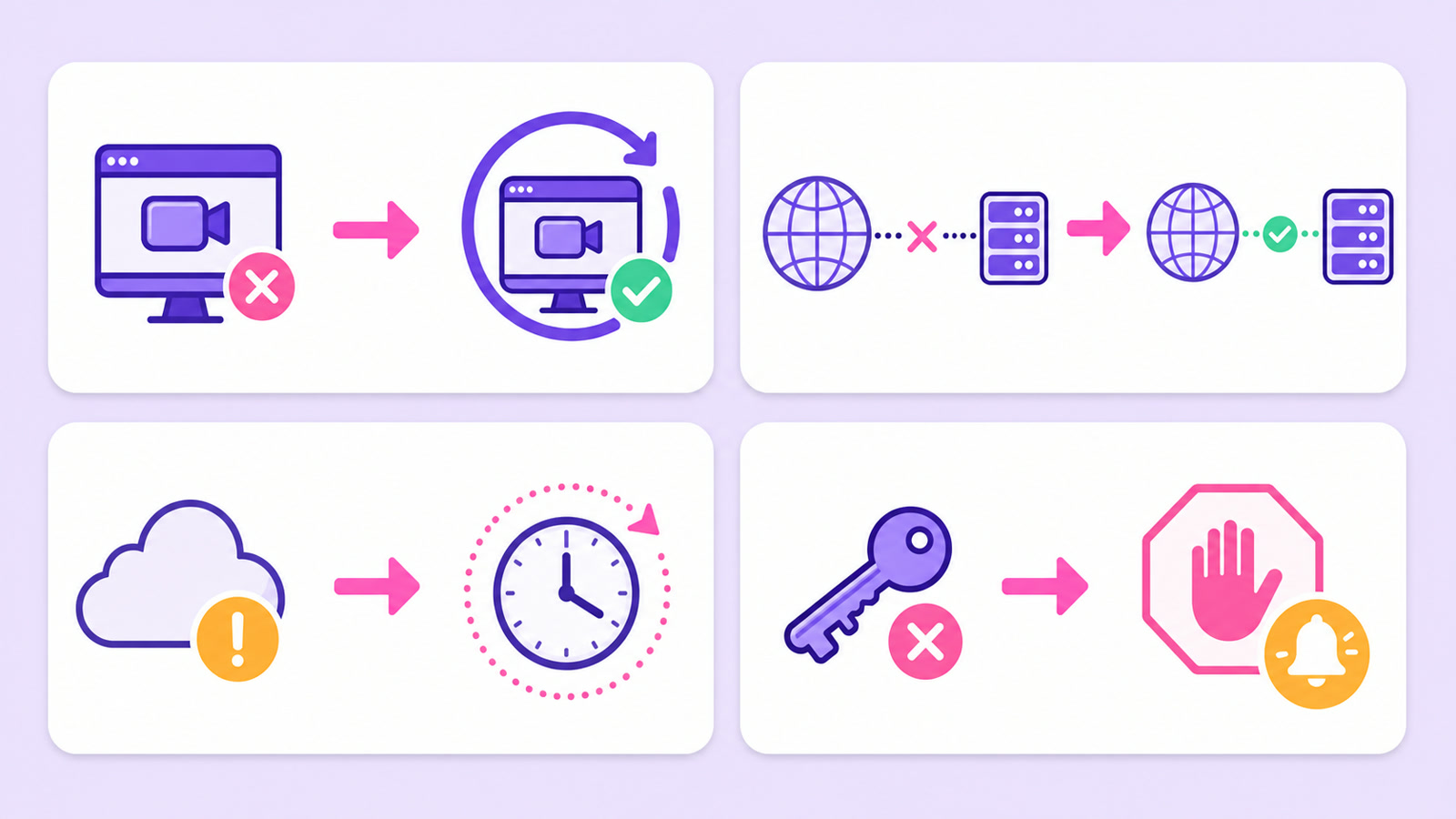
The four ways a 24/7 stream dies
Most overnight failures fit into four classes. They can look identical to a viewer, but they need different responses behind the scenes.
| Failure class | What the recovery layer sees | Right first response |
|---|---|---|
| Encoder crash | The media process exits or stops producing frames | Restart the process, then confirm that output advances |
| Network blip | The encoder runs, but its connection to the RTMP endpoint breaks | Reconnect after a short delay without rebuilding everything |
| Platform-side hiccup | Your sender and connection look healthy, but the destination temporarily refuses or drops the push | Back off and retry; do not declare the stream permanently broken from one rejection |
| Dead credentials | The destination says the stream key is invalid, revoked, unauthorized, or not allowed to publish | Stop automated attempts and notify a human |
A power cut or router failure can appear as a network break from the encoder's perspective. A cloud encoder avoids dependence on your home electricity and broadband, but its recovery layer still needs to handle failures between the cloud and the destination. See what changes during a local outage in the power and internet outage guide.
If your stream repeatedly disconnects but does not fully end, start with the diagnosis steps in YouTube Live Stream Keeps Disconnecting?. Recovery reduces the impact of a failure; it does not make a weak upload connection or a bad file healthy.
Why naive retry makes it worse
Imagine a service receives an authentication failure because a creator rotated the stream key in YouTube Studio. A naive loop treats every non-zero exit the same: start the encoder, watch it fail, and immediately start it again. The key cannot repair itself, so the cycle has no successful ending.
This pattern creates three problems. It sends useless connection attempts to the destination, consumes compute and log space, and buries the one useful message—“the credential is invalid”—under repeated symptoms. The system looks persistent while doing nothing to restore the broadcast.
A retry is appropriate only when time can plausibly change the outcome. A short network interruption may pass. A destination's temporary ingest issue may clear. A revoked key remains revoked until someone supplies a working key.
Good auto-recovery asks, “Can waiting fix this?” before it asks, “How soon can I try again?”
Detection: how fast should you know?
A watchdog check around every 30 seconds is a practical granularity for a continuous stream. Checking much faster often adds noise and work without improving the viewer experience; checking every few minutes turns a brief fault into visible dead air. The exact interval matters less than checking the right signal.
Process alive is not the same as stream healthy. An encoder can remain in memory while a read is stuck, a playlist no longer advances, or outgoing bytes stay flat. A useful watchdog checks several signs:
- Is the encoder process running?
- Has its media timestamp or frame counter advanced since the last probe?
- Are outgoing bytes moving, rather than remaining frozen?
- Is the RTMP connection established or reconnecting?
- Has the destination returned a warning that changes the recovery decision?
The destination is the final reality check. On YouTube, open YouTube Studio → Go Live → Stream and inspect stream health alongside your own encoder status. If your process says “running” while Studio receives no fresh data, the process check has produced a false comfort.
Detection should also avoid overreacting. One missed probe is evidence, not always a verdict. Requiring a small sequence of failed health checks can prevent a harmless scheduling pause from triggering two encoders that compete for the same key.
Backoff: retry like an adult
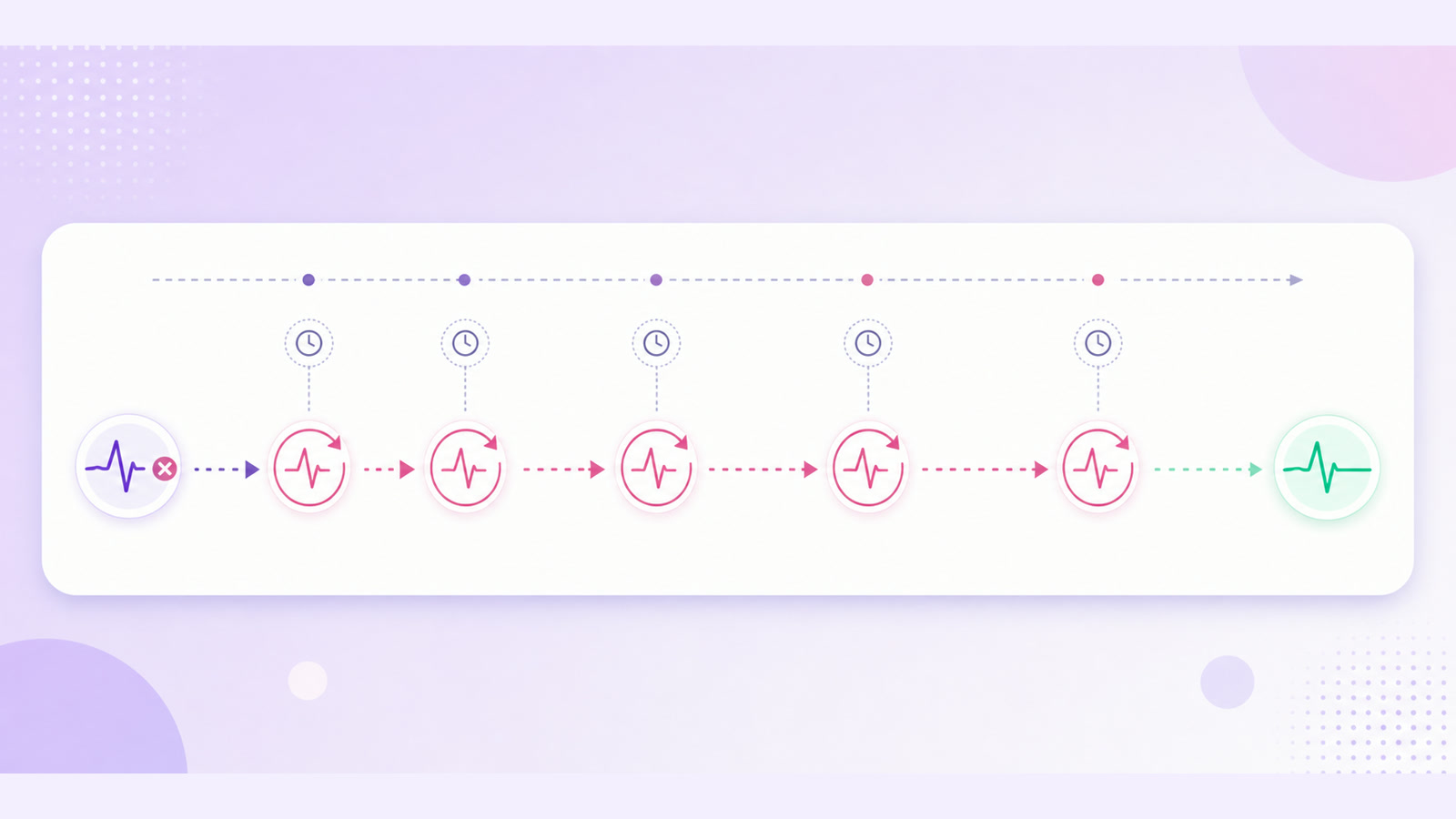
Exponential backoff means increasing the wait after each consecutive failure. A simple sequence might be 5 seconds, 10 seconds, 20 seconds, 40 seconds, then longer waits until a sensible minutes-level ceiling. The first recovery remains fast, while a persistent fault stops hammering the destination.
The ceiling matters because recovery should continue for retryable failures without drifting into hour-long silence between attempts. Many systems also add a small random variation to each delay. That prevents a fleet of streams affected by one platform incident from reconnecting at precisely the same moment.
Do not reset the failure counter as soon as an encoder launches. A stream that runs for eight seconds and fails again is still flapping. Require a healthy-run period—long enough to prove that frames and bytes are advancing consistently—before returning the delay to the shortest step.
Keep the retry history visible. A dashboard that only says “running” after recovery hides whether the stream had one brief reconnect or has failed repeatedly all night. The history is useful for finding patterns such as an ISP maintenance window, a damaged file boundary, or a destination-side incident.
Give-up rules: the underrated feature
Some failures should immediately leave the automated retry path. Invalid key, unauthorized, publish rejected, and account-level live restriction are examples of fatal results for the current configuration. A restart cannot grant permission or replace a secret.
“Fatal” does not mean the channel is permanently lost. It means human action is required before another attempt makes sense. The useful response is to preserve the destination and file settings, surface the exact reason in the dashboard, and send an alert with one clear next action.
| Retry automatically | Stop and alert |
|---|---|
| Connection reset, timeout, temporary endpoint failure, encoder crash | Invalid or revoked key, unauthorized, publish rejected, live access disabled |
Do not classify errors from a vague word such as “failed.” Preserve the destination's reason and map known responses deliberately. For help separating credential problems from temporary connection faults, use the stream-key and publish-rejection error guide.
Retry forever is a bug wearing a persistence costume. Fatal errors need a stop rule and an alert.
Resume position vs restart from zero
Auto-restart answers two separate questions: how to restore the outgoing connection, and where playback should continue in the source. Some tools reopen the file at the beginning. Others save a checkpoint and seek near the last confirmed media position.
Resume position matters for a film, sermon, class, podcast episode, or webinar. Restarting a 90-minute programme from the opening after every brief failure is noticeable and frustrating. A checkpoint makes the recovery feel like a short interruption instead.
For rain, brown noise, lofi, aarti, or other ambience loops, an exact resume point may matter less. A clean restart at a safe loop boundary can be better than seeking into a file in a way that causes an audio pop or a broken keyframe transition.
Media resume is also different from destination continuity. The encoder may resume the file while the platform either reconnects the existing live session or creates a new broadcast, depending on whether that destination has already ended it. A responsible tool should not imply that seeking the file automatically preserves the same watch page.
DIY recovery honestly
On Linux, a basic systemd service with Restart=on-failure is a solid first layer. It can relaunch ffmpeg when the process exits and keep the service active after a crash. For a single technically managed stream, that is useful—not a toy solution.
Its limit is context. A basic service manager does not automatically know whether media timestamps are frozen, whether outgoing data is flowing, whether a rejection is retryable, or where the source should resume. Its restart delay is not a complete backoff policy, and an always-restart rule can mishandle a dead key.
A fuller DIY design adds a media-flow probe, structured error classification, capped exponential backoff, a healthy-run reset timer, persistent checkpoints, and an alert channel. It also stores the stream key outside command-line arguments and readable unit files. If you are choosing between owning that stack and using a service, compare the operational work in the VPS vs managed service guide.
Five questions to ask any 24/7 streaming service
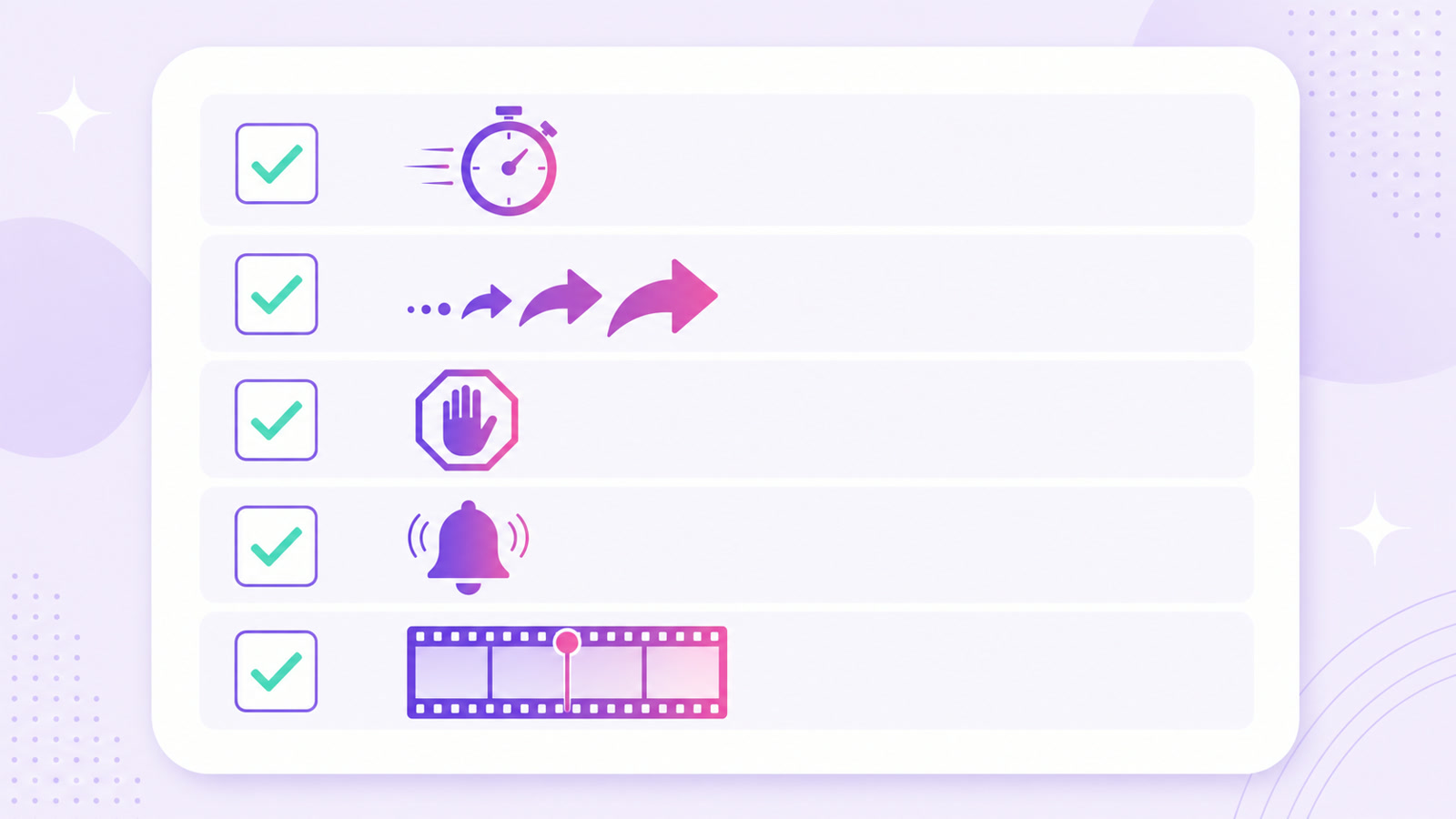
- How often do you check that data—not just a process—is moving?
- How does the delay grow after repeated failures?
- Which errors stop retries and require my action?
- Where and how will you alert me?
- Does playback resume near the failure or restart from zero?
How StreamNeo implements recovery
StreamNeo treats recovery as part of running an always-on stream, not as a manual emergency button. A sentinel checks whether the encoder and its output are progressing. Retryable failures enter exponential backoff so a quick interruption can recover promptly without repeatedly hitting a destination that remains unavailable.
Fatal responses take the give-up path. Instead of endlessly submitting a rejected key, the stream stops retrying and the dashboard shows that the configuration needs attention. That distinction keeps a credential problem visible rather than disguising it as generic downtime.
These are design choices, not an uptime promise. A platform can reject a broadcast, a key can be rotated, and a source file can still be wrong. The recovery layer's job is to respond predictably, preserve the useful error, and reduce the amount of overnight babysitting.
If you want to test that behavior with your own video and destination, start free — 24-hour trial, no card.
FAQ
Should a stream retry forever?
No. Retryable faults such as timeouts and brief connection losses can keep retrying with capped backoff. Fatal errors such as an invalid key, unauthorized publishing, or a rejected broadcast should stop retries and alert you because waiting cannot fix them.
What is exponential backoff?
Exponential backoff increases the pause after each consecutive failure—for example, 5 seconds, then 10, 20, and 40, up to a ceiling. It allows fast recovery from a brief fault while avoiding aggressive repeated connections during a longer outage.
Does auto-restart resume where the video stopped?
It depends on the tool. Some restart the source at zero; others save a checkpoint and resume near the last position. Resume is valuable for long programmes, while a clean loop-boundary restart may be perfectly acceptable for continuous ambience.