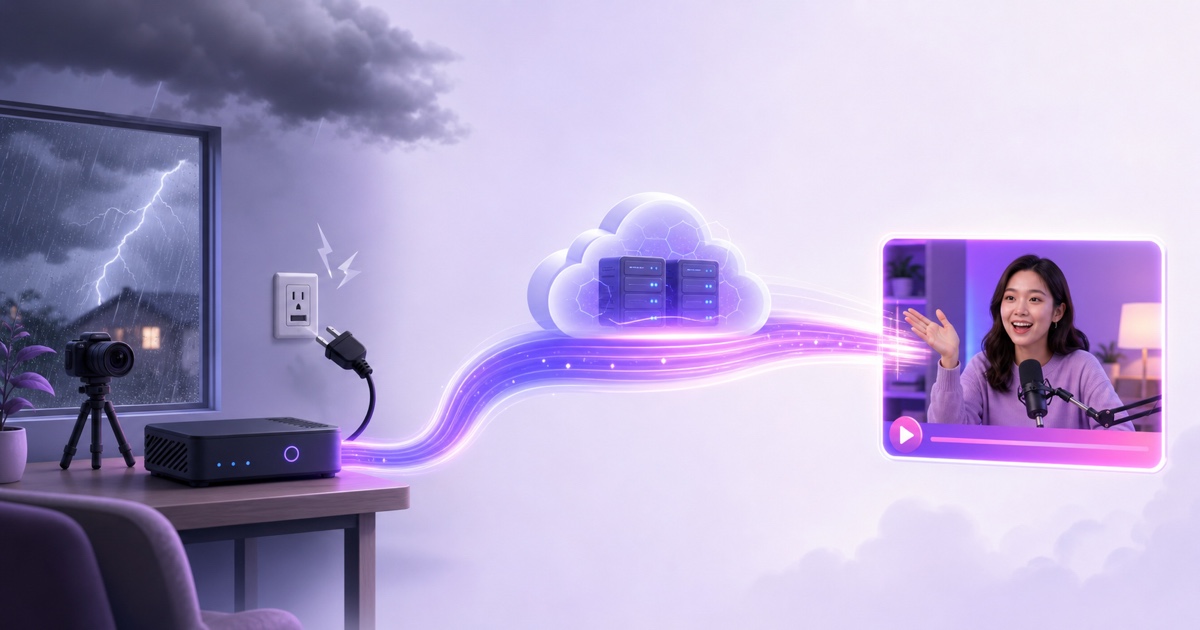
A power cut does not politely pause a home live stream. The instant your encoder or router loses power, it stops sending video to the platform. Viewers may not notice in the same instant because their players have a small amount of buffered video, but the source feed is already gone.
An internet outage creates almost the same result even when your lights and computer stay on: the encoder can still produce frames, but it has no path to YouTube or Facebook. That distinction matters when you troubleshoot, because rebooting a healthy computer will not repair a dead fibre line.
The practical question is not whether outages happen. It is where your encoder runs, how many parts share the same failure, and whether the feed can recover before the platform closes the broadcast. Here is the full anatomy of a live stream power cut—without pretending any setup is failure-proof.
The outage timeline, minute by minute
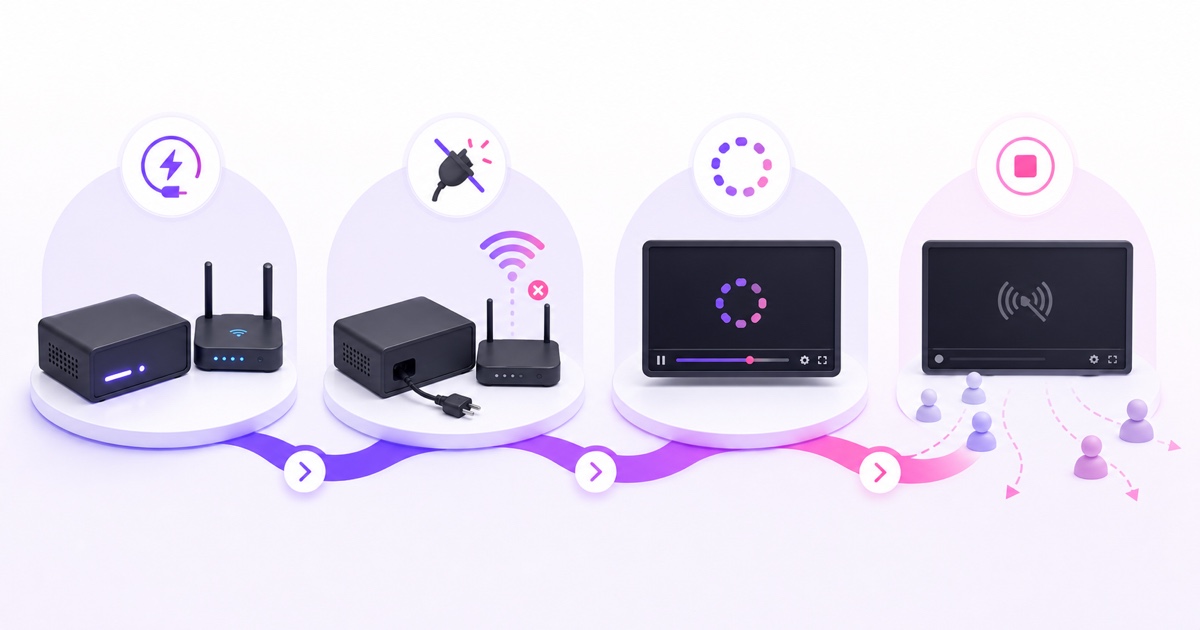
T+0: power or internet fails. A software encoder such as OBS stops immediately when its computer switches off. If the PC remains on but the router, optical network terminal, or upstream connection fails, the RTMP connection still breaks. The video already buffered on a viewer's device may play for a few more seconds.
Next: the player runs out of fresh video. Different viewers can see different symptoms: a frozen last frame, a spinning buffer indicator, a quality drop, or a temporary error. Someone with a larger playback buffer may notice later than someone watching in low-latency mode. This is why chat reports rarely arrive at exactly the same moment.
On the creator side: stream health changes. YouTube officially distinguishes an active feed from an inactive one and can report a no data health state when its backend lacks stream-health information. Live Control Room also surfaces ingestion errors and timestamps them. Those are better evidence than a single viewer message. See YouTube's live stream status reference and live streaming error guide.
Then one of two outcomes occurs. If the encoder reconnects quickly enough and the broadcast is still open, viewers can continue on the same event. If the broadcast closes, restarting the encoder cannot revive an already-ended event; you need a new or reusable broadcast setup. YouTube also lets creators enable or disable auto-stop, so the outcome depends partly on stream configuration.
There is no dependable public promise that every YouTube broadcast waits a fixed two, three, or five minutes. Treat any quoted grace period as an observation, not a service guarantee. Design recovery to start immediately.
What restarting costs
The visible gap is only the first cost. If the original event ends and you start a fresh broadcast, the new stream begins with zero concurrent viewers. That is not a claim about an algorithmic penalty; it is simple audience mechanics. People who were together on one watch page are no longer automatically together on the next one.
A broadcast-specific link may also lead to an ended video instead of the new live event. Links shared in WhatsApp groups, Telegram channels, websites, or old Community posts can therefore become dead ends. A channel-level live link or a landing page you control is more durable; the full link strategy is covered in why live streams show Video Unavailable.
Archives and analytics fragment as well. YouTube reports live performance at the video level, so two broadcasts mean two records to review. The chat restarts, peak concurrent data is split, and viewers arriving through the old notification may not see the replacement. For a devotional channel, lofi radio, or market update stream, repeated interruptions make an always-on promise feel unreliable even when each individual restart is technically successful.
You can reuse stream settings and often reuse a persistent stream key, but those conveniences do not carry a scattered audience into a new watch page. Fast recovery is valuable because it protects continuity, not because it produces a magical ranking bonus.
Home mitigation, priced honestly
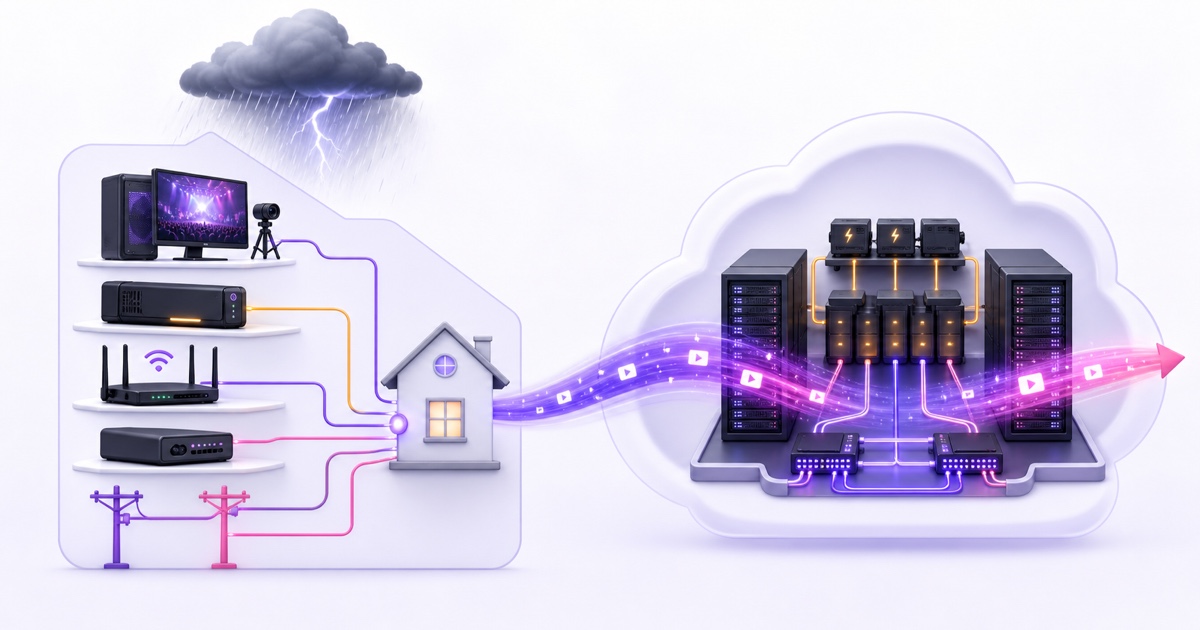
A home setup can be made much more resilient. Start by pricing the complete chain rather than buying a UPS for only the computer. The encoder, router, fibre ONT or cable modem, network switch, and any capture device all need power. If one required box goes dark, the outgoing feed still stops.
Size power backup in watt-hours, not hope
Measure the rig at the wall while it is streaming. Suppose the encoder and required network gear draw 200 W together. For 15 minutes of backup, the ideal energy is 200 W × 0.25 hours = 50 Wh. Allowing for roughly 85% conversion efficiency makes the requirement about 59 Wh of usable battery energy. Real runtime will also depend on battery age, load shape, inverter efficiency, and the manufacturer's discharge curve.
A UPS rating in VA describes how much apparent power it can support; it does not directly tell you runtime. Check both the watt rating and the battery capacity or runtime chart. During a cut, turn off a nonessential monitor to extend runtime, but do not assume that a large VA number means hours of streaming.
Price backup internet by the gigabyte
A 4G or 5G failover router helps only when it switches automatically and the encoder reconnects. At a 4.5 Mbps stream bitrate, one hour of continuous upstream traffic is about 2 GB: 4.5 megabits × 3,600 seconds ÷ 8. Price the SIM plan for the outage duration you actually expect, and check upload stability—not just a speed-test download result.
A phone hotspot that someone must enable manually is an emergency procedure, not automatic failover. Dual wired ISPs remove one provider from the failure chain, but two subscriptions can still share a local fibre route, pole, or powered street cabinet. Ask whether the last mile is genuinely diverse before paying two bills.
| Mitigation | What you pay for | What it does not solve |
|---|---|---|
| UPS for the full chain | Battery capacity, inverter headroom, eventual battery replacement | ISP equipment outside your home losing power |
| Mobile failover | Compatible router or modem plus roughly 2 GB/hour at 4.5 Mbps | Weak mobile coverage, congestion, or a powered-off encoder |
| Second wired ISP | A second installation and monthly subscription | Shared local routes, building power, or PC failure |
| Inverter or generator | Higher upfront capacity, maintenance, fuel or battery wear | Internet cuts and software crashes |
This stack can be sensible when you also need backup power for work or your household. It is not free streaming; it is infrastructure you own and operate. Compare those costs with the wider breakdown in what free 24/7 streaming really costs.
The structural answer: move the encoder out of the house
A cloud loop setup changes the failure boundary. You upload the pre-recorded video once, configure the destination, and a server in a data center sends the live feed. If your home power or broadband goes down later, the server does not lose its electricity or RTMP path. Your phone and laptop may be offline, but the broadcast can continue without them.
This is the same reason a stream can keep running while your computer is shut down; see the guide to keeping YouTube live while your laptop is off. It also means a creator's one-time upload uses their connection, while the nonstop outgoing stream uses the cloud server's bandwidth.
Moving the encoder does not abolish failure. Data centers use redundant power and network systems, but hardware, software, providers, and platforms can still fail. A credible service therefore needs detection, controlled retries, backoff, and a stop-and-alert response for fatal errors such as an invalid stream key. Read the deeper engineering checklist in how live stream auto-restart should work.
StreamNeo follows this cloud-encoder model for pre-recorded loops: the feed runs away from the creator's house, and the dashboard remains a control surface rather than the machine doing the broadcast. That factual architectural difference is the advantage. It is not an uptime percentage or a promise that the wider internet never breaks.
The India reality
In India, backup planning is not an edge case. Monsoon faults, scheduled load-shedding in some towns, evening voltage sags, and local fibre cuts can all affect a home setup. The exact pattern varies street by street, which is why your own outage history is more useful than a national generalisation.
If a 24/7 bhajan channel or ambience loop depends on a PC in the spare room, every local interruption becomes a broadcast incident. An inverter may keep the PC alive but not the ISP's cabinet. Mobile failover may work until evening congestion reduces sustained upload below the stream bitrate. Each extra layer helps, yet all of them still converge inside one home.
For a mobile-first creator, placing the encoder in the cloud is usually the cleaner separation: upload on a stable connection, start the loop, and use the phone only when a change is needed. The home can lose power without becoming the stream's point of failure. Local resilience is still useful for recording, uploading, and control, but it no longer has to carry every second of the live feed.
Your outage runbook
When a home broadcast drops, restore it in dependency order. Randomly restarting every box hides the original fault and can turn a short outage into a longer one.
- Power: confirm the supply is stable and the UPS or inverter is not overloaded. Restore the router, ONT, encoder, and capture gear. Leave nonessential displays off until the feed is healthy.
- Router: check the WAN or fibre status light and the router's admin page. If the ONT shows a loss-of-signal warning, rebooting OBS will achieve nothing. Switch to the tested backup connection if available.
- Encoder: confirm that OBS, ffmpeg, or the streaming app is actually running and sending frames. Then open YouTube Studio → Go Live → Stream and read Stream health. Avoid running a full speed test while the connection is already struggling.
- Key and event: verify that the intended broadcast is still open and the encoder is using its correct stream key. Do not rotate a valid key reflexively. If the platform has closed the event, create or select the replacement and update only the encoder that will publish.
- Audience: if the watch page changed, update your website or channel live link, publish a short Community post, and pin the replacement link wherever the old one was shared. Say what happened plainly; there is no need to invent an excuse.
Test this runbook before storm season: simulate a router power loss during an unlisted stream, time the UPS under real load, confirm automatic failover, and save the dashboard paths where another team member can find them. A backup that has never been tested is only a purchase receipt.
If the goal is to remove the home outage chain entirely, compare the current plans at StreamNeo pricing. Let the next power cut test the grid, not your broadcast: start free with a 24-hour trial—no card required.
More from the journal: Copy Mode vs Re-Encoding: What Happens to Your Video in the Middle · Limited or No Ads on a Live Stream: Causes and the Review Path · Uploading Once vs Streaming Forever: How Cloud Loops Handle Your File
FAQ
How fast does a stream die after power loss?
The home encoder stops sending data immediately. Viewers may briefly see buffered video, a frozen frame, or a spinner before the platform marks the feed unhealthy. The broadcast may stay open long enough for a quick reconnect, but YouTube does not publish a dependable fixed grace period for every configuration, so recovery should begin at once.
Will a UPS keep me live?
It can carry a short cut if it powers the entire required chain: encoder, router, ONT or modem, and any capture hardware. It cannot guarantee that your ISP's equipment outside the house stays powered, and its runtime must be sized from the rig's measured watts rather than the VA label alone.
Do cloud streams survive my outages?
Yes—your local power and internet outage does not stop a cloud encoder because it is not running in your house. The cloud service and destination platform can still have their own incidents, so sound monitoring and recovery design remain necessary.