StreamNeo update — 19 September 2026: Every slot streams whatever you upload — any quality, up to 4K 60fps — at one price per billing term, so the prices below are the whole story. The 24-hour trial includes one YouTube stream, your videos in their original quality, and 10 GB of storage. See current plans.
Restream and a 24/7 loop service can both send video to YouTube or Facebook, but that shared output hides a major difference. Restream is strongest when you are producing a live show or scheduling a finite broadcast. A loop service is built to keep a prepared channel running continuously.
That distinction matters if you are planning a lofi station, devotional channel, ambient feed, or replay channel. Restream can run an uploaded video while your computer is off, and it now supports finite looping. Its documented limits, however, are not the same as an endless loop. All Restream facts and prices below were checked against its official pages in July 2026.
Two jobs that look similar from far away
Imagine a weekly interview. You bring two guests on screen, switch layouts, share a presentation, respond to comments, and send the finished show to three social platforms. The production is happening now, even if a short clip or intro was recorded earlier.
Now imagine a channel playing the same 90-minute meditation video day and night. There is no host, scene switch, or planned finish. The operational job is to repeat the file, preserve a stable outbound feed, recover after a failure, and continue tomorrow without somebody creating a new event.
| Question | Produced live show | Always-on loop |
|---|---|---|
| What is the source? | Cameras, microphones, guests, screens, or an encoder | A prepared video or playlist |
| How does it start? | A host goes live or a scheduled event begins | The creator starts a persistent cloud job |
| When should it end? | After the programme or scheduled replay | Only when the creator stops it |
| What needs attention? | Guests, layouts, chat, and show control | Loop transitions, feed health, and automatic recovery |
Before comparing brands, write one operating requirement in plain language. “Run my 45-minute bhajan mix from Friday evening to Saturday evening” describes a finite event. “Keep my approved bhajan library live until I turn the channel off” describes a persistent job. This single sentence prevents a long feature list from distracting you from the limit that actually decides the purchase.
Multistreaming is a distribution decision: one programme goes to several destinations. Continuous looping is a runtime decision: one or more prepared assets must keep playing. You may need either capability, or both. Our guide to sending the same video to YouTube and Facebook covers the destination setup in more detail.
What Restream is built for
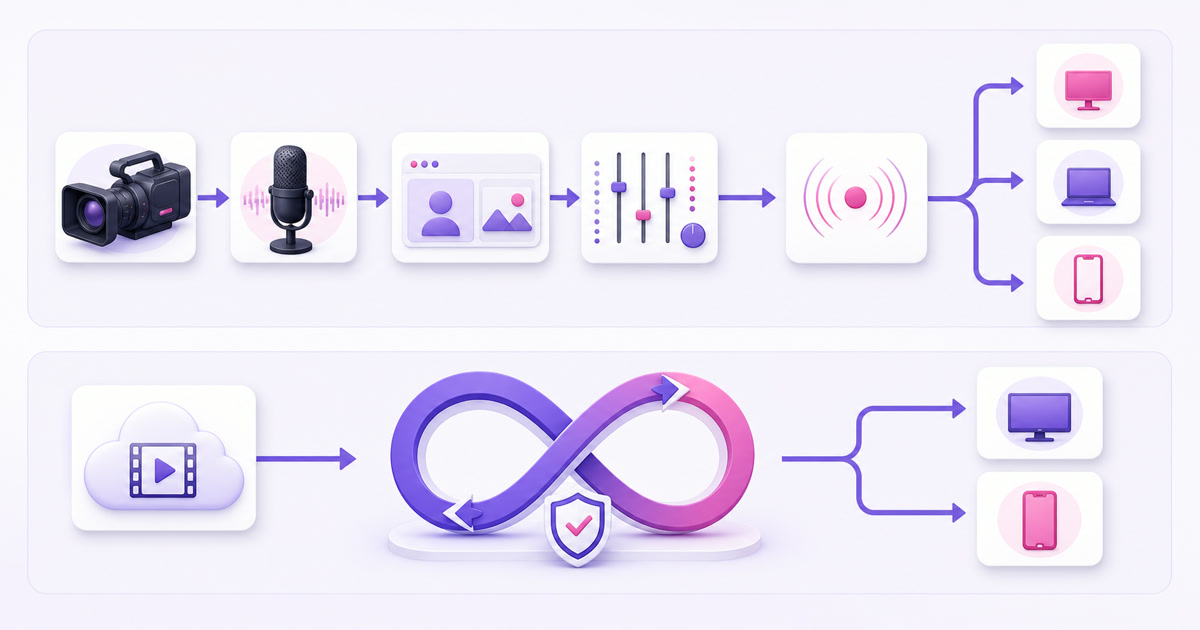
Restream's centre of gravity is live production and multistreaming. Its browser-based Studio lets a host add scenes and graphics, choose connected channels, and go live without installing production software. It also works as a cloud relay for encoders such as OBS: your encoder sends one signal to Restream, which distributes it to the selected platforms.
The practical Studio path is Restream home screen → New Stream → Studio. Grant camera and microphone access, build the scenes, update the title and thumbnail, select Channels, then press Go Live. This flow makes sense for interviews, webinars, product launches, live shopping, worship services, and any programme where a person is actively producing the broadcast.
The main creator plans are Free, Standard, Professional, and Business. As of July 2026, Restream's public pricing page lists Standard at $19 per month for three simultaneous channels, Professional at $49 per month for five channels and Full HD Studio streaming, and Business at $239 per month for eight channels plus team and website-player features. Annual billing shows lower effective monthly rates. Restream also offers recordings and a separate Clips add-on for turning longer shows into short posts.
Cloud distribution saves home upload capacity. If you push a 6 Mbps feed directly to YouTube and another 6 Mbps feed directly to Facebook, the target payload is about 12 Mbps before connection overhead. With a cloud relay, your device uploads one 6 Mbps feed and the service makes the copies. YouTube's official simulstreaming guide describes the same difference between local multi-output encoding and a cloud relay.
These are substantial production features. They are also clues that Restream should not be judged only as a video repeater. A creator running guest-led shows may get far more value from Studio, cross-platform chat, recordings, and distribution than from an endless-loop engine.
Can Restream run a 24/7 loop?
It can run a finite 24-hour broadcast from uploaded video, but its current documented loop feature does not run forever. Restream's Upload & Stream product lets you schedule an uploaded file or a previous recording as a live event. The server starts it automatically, so your laptop does not need to remain on.
The setup path is Restream home screen → New Stream → Pre-recorded livestream → Video. Select or upload a file, set the event details, choose the loop count, turn on the destination channels, and create the event. Restream's official event guide says the looping option is available on the Marathon and Media Upload & Stream add-on tiers.
The loop documentation sets two important boundaries: an individual video can repeat up to 10 times, and the resulting event can run for a maximum of 40 hours. That is enough for a one-day radio special, a weekend replay, or a timed product-demo channel. It is not a set-once, indefinite broadcast.
Playlists do not remove that boundary. Restream permits up to 40 video slots, including duplicated files, but its docs say a playlist itself cannot loop. You can schedule playlists back to back, yet Restream inserts a two-minute buffer between them. That creates separate scheduled broadcasts rather than one uninterrupted, permanent feed.
Where a finite loop is the better answer
Not every “24/7” search requires a permanent channel. A conference organiser may want a 30-hour replay window for viewers in other time zones. A DJ may schedule a 24-hour launch stream and plan to be present in chat. A course creator may repeat a workshop eight times and then close registration. In these cases, a defined stop is useful, and Restream's scheduled event, graphics, chat, and multichannel distribution can be a better package than a bare loop engine.
So the precise answer is not “Restream cannot play prerecorded video.” It clearly can. The answer is that Restream's uploaded-video system is designed around scheduled events with finite libraries and repeat counts. If that is your actual requirement, it may fit well. If “24/7” means every day until you manually stop the channel, compare tools built around persistent jobs; our 24/7 live streaming service comparison is a useful starting point.
What a loop service does differently
A dedicated loop service treats continuity as the product, not as an option on an event. You upload an asset, supply the destination's RTMP URL and stream key, and start a cloud process whose expected end time is “not yet.” The service repeatedly hands the end of the file back to the beginning instead of waiting for another scheduled event.
Good source preparation still matters. Matching the audio and visual edges makes the repeat less noticeable; a service cannot turn an abrupt ending into a musically perfect transition. But the runtime should be designed to cycle without a planned stop, keep a browser tab or home PC out of the critical path, and watch the outbound process for failure.
A recovery watchdog is another category difference. If the encoder process exits or a push connection drops, the system should detect the missing feed and restart it without waiting for the creator to wake up. Our guide to how 24/7 stream auto-restart should work explains what to ask vendors about detection, retries, and alerting.
Per-destination jobs also provide useful isolation. A YouTube authentication problem should not necessarily terminate the Facebook feed, and changing one destination should not require rebuilding the other. That architecture is different from producing one live show and fanning the same moment to every channel.
Questions to ask a loop provider
- Does the job continue indefinitely, or is there a hidden event-duration or repeat-count ceiling?
- What happens when the encoder exits, the destination refuses a connection, or a stream key changes?
- Can each destination restart independently, and can you see its current state from a phone?
- Does a playlist restart automatically after the final item, and can you change its order without rebuilding the channel?
- Will the service alert you after repeated failures instead of silently showing an offline channel?
A serious answer should describe behaviour, not just use the word “reliable.” Ask for the exact state transition after a failed push and test it during a trial with a non-critical stream key.
Disclosure: StreamNeo publishes this blog and is one example of this dedicated category. It is built for cloud-hosted, continuous prerecorded loops rather than guest production. Its current price is ₹999 per month in India or $9.99 per month internationally, with a 24-hour trial that does not require a card.
Cost for the specific 24/7 job
Comparing only the cheapest logo on each pricing page gives the wrong answer. Restream's Free or Standard plan may be excellent for a live show, but the relevant price for repeated uploaded video is the Upload & Stream tier that actually includes looping.
| Option | July 2026 price | What the price buys for this job | Continuous forever? |
|---|---|---|---|
| Restream Premier Upload & Stream | $39/month | Two-hour video library, 1080p; official guide does not list looping on this tier | No |
| Restream Marathon Upload & Stream | $79/month | Four-hour library, 1080p, looping up to 10 repeats and 40 hours per event | No |
| Restream Media Upload & Stream | $239/month | Twelve-hour library, up to 4K, with the same documented loop and event-duration ceilings | No |
| Dedicated loop-service example above | ₹999/month India or $9.99/month international | A persistent prerecorded loop job; no guest studio or live-show production suite | Yes, while the streaming slot is active |
Marathon is the lowest Restream Upload & Stream tier its current event guide lists as looping-capable. That $79 buys more than repetition: scheduled cloud events, a four-hour library, graphics and chat controls, and integration with Restream's broader workflow. The dedicated service starts at $9.99 for the 720p at 30 fps plan and focuses on a continuous loop while the slot is active.
Storage size can change the choice before runtime limits do. A four-hour Restream library may cover one long event, while a creator who rotates many approved tracks may need a different storage model. Count the final encoded hours you will actually keep online, not the raw project files on your editing drive. Also decide whether 4K is genuinely required; many lofi and devotional channels gain more from stable 1080p delivery than a larger 4K bill.
The fair decision is therefore based on the job. Paying more for a studio is sensible when guests, scenes, multichannel chat, and recordings save production work. Paying for those features only to run one lofi MP4 forever is harder to justify. Likewise, choosing a simple loop tool for a panel show would leave the producer without the controls they actually need.
Using both together
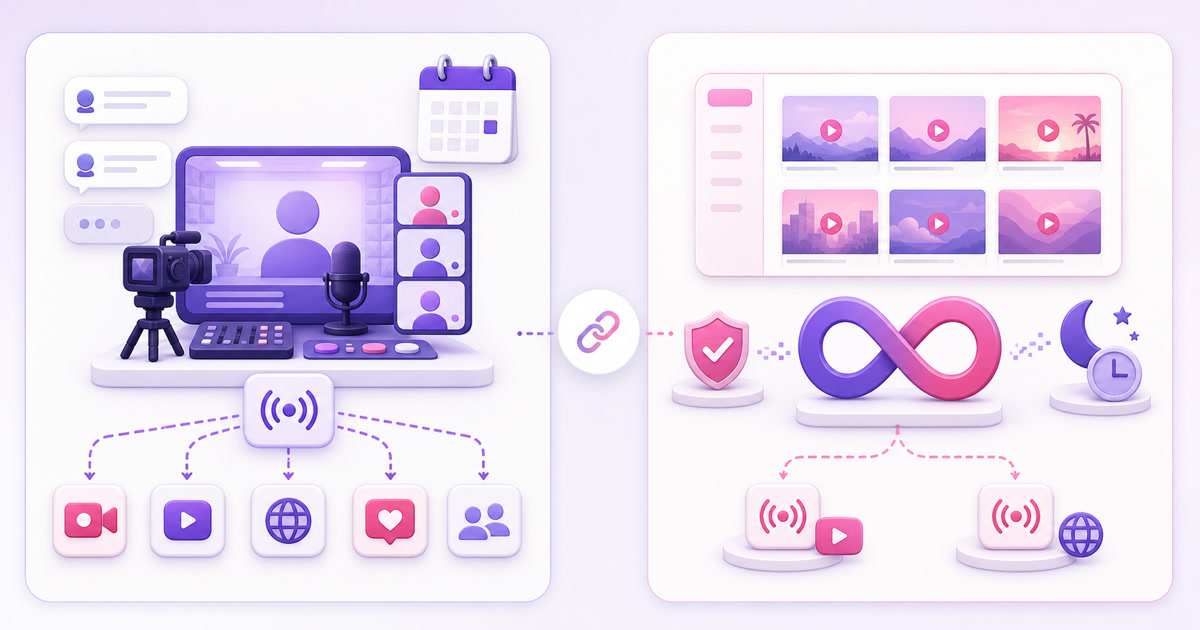
You do not have to force every channel through one product. A small media brand can use Restream Studio for a live interview every Friday and use a loop service for a separate lofi, devotional, or replay channel during the rest of the week. Each tool handles the workload it was designed for.
- Produce the weekly show in Restream Studio. Add guests, scenes, titles, and connected social channels, then go live.
- Download or edit the recording. Remove waiting-room time, copyrighted inserts, and anything that should not repeat.
- Create a loop-ready master. Use H.264 video with AAC audio, and make the opening and ending compatible so the return to frame one feels intentional.
- Send the master to the loop channel. Use a distinct YouTube or Facebook stream key and start the persistent cloud job.
- Keep the show and loop operationally separate. A guest-show change or failed destination then does not disturb the always-on channel.
YouTube explicitly permits the same content to go live on multiple platforms at the same time. Keep every connected account in good standing and stream only material you have the rights to use. If you have a custom network, sponsor, sports, music, or partner contract, review its exclusivity terms too; the platform's general permission does not override a private agreement, and YouTube's livestream terms make your stream subject to your applicable agreement.
The short verdict is simple: choose Restream when you are producing a show and need one live signal distributed well. Choose a loop service when the broadcast is a prepared library that should keep running with no scheduled finish. Use both when you have both jobs.
Start free — 24-hour trial, no card
FAQ
Can Restream stream 24/7 without my computer?
Yes, for a scheduled uploaded-video event within Restream's current limits. Its servers can start and play the event while your computer is off. The documented loop option allows up to 10 repeats and a maximum 40-hour event, so it can cover a 24-hour special but is not the same as an indefinite channel.
Does Restream loop a video forever?
No, not according to Restream's July 2026 help documentation. A video can loop up to 10 times, the looped event can last up to 40 hours, and playlists cannot loop automatically. You can duplicate clips inside a 40-slot playlist, but that still creates a finite scheduled broadcast rather than a permanent loop.
What's better for a lofi radio?
A dedicated loop service is the cleaner fit for a lofi station that should remain live continuously from a prepared video or playlist. Restream is stronger when the “radio” is a produced live programme with hosts, guests, graphics, chat, or distribution to many platforms. In either case, use music and artwork you own or are licensed to broadcast.