YouTube gets most of the 24/7 streaming attention, but Facebook has something YouTube doesn't: a feed algorithm that actively pushes live video to people who never searched for it, and notification blasts to your page followers the moment you go live.For pages with an existing audience — local businesses, faith communities, music projects, regional news — a round-the-clock Facebook stream can outperform a YouTube one for reach.
But Facebook's live infrastructure has quirks that break naive 24/7 setups, the biggest being a hard broadcast time limit.This guide covers the full setup — requirements, exact settings, the 8-hour problem and how real 24/7 channels solve it — honestly, including when Facebook is the wrong platform for this.
What you need before going live
- A Facebook Page (not a personal profile). Profiles can go live, but pages get Live Producer's full toolset, persistent stream keys, crossposting, and monetization options.Run 24/7 streams from a page.
- Live access. Available to pages by default; new pages should be fully set up (profile photo, category, a few posts) — brand-new empty pages pushing RTMP sometimes trip spam filters.
- An encoder or streaming service — Facebook's ingest accepts standard RTMPS from OBS, ffmpeg, hardware encoders, or cloud services.
- Content you own. Facebook's Rights Manager scans live streams just like YouTube's Content ID; matched third-party music gets streams muted, interrupted, or taken down mid-broadcast, and repeat matches restrict the page's live access.
Facebook's ingest: RTMPS only
The first thing that breaks people coming from YouTube: Facebook requires encrypted RTMPS — it deprecated plain RTMP ingest back in 2019.The endpoint:
rtmps://live-api-s.facebook.com:443/rtmp/
Your full stream address is that URL plus your stream key, which you get from the page: Live Producer (facebook.com/live/producer) → Go Live → Streaming Software.Two key details:
- Tick "Use a persistent stream key." By default Facebook generates a fresh key per broadcast.The persistent option gives you a reusable key — essential for automated 24/7 setups, since your encoder can reconnect and start new broadcasts without a human fetching a new key each time.
- Port 443 matters: because RTMPS rides the HTTPS port, it usually passes through strict firewalls and ISP shaping better than YouTube's port-1935 RTMP.
Encoder settings that Facebook actually accepts
Facebook's ingest is pickier than YouTube's.Safe, current settings:
| Setting | Value | Notes |
|---|---|---|
| Video codec | H.264 | Required; no HEVC over RTMPS |
| Audio codec | AAC, 128–256 kbps, 48 kHz stereo | |
| Resolution / fps | Up to 1080p at 30 or 60 fps | 720p30 remains the most bulletproof choice |
| Video bitrate | 3,000–4,500 kbps (720p), 4,500–6,000 kbps (1080p) | Facebook is less tolerant of bitrate spikes than YouTube — use CBR |
| Keyframe interval | 2 seconds | Facebook rejects/degrades streams with sparse keyframes |
| Rate control | CBR |
Most viewers watch Facebook video on phones in the feed, often muted with captions — so favor bold visuals, large text, and audio that isn't essential for the first 10 seconds of comprehension.If your source file is already H.264/AAC in these ranges, copy-mode capable setups (ffmpeg -c copy, or a cloud service's passthrough) can send it without re-encoding and without quality loss.
The 8-hour problem — and how 24/7 pages actually solve it
Here's the catch this whole article hinges on: Facebook caps a single live broadcast at 8 hours (streams via the Live API/encoder route; mobile-app broadcasts cap sooner).At the limit, Facebook ends the broadcast no matter how healthy your connection is.There is no true single-broadcast "24/7" on Facebook the way there is on YouTube.
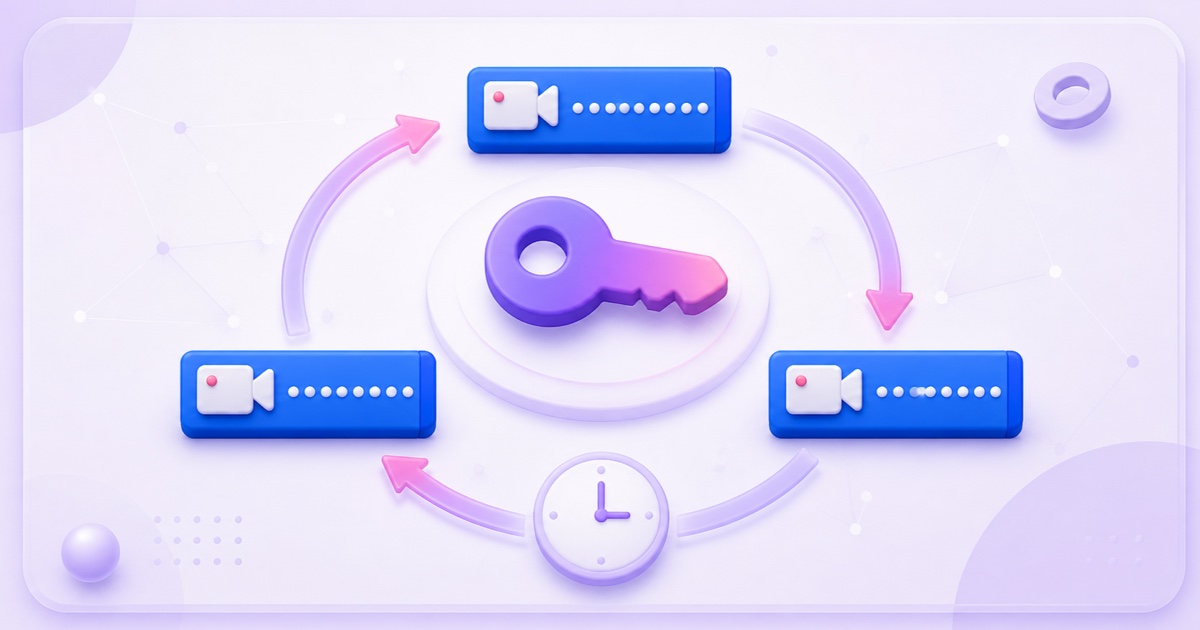
So a "24/7 Facebook stream" in practice means back-to-back broadcasts chained automatically:
- Your encoder streams to the persistent key; Facebook runs the broadcast up to 8 hours.
- The broadcast ends (at the cap, or you end it on a schedule — e.g., every 6 hours at clean loop boundaries).
- The encoder immediately starts pushing again to the same persistent key, creating a new live post.
- Repeat, forever: three or four broadcasts a day instead of one endless one.
Honest trade-offs of chaining: each restart resets concurrent viewers and comments (each broadcast is a new post), there's a 1–2 minute gap between broadcasts, and your page timeline accumulates several live videos daily (curate or delete old ones periodically).The upside nobody mentions: every new broadcast can fire fresh notifications to followers and gets a fresh shot at feed distribution — some pages find chained 6-hour broadcasts reach more people than one continuous stream would.
To automate the restart you need an encoder that reconnects on its own: OBS with auto-reconnect (Settings → Advanced) plus a persistent key handles it semi-gracefully; an ffmpeg systemd service with Restart=always handles it fully; cloud streaming services handle it as their core feature.This is genuinely the strongest argument for automation on Facebook specifically: a cloud encoder treats the 8-hour cut as just another disconnect, and its crash recovery starts the next broadcast on your persistent key automatically, so the page stays live around the clock without anyone waking up to restart it. Choose one that actually publishes to Facebook — StreamNeo, for example, sends to YouTube only, so it is the wrong tool for a Page.Whatever tool you use, verify it restarts broadcasts (not just connections) before trusting it overnight.
Step-by-step: a looping 24/7 setup on Facebook
- Prepare a 1–3 hour video file you own: MP4, H.264/AAC, CFR, 2-second keyframes, bitrate from the table above.Longer loops mean cleaner broadcast boundaries.
- Get your persistent key: Live Producer → Go Live → Streaming Software → enable persistent stream key → copy it and rtmps://live-api-s.facebook.com:443/rtmp/.
- Point your encoder at it. OBS: Settings → Stream → Service "Facebook Live".ffmpeg: ffmpeg -re -stream_loop -1 -i loop.mp4 -c copy -f flv "rtmps://live-api-s.facebook.com:443/rtmp/YOUR-KEY" wrapped in an auto-restarting service.Cloud service: upload the file, add Facebook as a destination, paste URL + key — using a service that publishes to Facebook (StreamNeo does not; it sends to YouTube only).
- Configure the broadcast in Live Producer: title, description, audience settings.Facebook shows a preview of the incoming feed — check A/V sync there, then Go Live.
- Verify the chain works: let it run past one full broadcast boundary (or force-end a broadcast) and confirm the next one starts unattended.This is the test most 24/7 Facebook setups fail — run it before you rely on it.
Facebook vs YouTube for 24/7: honest comparison
- Choose Facebook when your audience already lives there (local/community pages, regional languages, older demographics), you want feed-driven discovery and notifications, or you're a business using live as a storefront presence.
- Choose YouTube when you want one continuous broadcast with no 8-hour cap, search-driven discovery ("rain sounds for sleeping"), a permanent live URL people bookmark, and better long-session viewing.Setup guide: How to Stream 24/7 on YouTube Without a PC.
- Or do both: multi-platform streaming sends the same loop to both ingests simultaneously — from home that doubles your upload bandwidth (10–12 Mbps sustained); from a cloud setup it's just a second destination on the server's connection.
On monetization: Facebook's in-stream ads for live require meeting Level Up / monetization eligibility (follower and watch-time thresholds, policy standing), and looped pre-recorded content faces the same originality scrutiny as on YouTube.Build the stream for reach and community; treat direct revenue as unpromised upside on either platform.
If you'd rather not build the restart automation yourself, StreamNeo's free demo slot (email verification required) lets you test the same always-on chain — upload, cloud encoder, automatic restart — on a YouTube channel before paying anything; Facebook is not one of its destinations (₹999/month or ₹49/day in India, $9.99/month elsewhere, per stream).And if your Facebook streams are interactive rather than looped, stick with OBS on a real computer; that's the right tool for that job.
More from the journal: Testing a 24/7 Setup Before You Commit: A 48-Hour Burn-In · The 24/7 Stream Pre-Flight: 12 Checks Before You Leave It Running · Uploading Once vs Streaming Forever: How Cloud Loops Handle Your File
FAQ
Can you really stream 24/7 on Facebook?
Yes, but not as one broadcast — Facebook ends encoder-based live broadcasts at 8 hours.Continuous pages chain back-to-back broadcasts on a persistent stream key with automated restarts, which keeps the page effectively live around the clock with brief gaps at each boundary.
What is Facebook's RTMP URL and where do I find my stream key?
The ingest is rtmps://live-api-s.facebook.com:443/rtmp/ (RTMPS is mandatory — plain RTMP was deprecated in 2019).Your key is in Live Producer (facebook.com/live/producer) → Go Live → Streaming Software; enable "persistent stream key" there for a reusable one.
Why does my Facebook live stream end by itself every 8 hours?
That's Facebook's broadcast duration limit, not a fault in your setup.Automate a restart: an encoder or service that immediately begins a new broadcast on your persistent key after the cut is the standard solution.
What's the best resolution and bitrate for Facebook Live?
720p30 at 3,000–4,000 kbps CBR is the most reliable configuration and looks good in the mobile feed where most viewers are.Use 1080p at 4,500–6,000 kbps only if your source detail justifies it; keep keyframes at 2 seconds either way.
Can I stream the same video to Facebook and YouTube at the same time?
Yes — run two encoder outputs or a multi-platform cloud service pushing to both ingests.Mind Facebook's crossposting/exclusivity rules if you're in their monetization programs, and remember each platform enforces its own copyright scanning independently.
Does looped content get monetized on Facebook?
Only if the page qualifies for in-stream ads and the content passes Facebook's originality and rights checks — looped third-party content won't, and even original loops aren't guaranteed.Most 24/7 pages earn indirectly: local leads, event promotion, music distribution, and community growth.