
StreamNeo update — 19 September 2026: Every slot streams whatever you upload — any quality, up to 4K 60fps — at one price per billing term, so the prices below are the whole story. The 24-hour trial includes one YouTube stream, your videos in their original quality, and 10 GB of storage. See current plans.
"Streaming is free — OBS costs nothing and I already have a computer." That's true for a Saturday-night stream and false for a 24/7 one. Continuous streaming turns small hourly costs into a real monthly bill, and most people only discover this after their first full month of electricity charges.
This article prices out every realistic way to run a 24/7 live stream — home PC, Raspberry Pi, DIY cloud server, managed cloud service — with actual numbers you can recalculate for your own tariff. All costs assume a single 1080p stream to YouTube.
The baseline: what a 24/7 stream consumes
Whatever hardware you choose must do two things continuously: encode (or at least remux) video, and push roughly 4,500–6,000 kbps upstream to rtmp://a.rtmp.youtube.com/live2. Over a month that's:
- 720 hours of hardware runtime, and
- ~1.4–1.9 TB of upload traffic (4,500 kbps ≈ 2 GB/hour; 6,000 kbps ≈ 2.7 GB/hour).
Keep those two numbers in mind — every option below is just a different way of paying for them.
Option 1: Your PC running OBS 24/7
Electricity — the honest math
A mid-range desktop encoding a stream draws roughly 120W at the wall (CPU x264 encoding pushes it higher, ~150–200W; NVENC on an idle-ish gaming PC can be a bit lower). At 120W:
- 120W × 24h = 2.88 kWh/day = ~86.4 kWh/month
- India at ₹8/kWh: ~₹690/month (₹6–10/kWh depending on state and slab — heavy 24/7 use often pushes you into a higher slab)
- US at $0.16/kWh: ~$13.80/month; Europe at €0.30/kWh: ~€26/month
A power-hungry gaming rig at 250W doubles all of that: ₹1,440 / $28 / €54 per month. A monitor left on adds another 20–40W — turn it off; the stream doesn't need it.
Hardware wear
Running at constant load 24/7 is 8,760 hours/year — versus maybe 1,500 hours/year of normal use. Fans, PSU capacitors, and drives age on runtime. If a ₹50,000 ($600) PC that would otherwise last 6+ years lasts 3 under continuous duty, you're consuming roughly ₹1,400 ($17) of hardware per month. Argue the exact figure, but it isn't zero — and while it streams, that PC isn't fully yours to use.
Supporting costs
- UPS/inverter: in outage-prone areas, a UPS that can actually bridge cuts adds ₹5,000–15,000 upfront (₹150–400/month amortized). Without one, every power blip is a dead broadcast until you notice.
- Internet: 1.4+ TB of monthly upload is fine on truly unlimited fiber, but many "unlimited" plans throttle after a fair-usage cap, and capped plans (common in the US, at ~1.2 TB combined) will bill overages. Check the FUP clause before committing.
- Cooling: a machine dumping 120W of heat into a room 24/7 is free in winter and an air-conditioning surcharge in an Indian summer — small, but real if the room is climate-controlled.
Realistic total: ₹2,200–2,600/month in India, $30–45/month internationally — for hardware you already "paid for."
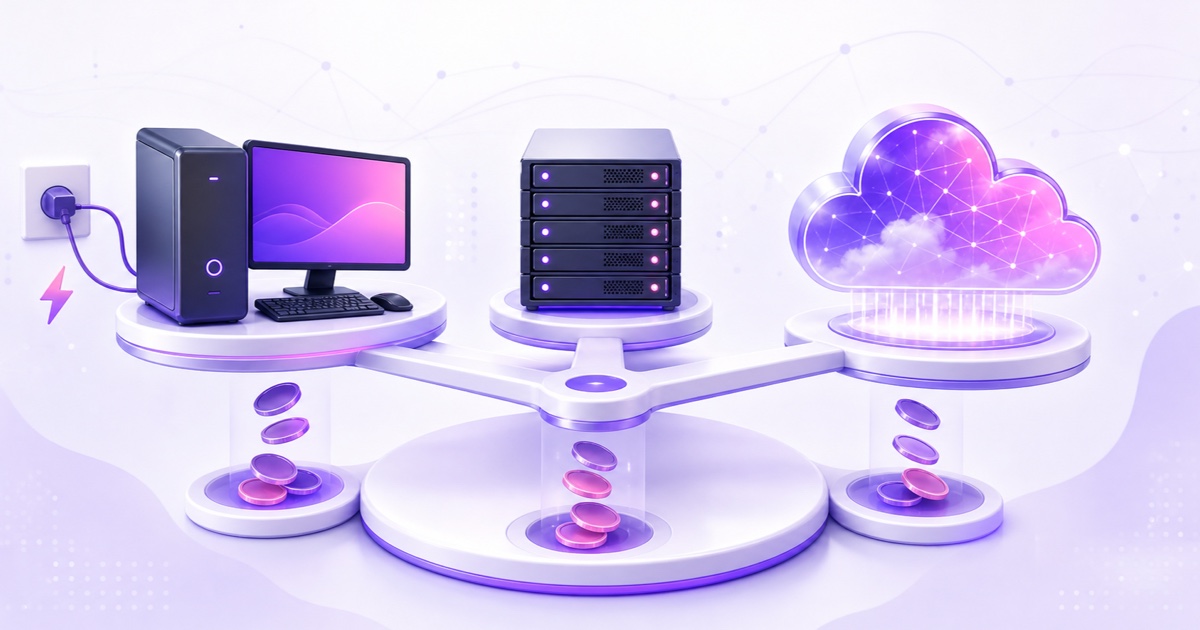
Option 2: Raspberry Pi (the low-power hack)
A Raspberry Pi 5 draws 8–12W: barely ₹60–70/month (about $1.40) in electricity, and it can stream an already-encoded H.264/AAC file with ffmpeg's -c copy without breaking a sweat (live re-encoding, however, is beyond it at 1080p).
Costs: ~₹8,000/$80 upfront for the board, PSU, and a quality SD card or SSD (budget for SD corruption — continuous logging kills cheap cards). The catch isn't the Pi; it's everything around it: it still rides your home power and home internet, so it inherits every outage. Electricity solved, reliability not. Fine for a hobby stream you check daily; risky for a channel you're building a business on.
Option 3: DIY cloud — a VPS with ffmpeg
Rent a small Linux VPS and run the loop yourself:
- VPS cost: ₹300–800/month ($4–10) gets 2 vCPU / 2–4GB RAM — plenty for copy-mode streaming (-c copy uses almost no CPU). If your file needs live re-encoding, you'll want 4 vCPUs: $12–25/month.
- Bandwidth: most VPS plans include 1–20 TB; your ~1.4–1.9 TB fits, but check — some budget hosts meter at 1 TB.
- Storage: a 5GB video file fits any plan.
Your real cost here is time: initial setup (an evening if you know Linux, a weekend if you're learning), plus ongoing ops — systemd restart units, disk-space hygiene, ffmpeg quirks at loop boundaries, and being the person who notices at 2 a.m. that the stream died. If you enjoy that, this is the cheapest robust option, full stop.
Option 4: Managed cloud streaming service
Services like StreamNeo package the VPS approach: upload your video (resumable uploads up to your storage quota), paste your stream key — StreamNeo takes a YouTube key, since YouTube is the only platform it publishes to — and their servers loop it continuously with automatic crash recovery and a mobile dashboard. H.264/AAC files stream in copy mode — no re-encode, no quality loss.
- India: ₹49/day or ₹999/month per stream slot
- International: $9.99/month per stream slot
- Free demo slot available (email verification required) — useful for testing before any spend
The premium over a DIY VPS (~₹200–700/month) buys the upload tooling, monitoring, reconnection logic, and not being on call. Whether that's worth it depends entirely on what your time costs.
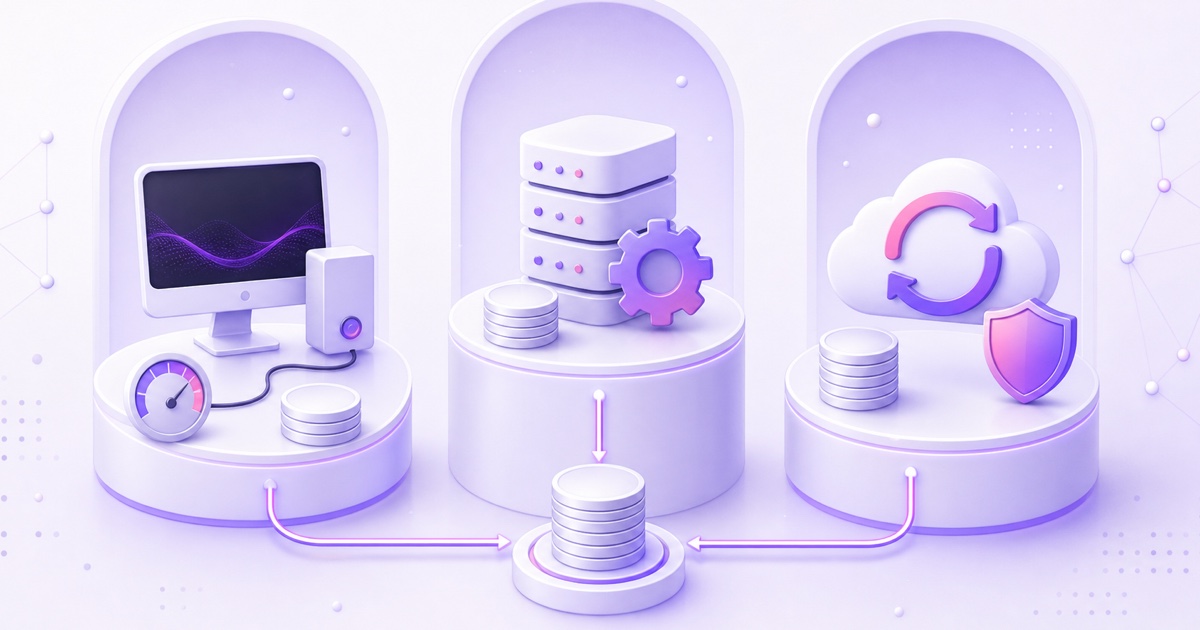
Side-by-side: total monthly cost, 1080p 24/7 stream
| Setup | India (₹/mo) | Intl ($/mo) | Upfront | Reliability | Your effort |
|---|---|---|---|---|---|
| PC + OBS at home | ₹2,200–2,600 | $30–45 | ₹0 (PC owned) | Low–medium (home power/ISP) | Medium, ongoing |
| Raspberry Pi at home | ₹100–150 | $2–3 | ₹8,000 / $80 | Low–medium (same home risks) | High (Linux + babysitting) |
| DIY VPS + ffmpeg | ₹300–800 | $4–10 | ₹0 | High (if maintained) | High initially, medium after |
| Managed cloud (e.g. StreamNeo) | ₹999 | $9.99 | ₹0 | High (auto-recovery) | Low |
The break-even logic
- Streaming under ~6 hours/day? Your existing PC wins — marginal electricity is ₹150–200/month and you're present to fix problems anyway. Cloud services only make sense when the stream outlives your attention span.
- Streaming 24/7 and comfortable with Linux? DIY VPS is the price floor.
- Streaming 24/7 and not a server person? Managed cloud costs less than half of what the home PC truly costs in India, and roughly half internationally — while being more reliable than both home options.
The costs that aren't on the bill
- Downtime cost: a 24/7 stream's ranking in YouTube's live tab compounds with uptime; every multi-hour outage resets viewer habits. Cheap-but-flaky can be expensive.
- Multi-platform multiplies everything: simulcasting to YouTube + Facebook doubles upstream bandwidth from home; on cloud setups it's usually just a second stream config (or a second slot — check pricing per destination).
- Content costs are separate: whatever you stream must be owned or licensed, and no infrastructure spend guarantees monetization — YouTube's Partner Program review looks at content originality, not your hosting bill. Budget content first, infrastructure second. (Need concepts? See 12 profitable 24/7 stream ideas.)
Bottom line
The "free" home-PC option is the most expensive mainstream way to stream 24/7 in India, and roughly tied with managed cloud internationally — before counting reliability. The genuinely cheap options are a Pi (if you accept home-grid risk) or a DIY VPS (if you accept the ops work). Managed cloud sits in the middle: ₹999/$9.99/month for the set-and-forget version.
The nice thing is you don't have to model this on paper: run your actual loop on StreamNeo's free demo slot, watch your electricity meter not move for a week, and compare it with a weekend of VPS tinkering. Pick whichever fits your skills and budget — the math above doesn't lie in either direction. A deeper reliability comparison lives in OBS vs Cloud Streaming Service.
More from the journal: VPS vs Managed 24/7 Streaming in 2026: Cost, Effort and Reliability · StreamLoop vs StreamNeo: Usage-Based Billing vs Prepaid Days · Uploading Once vs Streaming Forever: How Cloud Loops Handle Your File
FAQ
How much electricity does a streaming PC use per month?
At a typical 120W draw, about 86 kWh/month running 24/7 — roughly ₹690 in India at ₹8/kWh, $14 in the US at $0.16/kWh, or €26 in Europe at €0.30/kWh. A 250W gaming rig doubles those figures; measure yours with a ₹700 wall-plug power meter rather than guessing.
How much internet data does a 24/7 stream upload?
At 4,500 kbps (standard 1080p30), about 2 GB/hour — roughly 1.4 TB/month of upload. At 6,000–9,000 kbps (1080p60), 1.9–2.9 TB/month. Check your ISP's fair-usage policy; this is upload, which many plans quietly throttle.
Is it cheaper to use a VPS or a streaming service?
A small VPS (₹300–800 / $4–10 per month) is cheaper on paper. A managed service (₹999 / $9.99) includes the looping software, resumable uploads, crash recovery, and support. If you'd spend more than an hour or two a month maintaining the VPS, the price difference evaporates.
Can I stream 24/7 for completely free?
Not sustainably. Someone always pays for 720 hours of compute and ~1.5 TB of bandwidth. Free trials (StreamNeo's demo slot included) are for testing, not permanent hosting, and "free RDP/VPS" schemes you'll see on YouTube tend to be ToS-violating, short-lived, or scams.
Does 24/7 streaming damage your PC?
It won't break it overnight, but continuous load accelerates wear on fans, the PSU, and storage, and keeps thermals elevated. Budget for reduced lifespan — that's the "hardware amortization" line most cost comparisons skip.
What's the cheapest way to stream 24/7 at 1080p?
A DIY VPS with ffmpeg in copy mode (₹300–800/$4–10 per month) if you have Linux skills; a managed cloud slot (₹999/$9.99) if you don't. Both beat a home PC's true running cost in India, and both remove home power/ISP risk from the equation.