
A jagran may finish at sunrise, but the recording often spends the next year on a hard drive. That is a missed opportunity for the organizer, the mandali, and devotees who could not be present on the night.
The useful idea is not to pretend that yesterday’s programme is happening now. It is to turn a properly cleared recording into an honest, continuous broadcast: a persistent place where people can return to the bhajans, discover the performers, and hear about the next gathering.
This playbook covers the entire route from consent to channel programming. It is written for event organizers, mandali members, and videographers who already have long-form footage and want to build a respectful jagran live stream from it.
The sleeping asset: six recorded hours are a real programme
A typical event recording already has what many continuous channels struggle to create: substantial duration, natural changes of singer and tempo, a sense of occasion, and a complete devotional arc. You do not need to manufacture dozens of short clips merely to fill a playlist. The night itself is the source programme.
Re-broadcasting it can be understood as extended seva and access, provided everyone involved agrees. An attendee can relive a favourite performance. A family in another city can join at a convenient hour. The mandali can share one stable watch page instead of sending large files through WhatsApp.
That does not mean every minute belongs in the loop. Start by making a working copy and watching the whole event as an editor, not just as an attendee. Mark long setup gaps, private conversations near microphones, camera resets, feedback bursts, announcements with old phone numbers, and any material whose rights are uncertain.
Keep the original master untouched. Your broadcast master should be a separate export made specifically for repeated viewing. If you are building a broader devotional library rather than an event-replay channel, use the companion 24/7 bhajan channel playbook to plan daily programming around these event recordings.
Permissions first: clear every layer before editing
Owning the memory card is not the same as controlling every right in the programme. Three parties may have a stake: the mandali or individual performers, the event organizer, and the videographer or production company commissioned to record it. Get written consent before publishing, even when everyone knows one another personally.
A practical consent note should identify the event and recording, the channel that will carry it, whether the replay may run continuously, whether clips and edits are allowed, whether the channel may monetize it, how performers will be credited, and whom to contact if a correction is needed. Each relevant party should approve the same version. Save the signed document and related messages with the project files.
Check the videography agreement instead of assuming the person who paid for the shoot received unrestricted re-broadcast rights. If the contract is silent, ask the videographer to confirm online streaming and monetization in writing. Likewise, a performer’s permission to be filmed at the venue does not automatically settle how that recording may be reused later.
There is a second rights layer inside the live sound. If a film bhajan or label-owned recording played through the PA during an interval, your camera also captured that protected sound. Permission from the singer on stage does not grant permission from the label. Cut that section, replace it with cleared audio, or remove the affected visual-and-audio passage from the broadcast master.
This is not a theoretical edge case. YouTube’s guidance on copyright in live streams says live broadcasts are scanned for third-party content and may be interrupted or terminated when a match remains. A private or unlisted test can help you spot a problem, but it does not create rights you do not have.
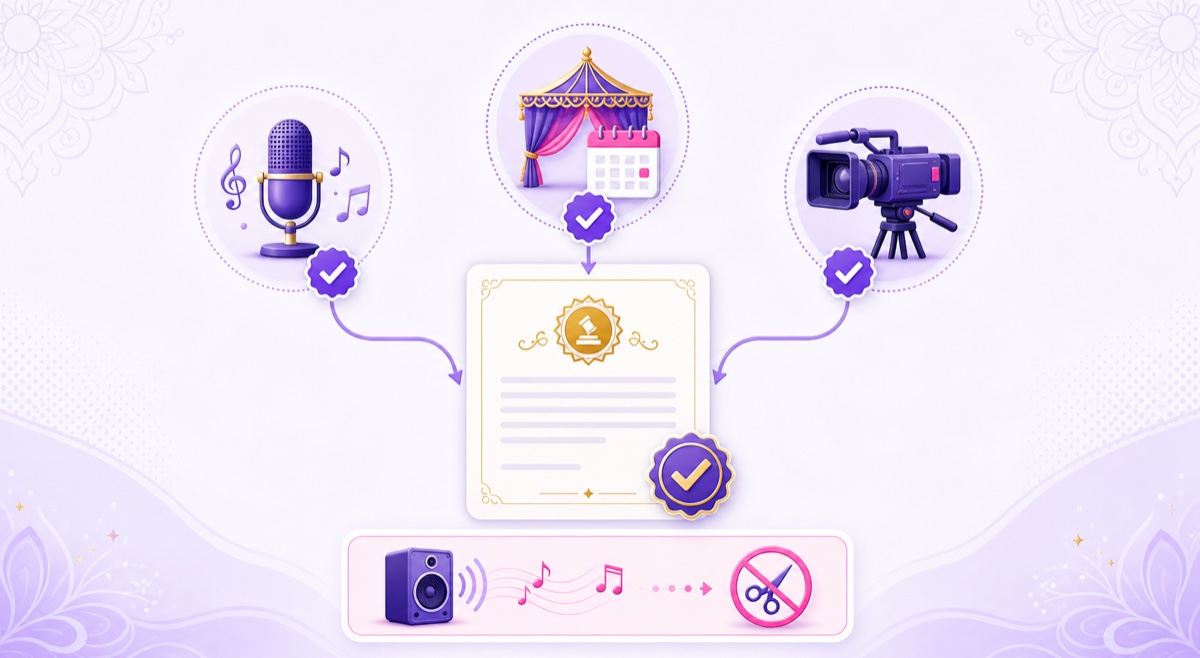
Simple rule: clear the performance, the event recording, and every music source heard inside it. If one layer is uncertain, hold that section back.
Prepare the replay as a respectful broadcast
Begin with dead-time removal, not aggressive shortening. Cut the empty stage before the programme, long camera-covering moments, and breaks that only made sense to people at the venue. Preserve introductions and transitions that explain who is singing or why a particular bhajan follows.
Build a coherent devotional sequence
When the event order is usable, retain its natural movement: vandana or invocation, the main bhajan performances, then aarti or closing. If you combine footage from more than one camera or event, avoid dropping a closing aarti into the middle simply because it has strong visuals. Respectful sequencing matters more than maximizing constant intensity.
Add a short, clean title card at the beginning of the master with the event name, recording date, place, and performer credits. Use only information you can verify. A discreet card at the end can repeat the credits and state that the programme is a recorded broadcast.
Fix the audio for long listening
Volume shifts feel much harsher when viewers listen for an hour. Balance each performance so a soft singer does not force people to raise the volume and the next dholak entry does not become a shock. Remove obvious feedback, electrical hum, and handling noise where possible, but do not process the voices until they sound artificial.
Review the complete export once on headphones and once through an ordinary phone speaker. The phone check matters because many devotees will listen mobile-first or through a small Bluetooth speaker. For a deeper treatment of devotional repetition, rights, and presentation, see the aarti and mantra streaming guide.
Make the recording label impossible to misunderstand
Use wording such as Recorded Jagran — Streaming Continuously in the title or first description line. Do not write LIVE from the venue, happening now, or today’s date when the event has ended. The platform may display a LIVE badge because it is receiving a live video feed; your own metadata should still describe the programme truthfully.
A workable title is: Mata Ki Bhent and Bhajan Sandhya | Recorded Jagran Streaming Continuously. In the description, state the original event date and location, list the performers, mention that the broadcast is a replay, and include the organizer’s verified contact details.
Export the final master as an MP4 with H.264 video and AAC audio at a constant frame rate. Watch the last 30 seconds immediately followed by the first 30 seconds. A short neutral transition card can make the return from closing aarti to vandana feel intentional without implying that the original event itself had no ending.
Choose a channel structure that can grow
There are two sensible starting structures. Pick one based on the footage you genuinely control rather than the size of channel you hope to have.
- One-event loop: best for a first test or one especially strong programme. It is simple to approve and edit, but regular listeners may notice repetition sooner.
- Rotating event library: better once several organizers and mandalis have consented. Different cities, singers, and event dates create variety, while consistent metadata keeps the channel understandable.
For the library model, treat each event as a complete block. Do not slice the evening into random songs merely to hide repetition. A playlist might run Event A, Event B, Event C, then return to A. Put a short credited transition between events so viewers know when the programme changes.
Navratri is the natural high-attention season for jagran programming, so prepare before it rather than changing everything during the festival. Confirm permissions, finish masters, update thumbnails, schedule community posts, and create a clearly dated special playlist. Outside the season, keep the replay channel useful with the strongest cleared events and publish future-event notices only when details are final.
For YouTube, open YouTube Studio → Create → Go live → Stream, create or select the stream, and copy its stream key into your encoder. Keep the key private. Set the title and description in Live Control Room, then check the preview before making the broadcast public.
With a cloud loop service, the video keeps transmitting after your phone or laptop is closed. In StreamNeo, the practical path is Videos → Upload, then Streams → select a slot → YouTube → Choose Videos. Add the stream key, select the approved master or playlist, start the stream, and confirm the preview in YouTube Studio. StreamNeo is our product; the workflow is included here because it fits long event files without requiring the organizer’s computer to stay on.
Serve attendees and far-away devotees differently
The first audience already knows the night. They search for the venue, date, organizer, or singer and want to find a specific memory. Give them accurate chapters in the description of the archived source video, recognizable event imagery, and a link from that upload to the continuous watch page.
The second audience may know none of those details. They arrive for a devotional need: morning listening, a familiar bhent, or a particular performer. Your title should therefore combine the event identity with a plain content description. Avoid stuffing unrelated deity names or festival terms merely to catch searches.
A pinned comment can serve both groups. Credit the lead singers, chorus, musicians, sound team, organizer, and video team; include approved links to the mandali’s own channel or booking page; state the original event date; and invite factual corrections through one contact route. Performer credit is not decorative metadata—it is part of treating the recording as shared cultural work.
Moderate chat with the same standard you would use at the venue. Remove impersonation, abusive remarks, misleading donation requests, and unverified event announcements. If the channel includes one focused recurring recording, the Hanuman Chalisa loop channel guide offers a useful contrast between a single devotional format and a multi-performance jagran replay.
Build the organizer flywheel without cheapening the event
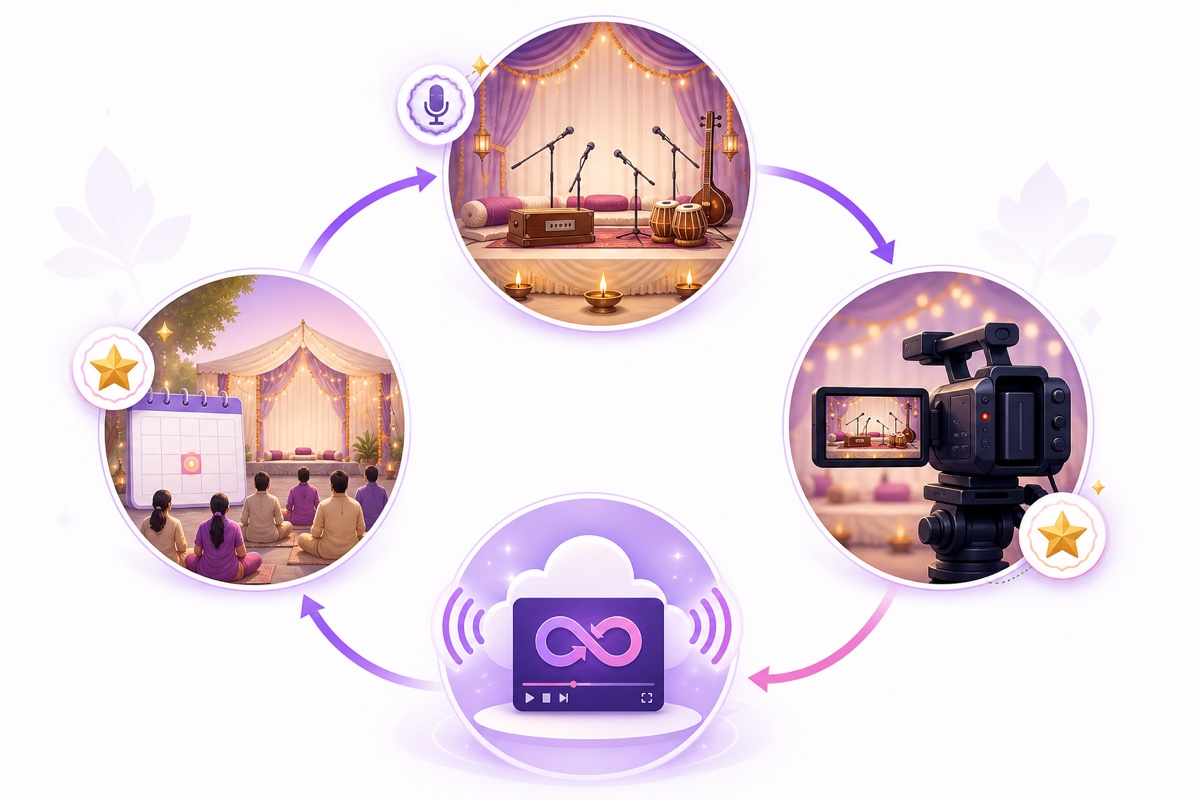
The strongest long-term model is straightforward: every properly cleared event adds a new programme; the continuous channel helps people discover the mandali and organizer; future event notices bring some of those viewers back to an in-person gathering; the next recording then expands the library.
Videographers can package this as a defined service instead of vaguely promising online promotion. A client deliverable can include one edited broadcast master, rights and credit collection, stream setup, thumbnail delivery, a month of monitoring, and an archive handoff. State clearly who owns the channel, who pays the streaming cost, who responds to claims, and what happens when the service period ends.
- Collect written approvals and credits before the edit is locked.
- Deliver a private review file to the organizer and performers.
- Make the requested factual corrections, then obtain final approval.
- Launch the replay under honest recorded-broadcast metadata.
- Share a monthly note covering interruptions, content changes, and upcoming events—without promising views or revenue.
A separate slot per client keeps keys, files, permissions, and billing from becoming tangled. Review the current StreamNeo pricing when quoting the service rather than hiding infrastructure inside an unclear fee.
Give one fully cleared programme a real rehearsal before you sell the workflow: start free with a 24-hour trial—no card required. The goal is a broadcast that honours the original night and remains useful after the chairs have been folded away.
More from the journal: How to Build a Rolling Weather and Traffic Loop for a Local Audience · Super Chat and Super Thanks on 24/7 Channels: What Actually Converts · Vertical 24/7 Channels: Who They Are For and What Breaks
FAQ
Can I stream a jagran I recorded?
Yes, when you have written consent covering online re-broadcast from the performers and organizer, plus the videographer or production owner where relevant. You also need rights to every music recording and visual element captured in the programme. Keep the approvals with your project files.
What about film bhajans played at the event?
Those recordings carry label and other music rights even when they were only played through the venue PA. Performer or organizer consent does not clear them. Cut the affected section or replace it with audio you are authorized to broadcast before making the continuous master.
Should it say LIVE from the venue?
No. Use a clear label such as Recorded Jagran — Streaming Continuously and state the original event date in the description. The feed can be live while the programme is recorded; honest wording preserves viewer trust.