
Restream is a strong choice when you want to produce a live show once and send it to several platforms.But an always-on lofi radio, bhajan stream, ambience channel, or replay feed is a different engineering job: the video must keep playing when your laptop is closed.
This guide compares seven Restream alternatives for that specific job.Prices and limits were checked on official product pages on 26 July 2026; re-check them before purchasing because plans change.
Why people leave Restream for this specific job
Restream is primarily a multistreaming relay and browser studio.If OBS sends one live feed into Restream, Restream forwards it to your destinations—but OBS, its computer, and that internet connection remain part of the chain.Restream also has a cloud-based Upload & Stream feature, so it would be inaccurate to say that it cannot broadcast stored video while you are offline.
The deciding detail is duration.Restream’s current pre-recorded event documentation says a video can loop up to 10 times, with a maximum looped stream of 40 hours.Looping is listed for the Marathon and Media add-ons; the Marathon tier is shown at $79/month with a four-hour video library.Restream’s separate loop guide also says playlists do not loop, although a playlist can contain up to 40 duplicated items.
That is useful for a scheduled replay, launch, or 24-hour radio event.It is not the same operating model as a channel intended to repeat indefinitely until you stop it.For the deeper category distinction, read Restream vs 24/7 loop services.
What to demand from a replacement
Do not choose from a feature-logo wall.Test the exact workflow you need:
- Loop until stopped: The service should restart the file or playlist indefinitely, not for a fixed number of repeats or days.
- Automatic recovery: A crashed encoder process or brief destination failure should trigger a reconnect without requiring your laptop.
- Cloud ownership: After upload and launch, turn off the computer and confirm that the stream continues.
- Real playlists: You should be able to order multiple files, repeat the queue, and ideally update it without rebuilding the channel.
- Independent destination control: YouTube and Facebook pushes should be manageable separately, so one bad stream key does not force every destination offline.
- Transparent limits: Check concurrent streams, storage, per-file duration, resolution, destination count, and whether the advertised price requires an add-on.
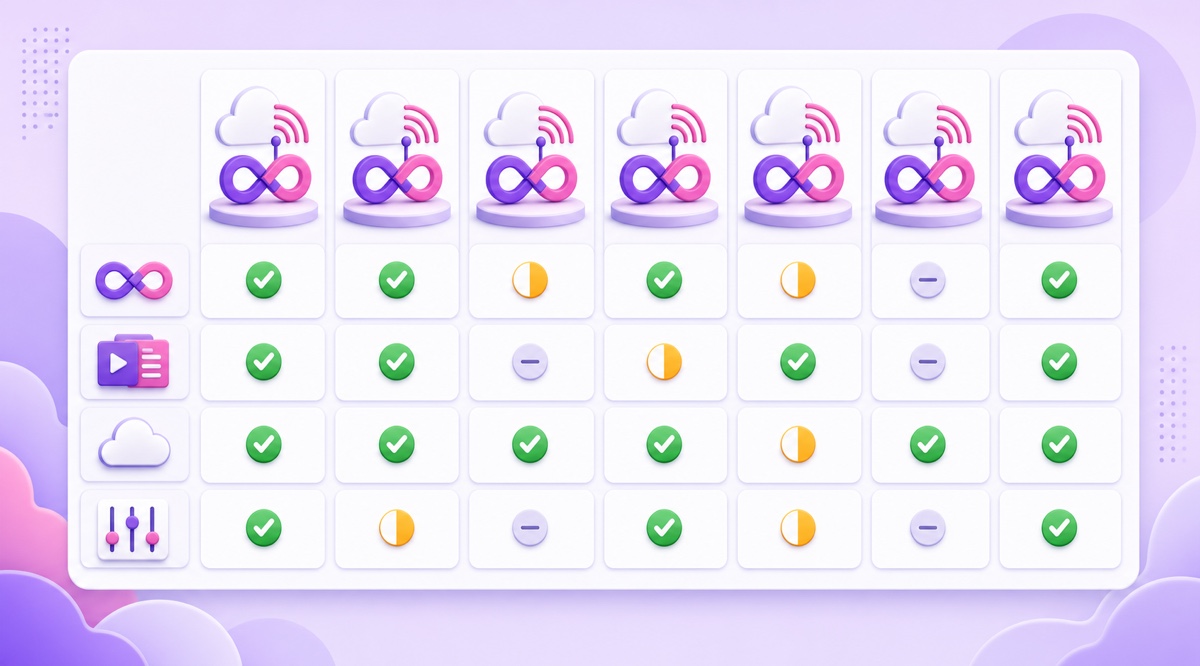
A useful trial is boring but revealing: upload two rights-cleared files, launch to an unlisted YouTube event, close every browser tab, change the playlist, and temporarily invalidate one test destination.Watch what the dashboard reports and how recovery behaves.
Alternative 1: StreamNeo
Disclosure: StreamNeo publishes this comparison.It is ranked first because it is purpose-built for continuous file-based loops, but the alternatives below are genuine recommendations for different needs.
StreamNeo runs the video encoder on its cloud servers, loops a single file or playlist, and includes automatic stream recovery.It publishes to YouTube only, so a Facebook or Twitch leg is not part of what you are buying.The dashboard is designed for phone use, which matters when the creator managing a devotional or regional-music channel does not sit at a desktop all day.
The current price is ₹49 for a day or ₹999 for a month per stream slot in India, and $9.99/month internationally.Registration creates a 24-hour trial without asking for a card.A practical setup is: open YouTube Studio → Go Live → Stream, copy the RTMP details, then open StreamNeo → Slots → Configure, add the destination, upload your videos, order the playlist, and start.
Choose StreamNeo when you want a focused loop service, India billing, and minimal setup.If you need a guest studio, quiz overlays, a website video player, or a large agency workspace, one of the broader products below may fit better.See the wider 24/7 streaming service comparison before deciding.
Alternatives 2–4: Gyre, OneStream Live, and Castr
2.Gyre
Gyre is a serious recommendation for creators and agencies whose main business is pre-recorded 24/7 channels.Its official pricing page lists continuous 24/7 operation across the range.As of 26 July 2026, the HD Start plan costs $49/month for one stream and 35 GB of storage, but it does not include playlists or the stream scheduler.Start+ costs $99/month and adds four HD streams, 75 GB, playlists, and scheduling.
That makes Start attractive for one long lofi or ambience file, while Start+ is the more relevant comparison for a multi-video channel or a small agency.Gyre also lists a seven-day trial with one HD stream, 20 GB, up to 15 files, playlists, and a watermark.
3.OneStream Live
OneStream Live combines live studio, multistreaming, scheduled pre-recorded broadcasts, hosted pages, and add-ons.Its pricing page lists Basic at $15/month, with one-hour pre-recorded streams but no included 24/7 stream.An indefinite 24/7 stream is offered as a $30/month add-on, so the lowest visible monthly path is $45 before optional extras.
This is a good fit when scheduled events and studio features matter alongside an always-on channel.Check the final checkout total, storage, resolution, and destination allowances rather than comparing the $30 add-on alone with complete plans elsewhere.
4.Castr
Castr spans multistreaming, video hosting, embeddable players, monetization, and TV-style playout.That breadth suits broadcasters or agencies that need more than a YouTube loop.However, Castr’s official TV Playout restrictions place Loop Mode on Premium and higher plans.Premium is currently $199.99 month-to-month, or $166.67/month equivalent when billed yearly.
The Premium loop can be scheduled for up to 15 days at a time; Ultra and Events list 30 days.Therefore Castr is not the cheapest set-and-forget loop here, but it is credible when playout scheduling, mixed live and stored sources, web delivery, and broader video infrastructure justify the tier.
Alternatives 5–6: Upstream.so and LiveReacting
5.Upstream.so
Upstream is an especially good choice for radio-style channels.It supports continuous video or audio playlists, multistreaming, a stream designer, overlays, and live playlist changes while the computer is off.Its official pricing lists a free plan with 24 streaming hours each month and 100 GB storage.The Lite plan is $30/month for one continuous 1080p/30 fps stream; annual billing is shown at a $24/month equivalent.
Pick it when your lofi, music, or ambience format benefits from separate audio and video playlists, visualizers, jingles, or frequent on-air changes.
6.LiveReacting
LiveReacting is the strongest niche recommendation here for interactive programming.Alongside cloud-hosted loops and playlists, it offers polls, giveaways, trivia, overlays, and scheduling.The official pricing page lists its standard 24/7 plan at $39.99/month for one concurrent 1080p stream, 100 GB storage, a 10 GB per-file limit, and five destinations.A time-limited new-customer promotion was visible on the writing date, but the normal renewal price is the fair comparison.
Choose it for an interactive event stream or a branded channel where audience participation is central.For a plain video loop, you may be paying for creative tools you do not use.
Alternative 7: keep Restream and add a loop service
You do not have to make this an either-or decision.Keep Restream for the job it handles well and give the permanent replay channel to a loop service.
- Produce the weekly interview, launch, or panel in Restream Studio, or send it from OBS through Restream to multiple destinations.
- Record and edit the finished show.Remove countdowns, long breaks, and material you do not have replay rights for.
- Upload the approved episodes to your loop service and place them in a replay playlist.
- Create a separate YouTube live event for the replay feed.In YouTube Studio → Go Live → Stream, use a different stream key from the weekly show.
- Let the loop service run continuously.When the next produced episode is ready, add it to the playlist without repurposing the live-show workflow.
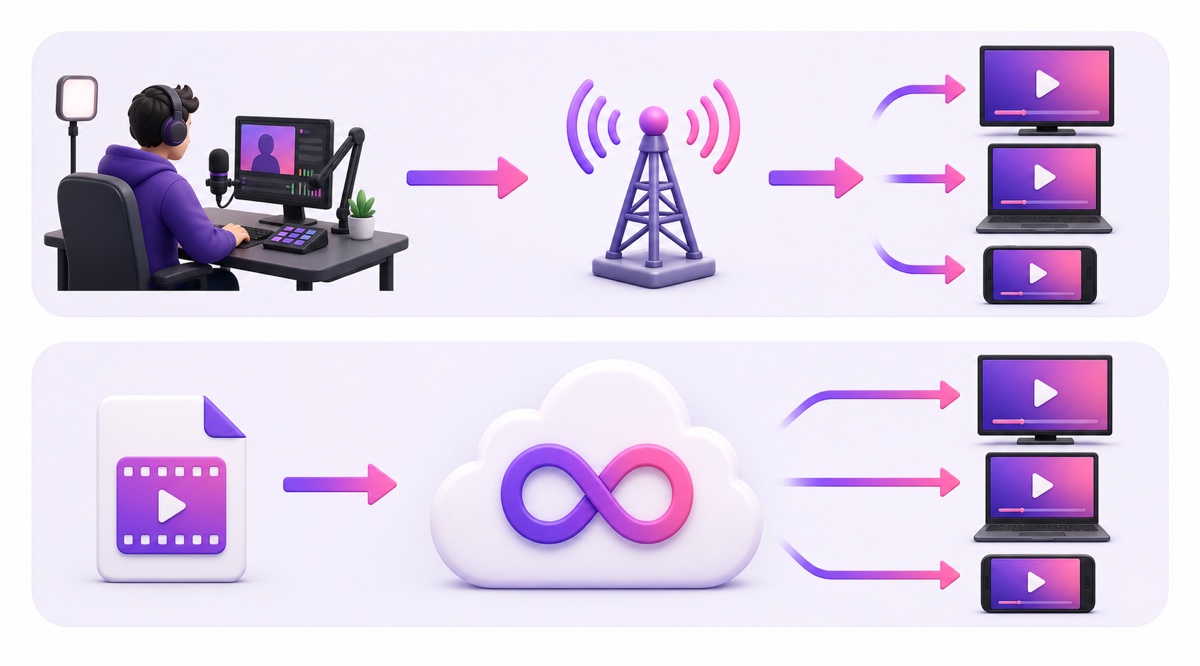
This split reduces operational confusion: Restream remains the production and distribution desk, while the loop service owns stored media playback and continuous encoding.
Decision table
These are standard month-to-month prices visible on 26 July 2026, excluding temporary promotions, taxes, and optional extras.A 30-day StreamNeo India purchase is ₹999 on the monthly plan; buying 30 separate day passes would cost ₹1,470, so use the monthly option for an always-on channel.
| Scenario | Best starting shortlist | Why | Visible monthly entry for the required job |
|---|---|---|---|
| One lofi radio | Upstream or StreamNeo | Upstream has radio-oriented audio tools; StreamNeo is the leaner loop workflow | Upstream $30; StreamNeo ₹999 India or $9.99 international |
| Bhajan or devotional channel managed by phone | StreamNeo | Phone-first controls, India billing, independent platform playlists | ₹999/month |
| Agency running several client loops | Gyre Start+ or Castr | Gyre bundles four HD streams; Castr adds broader playout and video infrastructure | Gyre $99; Castr Premium $199.99 |
| Weekly-show host adding a replay channel | Restream plus StreamNeo, Upstream, or OneStream | Keep the production studio and add a separate continuous encoder | Loop component: $19, $30, or roughly $45 respectively |
| Interactive branded channel | LiveReacting | Polls, quizzes, giveaways, and overlays are part of the product | $39.99 standard 24/7 price |
Trials are worth more than marketing screenshots.Compare the current offers in every 24/7 streaming service free trial, then test with an unlisted destination before moving a public channel.
If your priority is a simple cloud loop with India pricing, start StreamNeo free for 24 hours—no card required.Review the paid options on the pricing page only after your test stream behaves the way you expect.
More from the journal: How to Compare 24/7 Streaming Services Without Getting Fooled · StreamLoop vs StreamNeo: Usage-Based Billing vs Prepaid Days · GoLiveIndia vs StreamNeo: An Honest India-to-India Comparison
FAQ
Can Restream loop a video 24/7?
Restream can loop an uploaded video and run it automatically while you are offline, but its current documented limits are up to 10 loops and 40 hours total.Looping is listed for the Marathon and Media Upload & Stream add-ons, and playlists do not loop automatically.That works for a 24-hour event or finite replay, not an indefinite channel that repeats until manually stopped.
What is the cheapest Restream alternative for loops?
For a full 30-day continuous loop, the lowest standard price in this comparison is StreamNeo at ₹999/month in India or $9.99/month internationally.Upstream starts at $30/month, LiveReacting’s standard 24/7 price is $39.99/month, Gyre starts at $49/month, and OneStream’s visible Basic-plus-add-on path is about $45/month.Compare storage, playlists, destinations, and renewal pricing—not only the first checkout amount.
Do I have to cancel Restream?
No.Restream and a loop service solve overlapping but different jobs.Use Restream for produced shows, guests, branding, and live multistreaming; use the loop service for continuous playback from stored files.Keeping separate stream keys and workflows lets you run a weekly show and an always-on replay channel without forcing one tool to do both.