
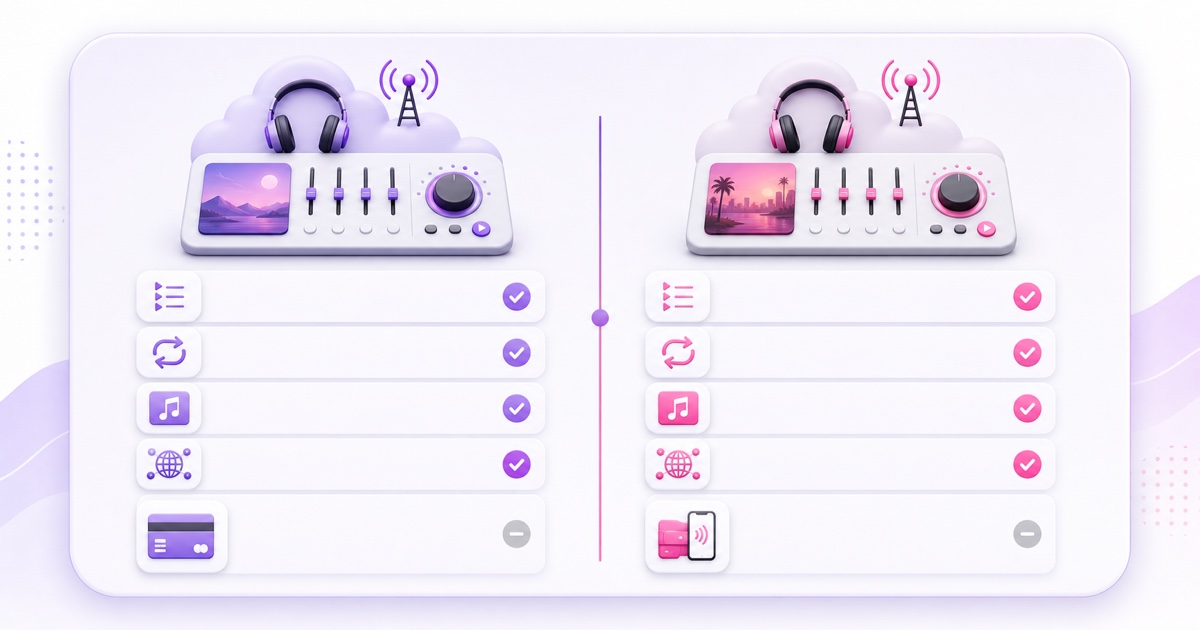
Upstream.so and StreamNeo both let you run a prerecorded lofi radio from the cloud, so your laptop does not have to stay awake beside an open browser.The important differences appear after you ask how you want to build the station: separate songs or one finished mix, dynamic graphics or a baked video, ten destinations or YouTube alone, card billing or an India-first ₹ checkout.
This Upstream.so vs StreamNeo comparison focuses on that working reality.It uses the providers’ published features and prices as of July 2026; it does not pretend that two products in the same category are identical.
Same niche, two takes
Both services solve the central lofi-radio problem: upload media, connect a streaming destination, start the broadcast, and let cloud infrastructure keep sending it after you close your device.Neither requires OBS to remain running on your computer.
Upstream is the broader radio-production toolkit.It combines separate audio and video playlists, a stream designer, current-song graphics, live playback controls, scheduled prerecorded shows, a browser studio, and multistreaming.That makes it attractive when the broadcast itself needs to change while it is live.
StreamNeo takes a narrower route.It is built around looping uploaded video files and playlists to YouTube — its only destination — with a dashboard designed to remain usable on a phone.That simpler model suits a creator who has already mixed the music and visual into a finished MP4, or who wants a playlist of finished video segments without running a live-production desk.
The short version: Upstream gives a radio producer more knobs.StreamNeo reduces the number of knobs and localises the buying experience for Indian creators.
Upstream.so up close
Upstream’s official 24/7 streaming page describes separate audio and video playlists, looping, shuffle, overlays, a cloud media library, and changes that can be applied while a stream stays live.Its live playback controls let an operator skip, go back, or play a selected file without permanently reordering the playlist.
For a lofi station, separation is the standout feature.You can keep one animated scene running while the audio playlist moves across individual MP3 or WAV tracks.Add a song, remove a weak track, or change the order without exporting a new six-hour video.Upstream’s own lofi radio guide says it can read audio metadata or a filename for the current-song display.
The visual layer is correspondingly stronger.The Stream Designer supports overlays, visualisers, web embeds, alerts, and a current-song element.Upstream also advertises multistreaming to as many as ten destinations, including YouTube, Facebook, Twitch, Kick, Rumble, and custom RTMP endpoints.If you are building one radio brand across several platforms, that breadth matters.
As of July 2026, the published pricing starts with a free plan: one stream, 24 streaming hours each month, 100 GB storage, 1080p at 30 fps, no watermark, and no credit card.That allowance resets monthly, but it is not enough for an uninterrupted 24/7 month.The paid Lite configuration is $30 per month for one 1080p/30 stream, or a $24-per-month equivalent when the year is paid upfront.The listing includes continuous streaming and 320 kbps audio quality.Resolution, frame rate, and stream count can raise the total.
That is more than a trial: the free hours return each month.It is a good way to inspect playlist handling, build an overlay, and test a loop before committing.
StreamNeo up close
Disclosure: StreamNeo is our product.It is presented here with the same practical limits as its competitor, not as a replacement for every feature Upstream offers.
StreamNeo’s core workflow is upload, assign, connect, and loop.Upload a finished video or several video files, assign them to a streaming slot, add your YouTube stream key, and start.The cloud worker keeps the media broadcasting; the phone or computer used for setup can go offline.
Video playlists are useful for blocks such as “morning beats,” “deep focus,” and “night rain.” You can prepare each block with its own audio, animation, and title card, then place those finished blocks in order.For the most predictable musical transition, a single mastered MP4 remains the safest approach because its crossfades and loudness changes are rendered before streaming.
StreamNeo currently publishes to YouTube only.It does not offer Upstream’s separate audio/video radio builder, browser guest studio, or automatic current-song overlay.If you need a track title on screen, render it into each video segment or create one long visual mix with your graphics already baked in.
Pricing is per slot: India plans are ₹49 for a day or ₹999 for a month, while the international monthly plan is $9.99.Indian checkout supports UPI and cards through Razorpay.A 24-hour trial can be activated without a card, and the web dashboard is designed for touch-sized, mobile-first operation.Current plan details are on the StreamNeo pricing page.
The lofi-specific checklist
| Question | Upstream.so | StreamNeo |
|---|---|---|
| Can I run one finished lofi MP4? | Yes, through its video playlist and cloud playback workflow. | Yes; this is the most direct workflow. |
| Can I manage songs separately from the visual? | Yes.It publishes separate audio and video playlists. | No separate audio-radio deck; use finished video files. |
| Can I change tracks while live? | Yes.Published controls include skip, back, play now, and playlist edits. | Build or update the video playlist; it is not a live DJ control surface. |
| Is current-track text automatic? | Available through the current-song overlay using metadata or filenames. | No native dynamic track overlay; bake text into the video. |
| What audio figure is published? | The paid 1080p/30 listing states 320 kbps. | Creator guidance recommends AAC stereo at 128 kbps for a fast, compatible start rather than publishing a higher radio-specific ceiling. |
| How broad is platform support? | Up to 10 simultaneous destinations, including custom RTMP. | Focused on YouTube and Facebook. |
| What is the no-card test? | 24 free streaming hours every month. | One 24-hour trial. |
One long mix: fewer moving parts
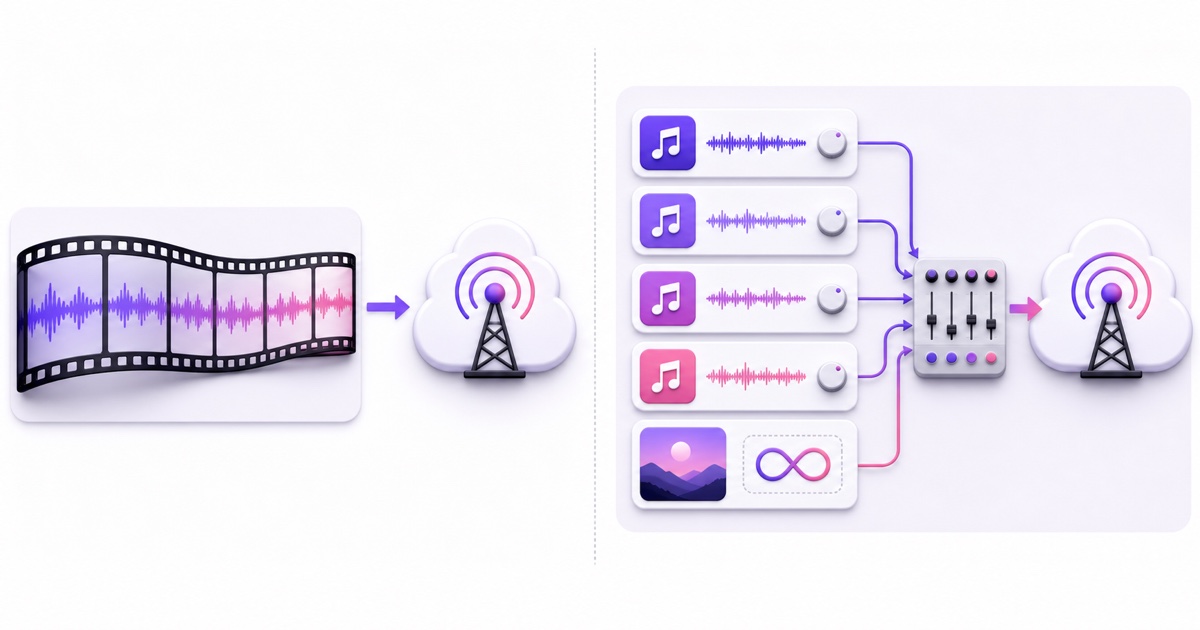
Exporting one long MP4 gives you direct control over crossfades, loudness, track order, and visual timing in your editor.It also makes migration easy: upload the same mastered file to another loop service and compare the result.The trade-off is that changing one song means exporting and uploading the mix again.
Separate tracks: faster programming changes
A track-based workflow lets you rotate a new release into the station, remove a track, or reorder a set without rebuilding the visual.Upstream is plainly better equipped for this job because the audio and video queues are separate.Its pages promise continuous looping, but do not advertise sample-accurate gapless crossfades, so test the exact transition between two tracks during the free allowance.
Do the same seam test with a StreamNeo video playlist.Use the precise files you plan to broadcast, listen through at least two boundaries, and check the destination playback rather than only the source files.If even a brief transition is unacceptable, master the full set as one file.
Pricing and payments
For one nonstop 1080p/30 station, Upstream’s relevant base price is $30 per month on monthly billing.The 24-hour free plan is excellent for testing but covers only one day of a 30-day continuous station.Annual billing lowers the published equivalent to $24 per month, paid for the year.
StreamNeo charges $9.99 per month internationally, which is below both Upstream’s month-to-month price and its annual monthly equivalent.In India, the choice is ₹999 for a month or ₹49 for a single day.Thirty separate daily purchases would total ₹1,470, so the monthly plan is the sensible option for an always-on station; the daily plan is for a short test, release, or event.
These numbers do not buy the same feature set.Upstream’s extra amount includes the separate audio workflow, designer, broader multistreaming, live studio, and higher published audio figure.StreamNeo’s lower amount buys the narrower video-loop workflow.Taxes, card conversion, and bank fees may affect Upstream’s final rupee charge, so Indian creators should compare the checkout total rather than using a stale exchange-rate conversion.
| One-station scenario | Published base price as of July 2026 | Payment fit |
|---|---|---|
| Upstream monthly, 1080p/30 | $30/month | Stripe checkout with major credit or debit cards |
| Upstream annual, 1080p/30 | $24/month equivalent, billed yearly | Lower effective rate; larger upfront commitment |
| StreamNeo India monthly | ₹999/month | UPI or card through Razorpay |
| StreamNeo India daily | ₹49/day | Useful for a short run, not a full month |
| StreamNeo international monthly | $9.99/month | Monthly international checkout |
Rights reality for radio channels
Neither streaming tool grants permission to use a song, sample, cover art, anime loop, or other creative work.
Use music and visuals you created, commissioned with the needed rights, or licensed specifically for live streaming; our lofi radio setup guide covers the production checklist.
YouTube says live streams are scanned for third-party content and may be interrupted when a match is found, so “royalty-free” is not enough unless the licence actually covers your use.
Keep licences, invoices, collaborator agreements, and allowlist instructions together, then read the deeper guide to copyright strikes on 24/7 loops.
Verdict by creator type
Choose Upstream when your station behaves like a programmed radio channel: separate songs, a reusable animated background, automatic current-song text, live DJ-style controls, or distribution far beyond YouTube and Facebook.The free monthly allowance gives you enough time to validate those features before paying.
Choose StreamNeo when your broadcast is already packaged as one finished MP4 or a playlist of finished videos, especially if you are an India-based, mobile-first creator who wants native ₹ pricing and UPI.It is also the lower listed base price for an international one-station video-loop workflow.
Keep comparing if you need a browser studio, 4K or 60 fps configuration, guest production, or custom RTMP destinations but do not care about the radio-specific tools.The broader 24/7 streaming services comparison covers other product shapes.
Whichever service you choose, test one complete loop, two file boundaries, the overnight destination playback, and a phone-based restart before committing the channel.A feature table cannot reveal a bad master, an audible seam, or a licence gap.
Start free — 24-hour trial, no card.
FAQ
Which is cheaper for a 24/7 lofi radio?
By published base price as of July 2026, StreamNeo is cheaper for one continuous station: ₹999/month in India or $9.99/month internationally.Upstream starts at $30/month, or a $24/month equivalent on annual billing, and includes a substantially broader radio-production toolset.Upstream’s free plan provides 24 streaming hours each month but cannot cover a nonstop month.
Do I need on-screen track names?
No.A current-song label is useful when listeners want to identify individual artists or tracks, but it is not required for a functional lofi broadcast.Upstream can generate a current-song display from metadata or filenames.With StreamNeo, render the name into each finished video segment, or omit dynamic titles when using one long mix.
Can I try before paying?
Yes.Upstream offers 24 free streaming hours every month with one stream and no credit card, with its feature set available for testing.StreamNeo offers a 24-hour no-card trial.Use either window to test the real media, loop boundary, destination connection, mobile controls, and overnight playback you plan to rely on.