
A kids story live stream can be a gentle bedtime companion, a Hindi or English listening practice session, or a dependable block of screen-free-style narration with simple visuals. The loop itself is the easy part. The hard part is accepting that children’s content carries audience, privacy, safety, quality, and advertising rules that do not apply in the same way to a general-audience channel.
This playbook puts compliance before growth on purpose. It explains YouTube’s current platform rules, but it is not legal advice. If your audience classification or obligations under local children’s laws are unclear, get qualified advice before publishing.
The rules before the dream
A children’s channel is not a normal content niche with a few extra settings. YouTube requires creators worldwide to identify whether their content is “Made for Kids” so the platform can comply with the US Children’s Online Privacy Protection Act (COPPA) and other applicable laws. The age and legal duties can differ by country, so do not assume the US definition settles every local question.
Your intended audience matters more than the device used to play the stream. A parent may start the video, but stories written, voiced, illustrated, and promoted for young children are still directed to children. YouTube’s official audience guidance considers factors such as subject matter, child-oriented language, characters, songs, stories, actors, and how the content is advertised.
“Family friendly” and “Made for Kids” are not synonyms. An animation tutorial aimed at adult designers can be safe for a family without being child-directed. A fairy-tale series using preschool vocabulary and thumbnails designed to attract four-year-olds is a different proposition.
Non-negotiable rule: never mark a child-directed stream as “not made for kids” to preserve comments, personalized ads, or other features. Audience designation is a compliance decision, not a growth lever.
Write down the target age range before you script anything. That one decision should guide vocabulary, themes, pacing, visuals, metadata, and the final audience setting.
“Made for Kids”: what it is and what it switches off
YouTube supports both channel-level and individual-content audience settings. If nearly every upload is for children, go to YouTube Studio → Settings → Channel → Advanced settings → Audience and choose the appropriate channel default. If the channel mixes child-directed stories with parent-facing production videos, select the option to review each item and classify every stream separately.
For a new live event, the current path is YouTube Studio → Create → Go Live → Live Control Room. Add the basic details and privacy setting, scroll to Audience, then select Yes, it’s Made for Kids when the stream targets children. YouTube documents this per-stream flow in its live audience-setting instructions.
The designation reduces data collection and changes the viewing experience. These are practical consequences to design around, not reasons to misclassify the stream.
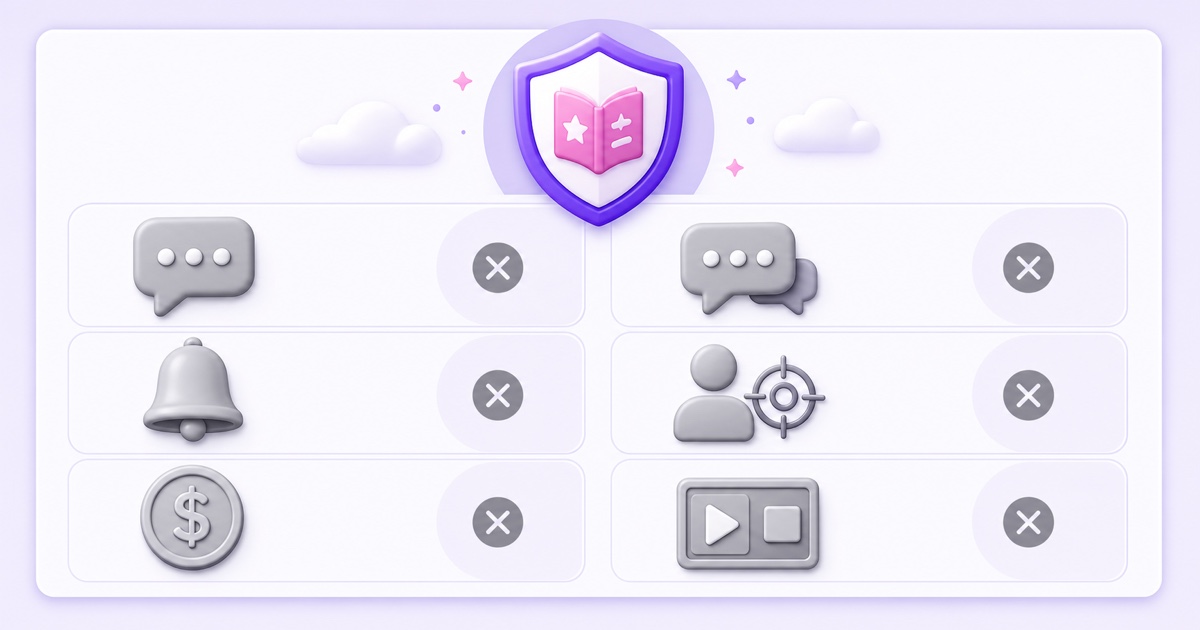
| Feature area | What happens on Made for Kids content | Planning response |
|---|---|---|
| Ads | Personalized advertising is unavailable; eligible contextual ads may still appear. | Do not copy revenue assumptions from a general-audience channel. |
| Conversation | Comments, live chat, and live-chat donations are unavailable. | Put clear parent-facing information in the title, description, and channel page. |
| Alerts | The notification bell is unavailable for this content. | Use a predictable series and schedule instead of “turn on notifications” prompts. |
| Navigation | Cards, end screens, autoplay on Home, Miniplayer playback, and save-to-playlist or Watch Later are restricted. | Make each stream understandable without relying on interactive funnels. |
| Fan funding and commerce | Channel memberships, Super Chat, Super Stickers, merchandise, ticketing, and the donate button are unavailable on the affected content. | Build a conservative business model around the features that actually remain. |
YouTube’s current feature list is the source of truth and can change, so recheck it before launch. A channel-level Made for Kids setting also removes posts and other channel features.
Live streaming and children: the extra rules
YouTube currently says a person must be at least 16 years old to live stream. It also says streams featuring 13–15-year-olds who are not visibly accompanied by an adult may have live chat disabled and the account may temporarily lose access to chat or other features. Streams that fail the minimum-age requirement can be removed. Check the latest wording in YouTube’s live-streaming requirements rather than relying on an old creator forum post.
That rule is one reason a prerecorded story loop is the safer, saner format. An adult can narrate original stories over licensed or original illustrations, and no child needs to perform on camera for hours. You remove the on-camera-child question from the broadcast instead of trying to moderate it continuously.
Prerecorded does not mean policy-free. If a child appears in source footage, obtain appropriate guardian permission, protect identifying information, avoid bedrooms and private details, and review YouTube’s current child-safety policies before using the clip. Never turn a child’s routine, location, school, or distress into a retention device.
Keep the live event itself simple. Use an unlisted test first, check the full sequence as a viewer, then change visibility only when the audience setting, title, thumbnail, audio, and loop seam are correct. The visibility guide for 24/7 streams explains that launch pattern.
The quality bar
Safe-looking content is not automatically high-quality content. YouTube’s kids and family quality principles favor age-appropriate work that is enriching, engaging, and inspiring. Its examples emphasize looking after yourself and others, learning and curiosity, creativity, play, imagination, and useful life experience.
The same guidance identifies low-quality patterns such as confusing or mass-produced narratives, misleading educational claims, heavy promotion, sensational metadata, keyword stuffing, and strange use of familiar children’s characters. These principles can affect recommendations, inclusion in YouTube Kids, and monetization. A channel focused on low-quality Made for Kids material may be suspended from the YouTube Partner Program, while an individual video can receive limited or no ads.
- Choose one age band. A story for ages 3–5 needs different sentence length, emotional stakes, and pacing from one for ages 8–10.
- Give every chapter a purpose. Kindness, patience, curiosity, or a simple language skill is stronger than a random sequence of colorful events.
- Keep conflict gentle and resolvable. Avoid jump scares, humiliation, graphic danger, and manipulative cliffhangers.
- Review the repeated experience. A confusing transition becomes much worse when it plays every hour.
- Describe only what is present. Do not promise “educational” value unless the story genuinely teaches or practices something.
Made for Kids content can still carry contextual ads, but personalized advertising is prohibited. Read the broader 24/7 stream monetization guide before building a forecast, and treat any earnings promise as a warning sign.
Build a compliant story loop
Start with material you control. The cleanest options are stories you wrote yourself, commissioned scripts covered by a written agreement, or public-domain tales retold in your own words and recorded in your own voice. Public-domain status varies by work and country. An old folk tale may be free to retell while a recent translation, audiobook narration, illustration set, or character design remains protected.
Keep evidence for every component: scripts, voice recordings, music, sound effects, fonts, and artwork. A “royalty-free” label is not enough by itself; read the license for commercial video, live streaming, modification, and repeated use. Do not copy a famous studio character into a supposedly original story world.
Build one coherent block from 8–12 stories. Four-to-eight-minute chapters create a practical 45–90 minute loop once you add short openings and transitions. Alternate energy carefully: a playful chapter can be followed by a calmer one, but a bedtime stream should not suddenly introduce loud music or rapid flashing cuts.
- Script for the chosen age. Read every line aloud and remove confusing vocabulary or preachy explanations.
- Record clean narration. Keep the microphone position and loudness consistent across all chapters.
- Create restrained visuals. Use original illustrations, slow movement, readable shapes, and no frightening surprise frames.
- Edit a true loop. Match the final ambience to the opening ambience so neither audio nor video jumps at the repeat point.
- Export consistently. A uniform 1080p, 30 fps H.264 video with AAC audio is a sensible baseline for a story playlist.
- Watch the whole block. Check spelling, pronunciation, rights, age suitability, silence, volume spikes, and the loop seam on a phone and television.
Package the stream honestly. “Hindi bedtime stories for ages 4–7” tells a parent more than a stuffed title claiming every popular kids keyword. If you also make rhymes or learning videos, keep those formats distinct and use the kids rhymes and learning loops policy guide for their separate production questions.
Once the block passes review, a cloud loop service can keep the prerecorded files broadcasting without putting a child on camera or leaving a home computer running. StreamNeo fits that narrow operational job: upload the approved story block once, connect the YouTube live event, and let the recorded playlist repeat. The service does not decide your audience setting or make content compliant; those responsibilities stay with the creator.
Growth inside the guardrails
With comments, chat, cards, end screens, and notifications unavailable, growth depends more heavily on accurate discovery and repeatable programming. Write for the parent making the choice and the child receiving the experience. Put the language, age band, story type, and mood near the front: “Calm Hindi animal stories for ages 5–7” is useful; “BEST AMAZING KIDS LIVE” is not.
Turn isolated stories into recognizable series. A weekly Panchatantra-inspired values series, an original “Little Inventors” science-fiction set, or bilingual English-Hindi bedtime chapters gives parents a clear reason to recognize the next stream. “Inspired” must still mean your own scripts and art, not copied modern adaptations.
Made for Kids status does not automatically place a stream in the YouTube Kids app. YouTube says the app uses a mix of automated filters, user feedback, and human review, and considers age appropriateness, its content policies, and quality principles. Treat inclusion as an outcome of consistently suitable work, not a box you can force by changing metadata. Review the YouTube Kids content policies for the Preschool, Younger, and Older settings before choosing themes.
Measure what the platform actually shows you: impressions, click-through rate, average view duration, returning viewers, traffic sources, and where viewers leave the loop. Compare story series over several broadcasts instead of changing titles every few hours. If a chapter causes repeated exits, inspect its volume, pacing, tone, and transition before blaming the algorithm.
The durable advantage in this niche is trust. A modest stream that parents can leave playing confidently is better than a sensational stream that wins one click and loses the family. Keep a dated compliance checklist, recheck YouTube’s help pages before major changes, and review every new story before it enters the rotation.
When the story library is approved and the YouTube event is configured correctly, start free — 24-hour trial, no card. Use the trial to test one complete loop privately or unlisted before making it public.
FAQ
Do I have to mark my stream “Made for Kids”?
If the stream targets children, yes. YouTube requires an accurate audience designation; it is a compliance setting, not a preference. Review the official factors and seek legal advice if the classification is genuinely unclear.
Can kids appear in my live stream?
YouTube currently requires a person to be at least 16 to live stream. It also warns that live streams featuring 13–15-year-olds without a visibly accompanying adult may lose chat or other features, and minimum-age violations can be taken down. A prerecorded story loop with adult narration and original animation avoids putting a child live on camera.
Are comments allowed on kids streams?
No. Comments are unavailable on content set as Made for Kids. Live chat and live-chat donations are also unavailable, so plan parent communication through accurate titles, descriptions, channel information, and other compliant parent-facing channels.