A 24/7 nursery-rhyme stream looks simple: line up songs, press go live, and let the playlist repeat. The difficult part is not the loop. It is understanding that a kids content live stream on YouTube operates under a stricter audience, privacy, feature, quality, and rights framework than a general-audience channel.
That does not make the format a bad idea. It means the safest launch order is policy first, content second, streaming software third. This guide is a practical starting point, not legal advice; if your audience classification or licenses are unclear, get advice for the countries where you operate.
Kids content is a regulated category
Child-directed content is not merely another YouTube niche. In the United States, the Children’s Online Privacy Protection Act (COPPA) governs how online services handle personal information from children under 13. Other countries may define a child differently or impose additional duties. YouTube therefore requires creators everywhere to tell it whether each video or live stream is Made for Kids.
YouTube says inaccurate audience settings can lead to platform action and legal consequences. The FTC’s guidance for channel owners also explains why child-directed channels require special treatment: identifiers used for targeted advertising can count as personal information under COPPA.
Do not treat the setting as a monetization switch that you can optimize around. If your stream is designed for preschoolers to sing nursery rhymes, identify colors, learn phonics, or follow animated child-friendly characters, the audience question is usually straightforward. Marking it “not made for kids” because adults may play it for their children does not change who the content targets.
Working rule: decide the intended age group and audience before scripting, naming, illustrating, or uploading the first episode. Keep a short written note explaining the decision for your records.
This policy layer sits alongside YouTube’s normal Community Guidelines, copyright rules, and live-streaming rules. A loop is not exempt because it is prerecorded. Review the wider rules for 24/7 looped streaming before launch.
The “Made for Kids” designation
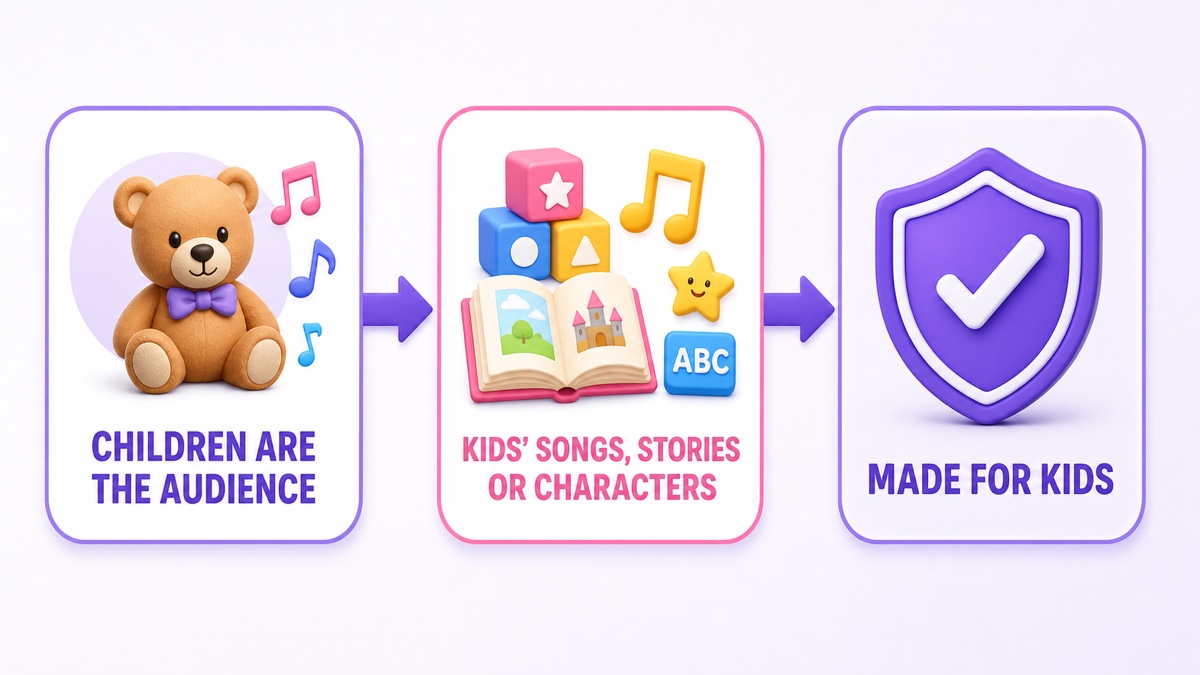
YouTube evaluates whether children are the primary audience or whether the content is still directed to children as one of its audiences. Its Made for Kids determination guide lists multiple signals rather than one magic test:
- the subject matter, such as preschool education;
- your intended and actual audience, including how you describe and advertise the stream;
- child actors, models, celebrities, toys, or cartoon figures that appeal to children;
- simple language, play-acting, games, songs, stories, or poems designed for children; and
- other reliable evidence about the audience.
Bright colors or animation alone do not automatically settle the question, and “family friendly” is not identical to “made for kids.” A sophisticated animation tutorial for adults can be general-audience content. A counting song with friendly characters and language aimed at four-year-olds is a different case. Mixed-audience content can still be child-directed, so “parents also watch” is not a workaround.
For a live event, use YouTube Studio → Create → Go Live → Live Control Room. Complete the basic information and privacy setting, scroll to Audience, select Yes, it’s Made for Kids, then continue the setup. These are the current steps in YouTube’s audience-setting instructions.
If almost everything on the channel is child-directed, you can use YouTube Studio → Settings → Channel → Advanced Settings → Audience to set the channel level. If the channel mixes parent-facing videos with children’s videos, review the audience for each item. Individual video settings can override the channel setting, but the creator remains responsible for accuracy.
What changes when you’re Made for Kids
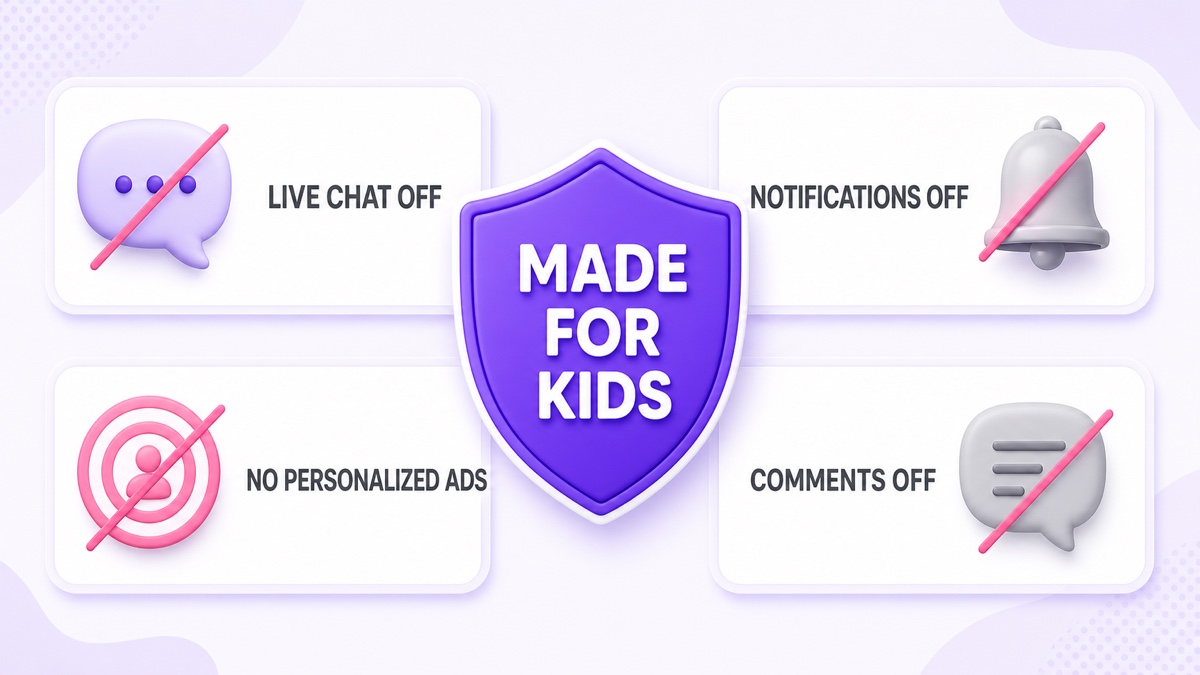
Made for Kids does not mean “no ads.” It means YouTube does not serve personalized advertising on that content. Ads in permitted categories may still appear, but without behavioral targeting the revenue mix changes; YouTube itself warns that some creators may see lower revenue. Do not build a forecast using a borrowed RPM from a general-audience entertainment channel.
The feature changes are just as important as the ad change. According to YouTube’s current Made for Kids feature list, the following are unavailable on an individual Made for Kids video or live stream:
| Feature | What it means for your channel |
|---|---|
| Live chat and live chat donations | There is no live-chat community or chat-based call to action. |
| Comments | Parents cannot leave feedback under that stream. |
| Notifications | Do not depend on the notification bell for repeat viewing. |
| Personalized advertising | Ads are not tailored using viewer-level behavioral data. |
| Cards and end screens | Your loop cannot rely on these tools to move viewers to another video. |
| Channel memberships, Super Chat, and Super Stickers | Several familiar fan-funding mechanics are unavailable. |
| Save to playlist or Watch Later | Some normal viewer-library actions are also restricted. |
If the whole channel is set as Made for Kids, channel posts are also unavailable. Plan discovery around clear parent-readable titles, accurate thumbnails, a deep video library, and consistent programming rather than comments, chat, or notification prompts. See the broader live-stream ad eligibility and placement guide before modeling revenue.
Made for Kids content can be considered for the separate YouTube Kids app, but designation is not an admission ticket. The app contains a smaller filtered catalog. YouTube says age appropriateness, quality principles, automated systems, and human review all influence eligibility and inclusion.
Rights and copyright
“It is a classic rhyme” is not a complete rights check. A children’s video can contain at least four separately controlled layers: the musical composition and lyrics, a particular sound recording, the animation and artwork, and any character or brand identity.
The U.S. Copyright Office explains that a musical composition and a sound recording are separate works. An old rhyme’s underlying composition may be public domain in a relevant jurisdiction while a label’s recent recording and a modern arranger’s new material remain protected. Public-domain status also varies by country. Verify the exact song, lyrics, arrangement, and territory instead of relying on a generic “traditional” label.
The cleanest production path is to record your own performance of a composition you are permitted to use, then create or commission original visuals. A famous children’s character remains someone else’s intellectual property even if you redraw it yourself. “Inspired by” is not a safe label when the name, silhouette, clothing, colors, or world still make the source character obvious.
For freelancers, voice actors, musicians, and animation studios, use written agreements that cover ownership or a sufficiently broad license for online video, commercial use, live transmission, worldwide availability, editing, and repeated/continuous use. Keep invoices, contracts, source files, release forms, and license screenshots in one rights folder.
Asset packs need the same care. Before using a stock puppet, font, sound effect, or template, check whether the license permits commercial streaming, modification, and inclusion in a repeated broadcast. A marketplace purchase is evidence of a transaction, not automatic permission for every use. If a Content ID claim or strike appears, the distinction matters; this copyright guide for 24/7 loops explains the next checks.
The quality bar
YouTube does not treat every safe-looking cartoon as high-quality kids content. Its kids and family quality principles influence recommendations, YouTube Kids inclusion, and monetization. A channel with a strong focus on low-quality Made for Kids material can lose YouTube Partner Program eligibility, while an individual video may receive limited or no ads.
The low-quality patterns are useful editorial warnings: content that pretends to educate without teaching correctly, confusing or mass-produced stories, sensational claims and keyword stuffing, encouragement of harmful behavior, and strange use of familiar children’s characters. Passing a technical upload check is therefore not the goal. The stream should be coherent and enriching when a parent watches ten random minutes.
- State one learning promise per segment. “Count from 1 to 10” is testable; “ultimate genius learning” is not.
- Match the developmental level. A two-year-old and an eight-year-old need different vocabulary, pacing, stories, and instructions.
- Use a beginning, middle, and end. Even a two-minute rhyme should feel intentional rather than auto-assembled.
- Check every frame in context. Do not place frightening, humiliating, sexualized, or dangerous imagery beside cheerful nursery themes.
- Keep metadata honest. The title and thumbnail should describe what a parent will actually find in the stream.
Before publishing, ask two people who were not involved in production to review the full block. One should watch for educational clarity and age suitability; the other should check rights, audio, spelling, and unexpected visual combinations.
Building the loop
Start with a 30–60 minute programmed block, not a single two-minute song repeated endlessly. A varied block gives parents a more useful session and makes quality control easier. It also gives you room to alternate active songs with calmer learning moments.
| Example block | Purpose |
|---|---|
| 5–8 minutes: welcome and movement rhymes | Warm start with simple actions and original characters. |
| 8–12 minutes: numbers, colors, or phonics | One clear learning objective with accurate examples. |
| 5–8 minutes: story or call-and-response | Change the rhythm without demanding chat interaction. |
| 8–12 minutes: second rhyme set | Return to music with different melodies and visuals. |
| 5–10 minutes: quiet recap | Reinforce the lesson and create a gentle loop boundary. |
Export each segment with compatible dimensions, frame rate, video codec, and audio format. Keep spoken voice and music levels consistent across every file. Preview joins with headphones and on a phone speaker; sharp volume jumps are tiring, while silent gaps make the stream look broken. Use gentle one-to-three-second transitions and avoid rapid flashing or strobing.
Build and test the sequence before making it public. A practical workflow is: export the files, assemble the ordered playlist, watch one full cycle, watch the last-to-first boundary, then create the YouTube event and set its audience. The looping playlist guide covers the mechanics of multiple videos and clean joins.
A cloud loop service can keep the programmed block running without leaving a laptop on. With StreamNeo, upload the videos, arrange the playlist, add the destination stream key, and start the slot only after the YouTube event is correctly marked Made for Kids. The service handles the repeated push; it does not decide your audience classification, clear rights, or turn weak material into quality content.
Honest expectations
Kids content can reach families across languages and time zones, but an always-live badge does not guarantee discovery or monetization. The niche removes familiar engagement tools, limits ad targeting, and demands more rights and editorial discipline. If the economics only work with personalized ads, comments, or aggressive engagement prompts, revise the plan before launch.
Build the durable advantage somewhere else: a recognizable library of original characters, accurate lessons, clean audio, and a schedule that parents trust. Review retention by segment and replace weak material rather than hiding it inside a longer loop. Keep parent-facing contact channels clearly addressed to adults, and never ask children to submit names, photos, locations, or contact details.
A sensible first month is one carefully reviewed live block plus three or four standalone videos drawn from the same original library. The standalone videos make individual lessons easy to find; the live stream gives parents a continuous option. Add new segments only after the rights file, age-level review, and full-cycle test are complete.
Ready to run the approved playlist from the cloud? Start free — 24-hour trial, no card. You can review the available slots on the pricing page.
FAQ
Must I mark my rhymes stream Made for Kids?
If the stream is child-directed, yes. Nursery rhymes, early-learning activities, simple child-focused language, and characters designed for young viewers are strong audience signals. Apply YouTube’s full factor test, use the Audience field in Live Control Room, and seek legal advice if the classification is genuinely uncertain.
Why is live chat off?
YouTube disables live chat and live chat donations on Made for Kids videos and live streams as part of its data-limiting response to COPPA and other applicable laws. Design the program to work without chat prompts, polls, pinned-chat links, or live moderation.
Can I use famous rhyme recordings or characters?
Do not assume so. An old composition may be public domain while a modern recording, arrangement, animation, or famous character remains protected. Verify every layer and jurisdiction, or use your own authorized performance and original character designs.