A gaming replay channel 24/7 can turn a hard drive full of great matches into an always-on showcase. The useful version is not a raw recording left running forever. It is a programmed channel built from your own play, your own point of view, and clips that viewers can understand even when they join halfway through.
The legal part becomes much clearer when you separate ownership from permission. You created the recording, but the game inside it still contains a publisher’s characters, world, audio, and code. This practical playbook shows how to respect both layers, avoid the common music trap, and build highlight blocks that are worth watching. It is general information, not legal advice.
What’s actually yours in a gameplay recording
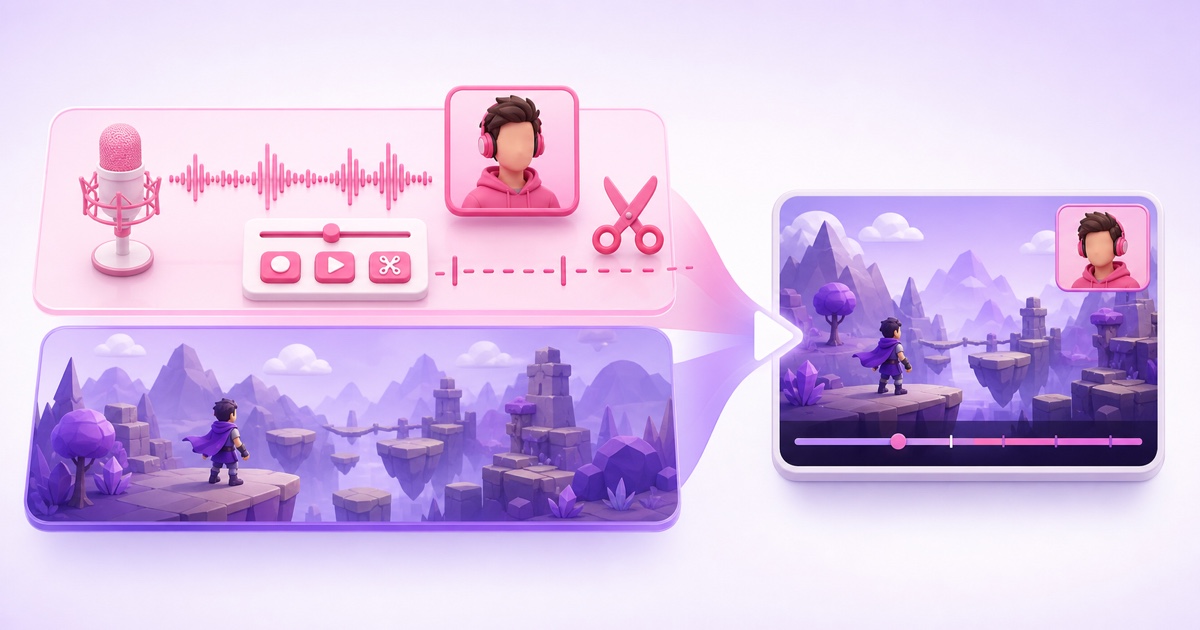
Think of every gameplay video as two layers combined into one file. The creator layer includes your spoken analysis, face-cam, original graphics, clip selection, pacing, transitions, and other creative decisions. Your inputs and match decisions also make the performance recognizably yours.
The publisher layer includes the underlying game: its characters, maps, animations, interface, sound effects, music, story, and trademarks. Recording that layer does not transfer its copyright to you. You normally rely on the publisher’s user-content or video policy for permission to share and, where allowed, monetize gameplay.
- Your contribution: commentary, reactions, original overlays, editing, sequencing, and footage of the match you actually played.
- The publisher’s material: the game’s audiovisual world and any conditions attached to using it.
- Third-party material: licensed songs, celebrity likenesses, sports branding, or other assets the publisher may have licensed but cannot automatically license onward to you.
This two-layer test explains why “I recorded it myself” is necessary but not always sufficient. A clean channel respects the publisher’s terms and clears or removes separate third-party material.
Rights and copyright: check the game before you build the loop
Publisher policies vary, and they can change. Check the official policy for every game in your playlist rather than assuming one studio’s rules apply to another. Search the publisher’s own site for “video policy,” “game content guidelines,” or “fan content policy,” then save the URL and the date you checked it in your production notes.
For example, Nintendo’s current game-content guidelines cover both uploads and livestreams, allow specified platform monetization methods, and call for creative input or commentary rather than mere copies. EA’s current content policy permits partner-program video monetization within its conditions but separately warns that third-party licensed material inside its games can create copyright issues. The details are different, which is exactly why a per-publisher check matters.
Use this five-point review before adding a game:
- Confirm that the policy covers livestreams, not only ordinary uploads.
- Check whether platform ads, memberships, sponsorships, or paywalled access are treated differently.
- Look for rules on unreleased builds, closed betas, spoilers, mods, cheats, and data-mined assets.
- Check for game-specific or tournament-specific terms that override the general policy.
- Make sure your title and thumbnail do not imply an official publisher partnership.
Treat in-game licensed music as a separate rights check
Music is one of the easiest ways for otherwise legitimate gameplay to attract a Content ID claim. Open-world radio stations, sports-game soundtracks, menu songs, and event music may be licensed from labels or composers under terms that do not extend to your channel. A publisher allowing gameplay does not necessarily clear those tracks.
Before recording, open the game’s audio settings and look for Streamer Mode, Licensed Music, Copyright-safe Music, or a similar option. Labels differ by title. If the game has no safe mode, turn its music volume to zero and preserve dialogue and effects on separate tracks where your capture setup allows it. Add only music you created or licensed for continuous commercial streaming.
An unlisted test upload can reveal an immediate match, but a clean test is not permanent clearance: reference databases and rights decisions can change. Keep your source files and licence records. For the difference between claims, takedowns, and strikes, read the honest guide to copyright on 24/7 loops.
Never loop other people’s play
Your channel should mean your gameplay. A professional match broadcast, another streamer’s clip, a “best of Twitch” montage, or a tournament VOD is not yours merely because you downloaded it, clipped it, credited the player, or found it without a watermark.
Those recordings may involve several rights holders: the player or streamer, the tournament organizer, the broadcast producer, the game publisher, commentators, and music licensors. Permission from one participant may not clear the finished broadcast. Fair use is fact-specific and is not a dependable operating plan for an unattended continuous channel.
Use a simple source rule: every gameplay segment should trace back to a capture from a match you played, stored with its original file and recording date. If friends’ voice chat is audible, tell them how the footage will be used and cut private information, abusive speech, or anything they did not agree to publish. For community tournaments, check the organizer and publisher rules before using the footage even when you competed.
Safe default: your match, your capture, your commentary, your edit. If any one of those changes, pause and clear the rights before it enters the loop.
Build highlight blocks that loop well
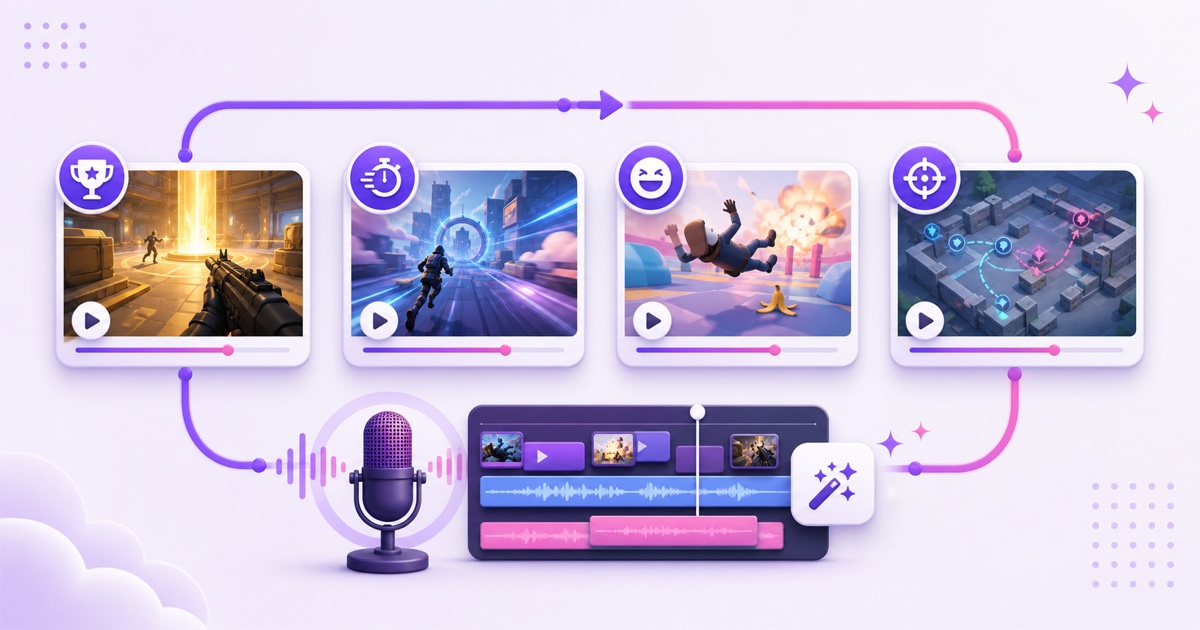
A pile of disconnected kills or wins gets tiring quickly. Package the library into 30–60 minute themed blocks that give a viewer a reason to stay. Useful themes include clutch rounds, ranked-comeback stories, speedrun attempts, smart support plays, funny failures, boss strategies, or one mechanic explained across several matches.
Give each block a small editorial arc:
- Open in 5–10 seconds: use an original slate or voice line that tells the viewer what the block is about.
- Lead with a strong moment: show the payoff, then explain the setup in the next clip.
- Add context: record commentary tied to what is happening—positioning, loadout choice, mistake, recovery, or team decision.
- Vary the energy: alternate intense sequences with breakdowns or lighter moments.
- Close cleanly: finish a thought before the next block begins; do not cut mid-sentence or during a results screen.
Make three or four blocks before launching instead of forcing one compilation to carry the whole day. That gives your looping live playlist natural variety. Keep a project file for each block so you can replace weak clips without rebuilding the entire channel.
Uniform export for the playlist
Game captures often arrive with mixed frame rates, resolutions, audio levels, and encoder settings. Normalize every finished block before uploading it. Otherwise the boundary between files can produce a visible resolution change, a momentary stutter, or a sudden jump in loudness.
| Setting | Practical choice | Why it helps |
|---|---|---|
| Canvas | 1920×1080 or 1280×720, 16:9 | Every block fills the same frame without resizing at transitions. |
| Frame rate | Constant 30 fps or constant 60 fps | Choose one based on your source library; do not alternate between blocks. |
| Video codec | H.264 in MP4 | A widely compatible delivery format for a cloud playlist. |
| Audio | AAC, stereo, 48 kHz | Keeps sample rate and channel layout consistent. |
| Live keyframes | 2-second interval | Provides predictable segment boundaries for the live encoder. |
If a capture is variable-frame-rate, convert it to a constant frame rate during the final export. Match loudness by ear and with meters, check that commentary stays clear above effects, then watch every transition in a local playlist. Export one short test block first; once it behaves correctly, reuse that preset for the rest. The video-format guide for 24/7 streaming explains the H.264 and AAC choices in more detail.
Programming and discovery
Build the schedule around a repeatable promise. A simple first week might rotate a clutch block, a strategy breakdown, a fails reel, and a speedrun block. Publish the schedule in the description and pick one fixed “new highlights” day each week. The live channel supplies continuity; the weekly refresh gives regular viewers something new to anticipate.
Use titles that name the game and the format honestly, such as “Valorant clutch compilation — 24/7 gameplay replays.” Do not call the stream “official,” and do not suggest a tournament or publisher affiliation you do not have. In YouTube Studio, go to Create → Go Live → Stream → Edit and choose Gaming as the stream type. YouTube’s live-stream settings guide confirms that the type is part of the stream details; complete any game-title field shown for your account and check the public watch page after saving.
Write a useful description: explain that the stream contains your recorded gameplay and commentary, list the games or block themes, disclose affiliate links, and link to a current schedule. A pinned chat message can point viewers to the newest edited upload without pretending someone is actively playing at that moment.
With StreamNeo, you upload the compilation blocks and arrange the playlist once; the channel keeps running while you play and record the next batch. Review StreamNeo pricing when you are ready to move the loop off your gaming PC.
Monetization reality
Gaming content can be monetized, but gameplay permission and YouTube monetization approval are two different checks. You still need the publisher’s commercial-use permission. You also need a channel that demonstrates original value rather than an extended, repetitive feed with little explanation.
YouTube’s official monetization guidance for game content says commercial rights depend on the publisher’s licence and warns that videos simply showing extended gameplay may not be accepted. Its current channel policy also treats repetitive or mass-produced material without meaningful commentary, narrative, or educational value as inauthentic content.
Commentary is therefore not decoration added to satisfy a checkbox. It should make the clips better: explain why a play worked, compare two approaches, show the mistake behind a failure, or narrate the decision that changed the round. Substantive editing, clear themes, and regular library refreshes make your authorship visible to viewers and reviewers.
- Keep raw captures, voice recordings, project files, and exported masters.
- State in the channel description that you record and edit the gameplay.
- Avoid running one unchanged block for months.
- Remove claimed music rather than filing a dispute without the necessary licence.
- Never assume permission from a publisher guarantees YouTube Partner Program approval.
For a deeper policy breakdown, see whether a 24/7 loop can be monetized. When your rights checklist and first three blocks are ready, start free — 24-hour trial, no card and let the replay channel work while you create its next chapter.
FAQ
Can I stream my own gameplay 24/7?
Usually, if the publisher’s current policy permits livestreaming and your use follows its conditions. Check the policy for each game, remove or clear third-party music, and add genuine commentary and editing. Owning the capture file alone does not override the publisher’s rights in the game.
Why did in-game radio music get claimed?
The song may be licensed to appear inside the game without being cleared for your separate broadcast. Enable the game’s streamer or copyright-safe mode before recording, or turn licensed music off. Dispute a claim only when you actually hold the necessary rights.
Can I loop esports matches I watched?
No—not as your own replay channel. The match broadcast belongs to other players, organizers, producers, and other rights holders. Watching it, clipping it, or adding credit does not grant rebroadcast permission. Build the loop from matches you played and captured yourself.