A 24/7 Kirtan channel can offer a steady place for listening, reflection, and connection across time zones. But a Gurbani live stream 24/7 is not simply an audio playlist with a LIVE badge. The recordings carry rights, the words require care, and the presentation tells viewers whether the channel understands the seva it is trying to offer.
This playbook starts with those responsibilities, then covers the practical setup: permissions, playlist design, stream keys, bilingual metadata, moderation, and the decision around ads. For a broader India-focused workflow, see the 24/7 devotional channel playbook.
Start with respect
Gurbani is sacred to the Sikh community. Treat every visible and audible detail accordingly: the spelling of a shabad, the name of the raag or performer, a translation, the thumbnail, the description, and the messages allowed in chat. Accuracy is not a decorative extra. It is part of presenting the bani and the performers with care.
Use the title supplied by the performer or an authoritative source. If you are not confident in Gurmukhi spelling, transliteration, or translation, ask a knowledgeable Sikh reviewer before publishing. Do not copy a translation from an unknown social post merely because it fits the screen. A shorter, verified description is better than an elaborate one with errors.
Keep thumbnails dignified. A clean waveform, warm light, nature image you own, or properly licensed photograph can work without turning sacred content into clickbait. Avoid exaggerated reaction faces, urgency language, miracle claims, or AI-generated religious figures and symbols that may be rendered incorrectly. If Gurbani appears on screen, give it clear space and do not crowd it with promotional overlays.
The channel description should also name who is responsible for the project. Viewers should be able to understand whether it is run by an individual sevadar, a local sangat, a ragi jatha, or a Gurdwara committee. If the project has guidance from a local Gurdwara, say exactly what that guidance covers; do not imply formal endorsement that was never given.
Rights before streaming
The sacred nature of Gurbani does not make every recorded performance free to rebroadcast. A particular Kirtan recording may involve rights held by the performers, the person or organisation that recorded it, a label, a producer, or a broadcaster. Downloading an audio track, buying a CD, or finding a recording on another YouTube channel does not grant continuous-streaming rights.
The cleanest sources are:
- Your own Kirtan performance and recording: confirm that every participating performer agrees to continuous streaming and any intended monetization.
- A recording you commissioned: use a written agreement naming the performers, tracks, platforms, territories, editing permission, continuous use, archive use, and whether monetization is allowed.
- A recording licensed for this use: keep the licence and payment record, and confirm that it covers live streaming rather than only uploads or personal playback.
Never re-stream a Gurdwara telecast feed or extract its audio for your loop. The feed has its own rights holder and production chain, even when the ceremony is publicly viewable. YouTube says live streams are scanned for third-party content, including matches to another live broadcast; a match can interrupt or terminate the stream. Its live-stream copyright guidance also notes that licensed third-party content may need the rights holder to allowlist your channel in Content ID.
Keep a simple rights folder for each track: final audio file, performer names, recording date, signed permission, licence scope, contact details, and Content ID allowlisting confirmation where relevant. If a claim arrives, that evidence is far more useful than a verbal memory. The guide to copyright claims and strikes on loops explains the platform side in more detail.
Permission should be specific enough that a performer understands the recording will repeat in a continuous public stream. A casual message saying “you can use it” leaves too much open to interpretation.
Build the loop
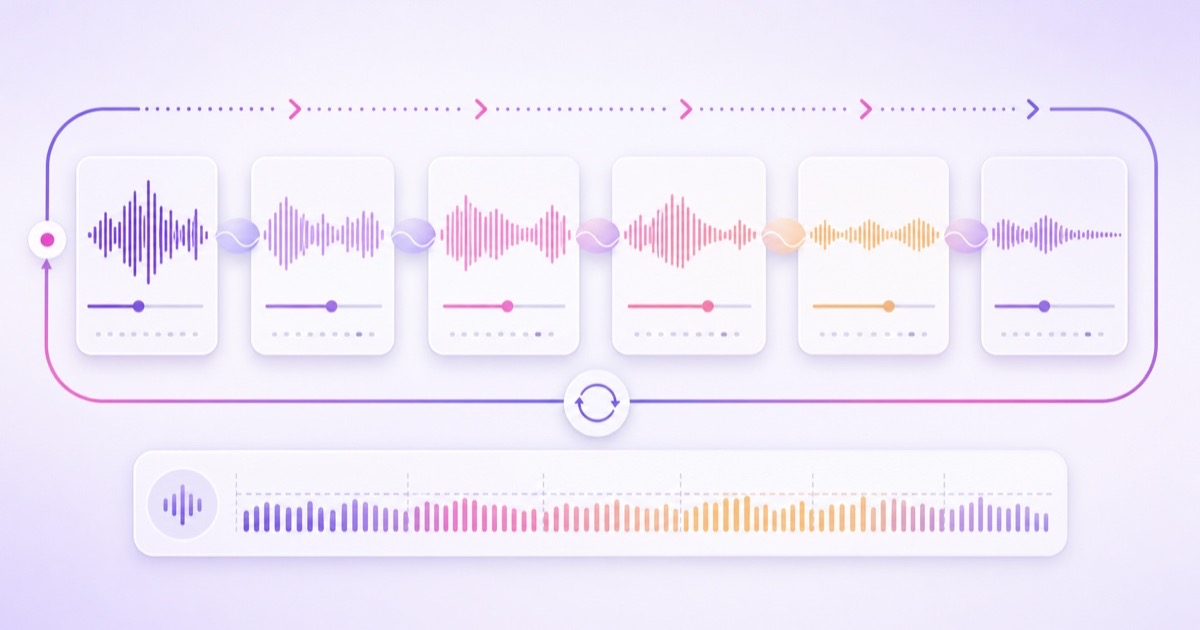
A two-to-four-hour master programme usually feels more considered than repeating one short recording. It gives listeners variety, reduces obvious repetition, and leaves enough room to arrange a calm progression. The goal is not to manufacture volume; it is to create a coherent listening session that can return to the beginning without a jarring jump.
| Programme block | Purpose | Production check |
|---|---|---|
| Opening | Begin gently with a clean, settled recording | No abrupt first note or clipped ambience |
| Main sequence | Alternate compatible shabads and performers | Titles, credits, and permission records match |
| Quiet interval | Give the programme a natural breath | Use owned ambience or silence, not borrowed music |
| Closing | Return smoothly toward the opening mood | Test the final-to-first transition on headphones |
Normalize perceived loudness across recordings so viewers are not constantly changing volume. Listen for clipped peaks, sudden room-noise changes, harsh equalization, and long silence. Do not compress every performance until it sounds identical; preserve its character while removing distracting level jumps. Play the full sequence once before launch, then listen through the loop boundary several times.
Visuals should remain peaceful and legitimately sourced. Suitable options include nature footage you recorded, a Nishan Sahib photograph you own and have reviewed for appropriate use, an abstract waveform, or carefully prepared shabad text with a checked translation. Avoid random stock imagery that has no relationship to the programme, and never pull images from a Gurdwara website without permission.
Export every segment with the same dimensions, frame rate, and audio settings before assembly. A practical default is MP4 with H.264 video and AAC audio; the video format guide for continuous streaming explains the settings and why consistency prevents rough transitions.
Set up the channel honestly
Enable live streaming before launch day because YouTube says first-time activation may take up to 24 hours. The encoder path is YouTube Studio → Create → Go live → Stream. Create the stream, copy the stream URL and stream key into your encoder or cloud streaming service, wait for the preview, and then go live. YouTube documents the current flow in its encoder setup guide.
Treat the stream key like a password. Do not paste it into a committee chat, screenshot it in a tutorial, or send it to someone who only needs moderation access. If it is exposed, reset it in Live Control Room and update the streaming service.
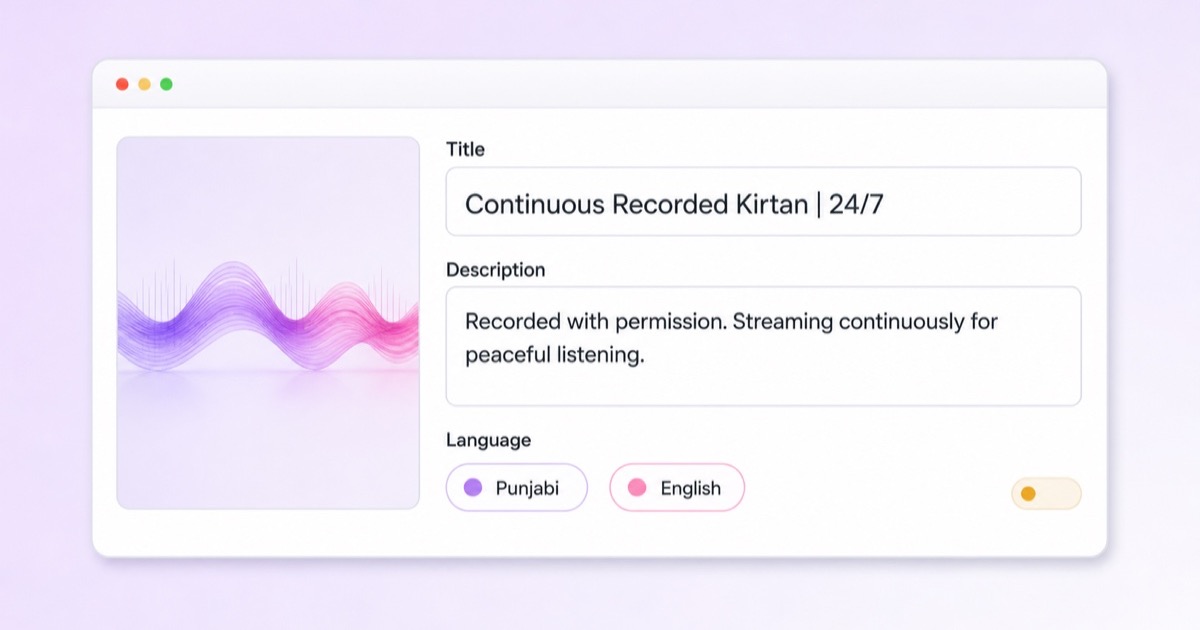
Name the stream truthfully. Use language such as Continuous Recorded Kirtan, Recorded Kirtan Streaming 24/7, or the Punjabi equivalent reviewed by a fluent speaker. Do not say “Live from Gurdwara” or imply that a current divan is being transmitted when the programme is a loop. Honest wording does not weaken the offering; it sets the right expectation and protects trust.
A useful metadata structure is:
- Title: content type + recorded status + language or listening context.
- First description lines: explain that the Kirtan was recorded with permission and is streaming continuously.
- Credits: name the ragi or jatha, recording team, and visual sources exactly as agreed.
- Language: include reviewed Punjabi and English metadata so sangat across Punjab, India, the UK, Canada, the US, and other regions can understand the stream.
- Rights contact: provide a monitored email address for genuine corrections or rights questions.
Do not stuff every variation of “kirtan live channel YouTube” into the title. Put relevant terms naturally in the description, and let accurate credits and consistent presentation do the long-term work. Before going public, run an unlisted test and check audio, the first-to-last transition, mobile readability, credits, chat settings, and the live dashboard.
For a small seva team, a cloud loop service can remove the need to leave a PC running. With StreamNeo, the prepared programme can be uploaded once, connected to the stream key, and monitored from a phone while the service maintains the continuous feed. Keep a committee member responsible for rights and presentation even when the delivery is automated.
Care for the community and comments
Sacred-content streams attract prayers, personal requests, questions, and sometimes arguments or spam. Decide before launch who will watch the chat and what tone the channel will protect. A 24/7 chat without any human attention can quickly stop matching the care shown in the programme.
Pin a short comment that explains the seva intent, confirms that the stream is recorded, credits the performers, asks for respectful discussion, and gives a correction contact. Keep the language warm. Moderation should guide the space, not make sincere viewers afraid to speak.
YouTube offers practical controls: Live Control Room → Edit → Live chat can limit participation, while YouTube Studio → Settings → Community moderation → Content controls can hold potentially inappropriate messages. The platform also supports moderators, blocked words, slow mode, subscribers-only chat, and live commentary mode. Its live-chat moderation guide lists the current options.
For a volunteer-run channel, three reasonable choices are fully moderated chat during staffed hours, subscribers-only chat with slow mode, or chat switched off when nobody can supervise it. Comments below the video still need periodic review. Remove abuse and commercial spam promptly, but handle genuine spelling corrections, attribution questions, and community concerns with patience.
Decide on monetization deliberately
Some viewers find ads during Gurbani jarring; some seva projects also have real hosting, recording, and production costs. There is no single decision that fits every sangat. Discuss the purpose of the channel, who is accountable for revenue, how any funds will be used, and whether interruptions fit the listening experience.
If the channel remains a seva project without ads, state that only if it is accurate and review the setting after any account changes. If the group chooses monetization, follow YouTube Partner Program rules and understand that turning monetization on can enable pre-roll and mid-roll ads; ad delivery is not guaranteed. YouTube explains its live options in Monetize your live stream.
Rights permission and monetization eligibility are separate questions. YouTube's channel monetization policies assess originality and authenticity at the channel level, and permission alone does not guarantee that reused or repetitive content will qualify. Read the 24/7 stream monetization guide before making financial plans.
Grow with dignity
For this kind of channel, growth means serving the sangat reliably and helping the right listeners find it. Keep the stream title, credits, and schedule consistent. Use community posts around Gurpurabs to share verified programme information, not urgency or engagement bait. Publish corrections openly when a title, credit, or translation needs fixing.
Collaborations with local Gurdwaras, ragis, and Sikh organisations should begin with a conversation, not a request to “cross-promote.” Explain the project, show the rights process, ask how they would like recordings and imagery presented, and document every permission. A smaller library with clean provenance is stronger than a large catalogue assembled from uncertain sources.
Review the channel monthly with a short stewardship checklist:
- Are all recording and visual permissions still valid and easy to retrieve?
- Are shabad titles, performer credits, translations, and recorded-stream labels accurate?
- Does the loop sound even and return to its beginning cleanly?
- Are comments and rights enquiries receiving a thoughtful response?
- Do the thumbnail, community posts, and monetization choice still reflect the project's intent?
If the answers are sound, the technical side can remain simple. Start free — 24-hour trial, no card.
More from the journal: 24/7 Bhakti Sangeet Channels in Regional Languages: A Complete Playbook · Navratri, Diwali and Ganesh Chaturthi: A Practical 24/7 Channel Playbook · Monetising a Devotional 24/7 Channel Respectfully
FAQ
Can I stream famous Kirtan recordings?
Only when you have the necessary rights. A famous recording may be controlled by its performers, recording owner, label, producer, or broadcaster. The safer paths are your own Kirtan recording, a commissioned performance with a written agreement, or a track explicitly licensed for continuous live streaming. If a licensed track is in Content ID, ask the rights holder whether your channel must be allowlisted before launch.
Should the stream say it is recorded?
Yes. Use clear wording such as “continuous recorded Kirtan” in the title and first lines of the description. Do not imply that the feed is live from a Gurdwara or current programme. Honest labeling helps viewers understand what they are hearing, makes credits clearer, and protects the trust on which the channel depends.
Is monetizing Gurbani okay?
That is a personal and community decision, not one this guide can make for every sangat. Many projects keep the stream as seva because ads can feel disruptive; others decide that revenue supports legitimate recording and operating costs. Discuss the choice transparently, secure permissions that cover monetization, and follow YouTube's current partner and live-ad rules.