A sleep channel has one job: remain pleasantly forgettable. The sound should mask distractions, the visual should stay out of the way, and nothing—not a loop seam, volume jump, or ad break—should wake the person who trusted it.
That makes a 24/7 sleep sounds live stream less simple than it looks. A static picture and a downloaded rain file may be quick to publish, but they create copyright, monetization, and listener-experience problems. The durable version starts with original audio and deliberate production.
This playbook takes you from recording to a one-week trial, with the uncomfortable ad decision included.
The niche’s honest shape
Sleep audio serves several clear needs: covering traffic or household noise, settling a baby, creating a consistent bedtime cue, or providing a neutral background for reading and focus. Because night arrives in every time zone, an always-on stream can be useful around the clock. “Evergreen,” however, does not mean automatic growth.
White noise is also easy to imitate badly. Channels can upload near-identical files, reuse library sounds, and swap only the thumbnail. YouTube reviews monetized channels as a whole, including their main theme, most-viewed videos, newest videos, metadata, and where most watch time comes from. A catalogue of minimally changed noise tracks can therefore look mass-produced even if every upload technically renders.
Originality is not decorative branding in this niche. It is your evidence that a real creator made purposeful choices.
Choose a narrower promise than “relaxing sounds.” Examples include monsoon rain recorded from Indian balconies, quiet ceiling-fan textures, train-compartment ambience without voices, or brown noise tuned for low-frequency masking. A defined sonic identity helps listeners know what they will get and helps reviewers understand what you contributed.
Rights, copyright, and the low-effort trap
Start by separating permission from monetization. A stock-audio license may let you place a sound inside an edited video but restrict redistribution, standalone listening products, broadcasting, or repeated looping. Terms differ by library and plan, so read the current license for the exact asset and use. Save the receipt, license text, asset URL, and download date together. Do not assume “royalty-free” means unrestricted or copyright-free.
Your own field recordings create a much cleaner chain of ownership. Record rain, a fan, an air purifier, or room tone in a controlled place. Avoid capturing a neighbour’s music, television dialogue, identifiable conversations, or announcements in the background. Keep the raw files and a few behind-the-scenes clips; they document how the sound was made.
Copyright clearance still does not guarantee entry to the YouTube Partner Program. YouTube’s current policy calls repetitive or mass-produced material “inauthentic content”. Its separate reused-content review asks whether borrowed material was meaningfully transformed and whether reviewers can tell that you made it. The practical defence is not a disclaimer. It is visible creative work:
- record or synthesize the core sound yourself;
- build distinct mixes for distinct listener needs;
- show your recording and mastering process in occasional regular videos;
- write accurate titles and descriptions instead of cloning high-ranking metadata;
- keep project files, raw takes, licenses, and edit histories.
For a deeper channel-level check, use this guide to monetizing a 24/7 looped stream before you design a large catalogue.
Make audio worth sleeping to
A phone can capture useful rain if you protect it from water and wind. Put it under a dry overhang, switch off notifications, and use a foam or furry windshield on an external microphone when possible. A basic portable recorder gives you more headroom, but placement matters more than owning expensive equipment. Test for roof drips, electrical hum, barking, horns, and handling noise before leaving the recorder for an hour.
Edit with headphones and then check on a small phone speaker. Remove isolated disturbances conservatively; aggressive noise reduction can add swirling, metallic artifacts that become tiring over several hours. Keep the level steady and leave enough headroom so a sudden thunder hit does not clip.
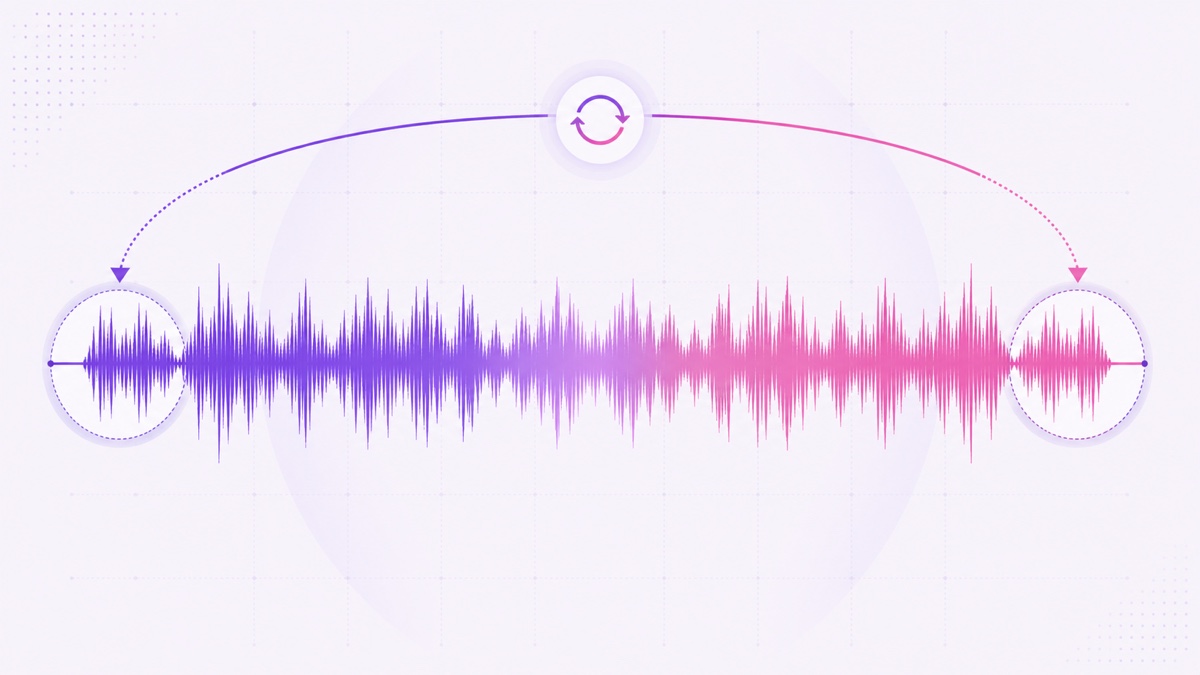
Build a seam nobody notices
- Choose two sections with similar loudness, texture, and frequency balance.
- Overlap the end with the beginning using a long equal-power crossfade.
- Listen across the join repeatedly at normal volume, then very quietly.
- Check the waveform for a gap, spike, or abrupt density change.
- Render a short test loop and let it repeat for at least 20 minutes before committing to the long file.
Matching only the waveform’s zero crossing is not enough for complex rain or fan noise. The perceived energy on both sides must match too. A tiny change that seems harmless during editing can feel like a room suddenly becoming louder at 3 a.m.
Keep a lossless master, then export a clean delivery file. For an AAC pipeline, 48 kHz stereo at roughly 192–256 kbps is a sensible source target when supported. The platform will encode the stream again, so feeding it a severely compressed source can make hiss sound watery or gritty. Pair the audio with a compatible MP4 using the settings in this 24/7 video format guide.
The base video: long beats clever
An eight-to-ten-hour base video is a practical sleep-length asset. It reduces how often the stream reaches its outer loop boundary and lets you arrange natural variation—lighter rain, a deeper middle section, then a gradual return—without sounding like a short sample pasted thousands of times.
The visual should be dark and predictable. A deep blue-to-black gradient, a dim window silhouette, or extremely slow rain movement is enough. Avoid bright flashes, hard cuts, clocks that reset obviously, and animated particles that call attention to the screen. A pure black screen can be functional, but a faint branded or atmospheric element makes the production feel intentional and gives viewers confirmation that playback has not failed.
Add a courtesy line in the description for people using a TV: lower the display brightness, enable any screen-protection setting, or turn off the screen if their device permits audio-only playback. Do not promise that a particular image can prevent burn-in; display behaviour varies.
Before the full render, export five minutes and test it on the actual phone, TV, or speaker your audience is likely to use. Then render the long version overnight only after the colour, loudness, and motion feel right.
The mid-roll dilemma
Mid-roll ads are not a neutral setting on a sleep stream. They can interrupt the masking sound, change volume, and wake a listener. Disabling or reducing them may protect satisfaction and overnight retention, while enabling more breaks can create more earning opportunities but also more exits and unhappy comments. There is no universally correct answer; the creator must choose which promise matters most.
On monetized live streams, YouTube says pre-roll ads can run automatically when monetization is on, while mid-rolls can be inserted automatically or manually; an ad is not guaranteed for every viewer. Current controls are documented in YouTube’s live-stream monetization guide. For channel-level live defaults, open YouTube Studio → Create → Go live → Live Control Room → Settings. Check each stream’s monetization settings before launch instead of trusting an old default.
| Approach | Viewer impact | Business trade-off | Best use |
|---|---|---|---|
| No or minimal mid-rolls | Least interruption during sleep | Fewer mid-roll opportunities | Bedtime-first channel promise |
| Conservative automatic mid-rolls | Some viewers may be interrupted | Tests a middle position | Short pilot with close retention review |
| More frequent mid-rolls | Highest risk of waking or losing sleepers | More opportunities, never guaranteed revenue | Usually a poor fit for overnight sleep audio |
Do not evaluate the choice using revenue alone. Compare average view duration, overnight drop-off points, returning viewers, dislikes, and comments before and after a controlled change. Change one setting at a time and keep the test period comparable. This guide to live-stream ad eligibility and placement explains the wider control set.
Titles and thumbnails for sleepers
Sleep searchers are unusually specific. They want a sound, a visual condition, and a duration. Put those facts first: “Monsoon rain on window — black screen — 10 hours” is more useful than “Enter the realm of perfect calm.” If the stream is live, include “24/7 live” without implying the underlying scene is happening in real time.
Use dark thumbnails with one recognisable subject: a moon, a rain-streaked window, a fan, or a sleeping-room silhouette. Keep any text to a few large words, and make variants visually distinct without misrepresenting the audio. A pink-noise video should not be retitled as rain merely because rain gets clicks.
Keep sleep audio separate from a more visual, watchable ambience format. Fireplace rooms, forest walks, and seasonal scenes need different footage and thumbnail logic; the 24/7 relaxation-channel playbook covers that sibling format.
Launch and measure
Run a seven-night pilot before calling the channel permanent. Upload the eight-to-ten-hour MP4, create the broadcast through YouTube Studio → Create → Go live → Stream, paste the stream key only into the trusted streaming service, and start unlisted. Check audio on another account and device, then switch public once levels and visuals are correct.
A useful first-week checklist
- Night 1: listen at the base video’s internal edit points and at its final loop boundary.
- Night 2: check Stream Health and confirm that the encoder is not repeatedly disconnecting.
- Nights 3–4: inspect audience-retention drops against loop times and any ad activity.
- Nights 5–7: read comments for volume jumps, harsh frequencies, bright visuals, and device-specific problems.
If drop-offs line up with the seam, fix the audio before changing titles or thumbnails. If complaints mention sudden commercial volume or broken sleep, revisit the ad strategy. If the stream is technically stable but few searchers click, clarify the sound, screen style, and duration in the title.
An eight-hour file looping continuously with automatic recovery fits StreamNeo’s core workflow: upload the finished MP4, connect the destination, and let the cloud stream without leaving a PC on. Start free — 24-hour trial, no card.
The real asset is not “24/7” in the title. It is an original sound people can trust night after night.
FAQ
Do sleep channels get monetized?
They can, but monetization is not automatic and YouTube reviews the whole channel. Original recordings, distinct production choices, honest metadata, and clear evidence of your process are stronger than minimally changed stock loops. Review the current rules for monetizing looped streams before applying.
Is a black screen allowed?
A near-static dark visual is common for sleep content, but treat it as a viewer-experience choice rather than a monetization shortcut. Keep a faint visual element, use honest metadata, and make the audio itself demonstrably original and well produced.
How long should the video be?
Eight to ten hours is a strong starting range because it covers a normal overnight session and minimizes outer-loop seams. A shorter file can work only if its seam and repeating pattern remain genuinely unobtrusive.