Your conference ended, but its most useful talks should not disappear into a shared drive. A focused conference replay live stream can keep the event visible while attendees are still sharing takeaways, sponsors are following up, and people who missed the event are deciding whether to join you next time.
The winning approach is not to broadcast every recording forever. Treat replay as a 30–60 day campaign, clear the rights first, feature only the sessions that earn attention, and then shrink the channel into an honest evergreen best-of.
Build around a 30–60 day replay window
The days immediately after an event have a context that will not return. Speakers are posting their clips, attendees still remember conversations, sales teams are working new leads, and non-attendees can see what they missed. Your replay plan should use that momentum instead of waiting three months for perfect edits.
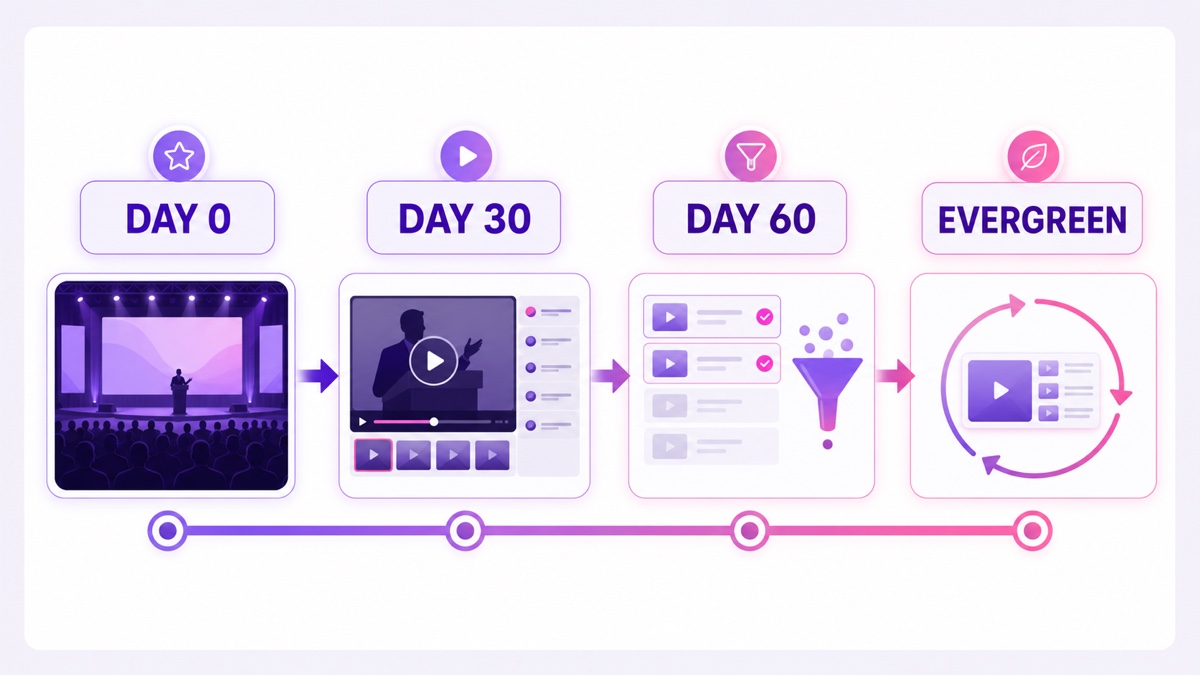
Start with a simple campaign calendar. The exact dates can move with your sales cycle, but every phase needs a job:
| Phase | What runs | Primary job | Team action |
|---|---|---|---|
| Days 0–7 | Opening keynote and strongest sessions | Extend event conversation | Publish the watch page and email attendees |
| Days 8–30 | Curated replay rotation | Reach missed registrants and warm leads | Refresh order weekly and promote specific talks |
| Days 31–60 | Best performers plus conversion segments | Support ticket, community, or sales follow-up | Remove weak sessions and update calls to action |
| Day 61 onward | Compact evergreen best-of | Preserve proof of event quality | Review quarterly or end the stream |
This is a planning window, not a promise that attention vanishes on day 61. It forces a useful decision: keep a smaller rotation because it still serves viewers, or close the campaign rather than leaving an outdated programme running without an owner.
Clear rights before you build the channel
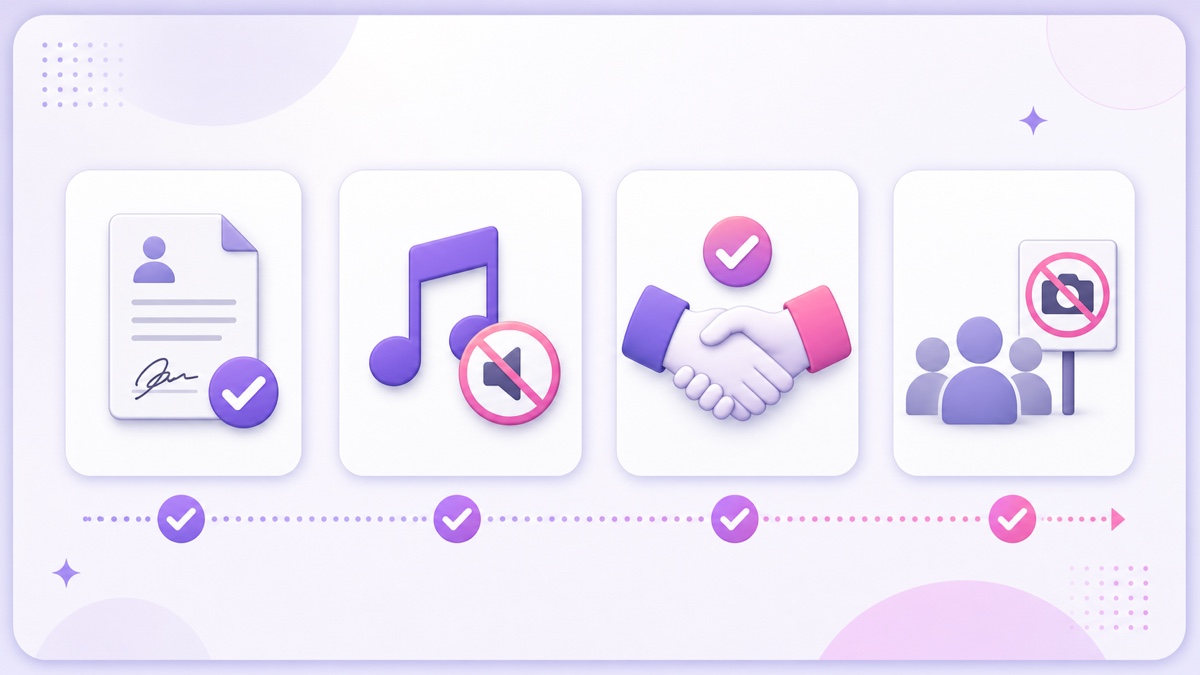
Rights are the gate, not a box to tick after launch. Build a session-level clearance sheet and do not add a recording to the playlist until its speaker, music, sponsor, and attendee checks are complete. This is operational guidance, not legal advice; contracts and privacy rules vary by country, venue, and event format.
Speaker releases
You need permission from every speaker whose session will run. Do not rely on “they spoke at our event” as implied permission for an always-on public rebroadcast. Read the signed release and look for scope covering recording, editing, online distribution, promotion, rebroadcast or streaming, geographic reach, duration, and any right to use the speaker’s name and likeness.
If the wording covers only the live event or an attendee portal for a limited period, get an amendment. For your next event, put public replay and promotional excerpts into the release before speakers confirm. Keep the signed document and the approved session ID together in your rights tracker.
Music captured at the venue
A venue’s licence to play music to people in the room does not automatically give your company every right needed to include that music in recorded video. The U.S. Copyright Office explains that putting a composition and a particular sound recording into an audiovisual work can involve separate synchronization and master-use licences; its guide also notes that online video streaming is not covered by the mechanical compulsory licence. The Copyright Office’s music-licensing guide and SESAC’s rights FAQ show why a public-performance licence and video-use rights are different questions.
Review walk-on music, holding slides, award stings, DJ sets, sponsor reels, and music bleeding into interviews. If you cannot document the required rights for the replay territories and platforms, mute, replace, or cut the section. “It was already audible in the room” is not a clearance record.
Sponsors and attendee faces
Many sponsors will welcome extra exposure, but the contract decides what you may keep. Confirm logo use, supplied video, spokesperson appearances, category exclusivity, campaign end date, and whether old offers or QR codes must be removed.
For audience shots, do not assume an entrance sign is universally sufficient. Privacy and likeness rules differ, and publishing a recording can be a different use from filming it. The UK Information Commissioner’s event-recording guidance, for example, says organisers need a justified lawful basis, clear advance information, and special care before posting identifiable people online. Check your notice, registration terms, opt-out process, audience composition, and local requirements with counsel—especially where children, private discussions, health information, or sensitive sessions appear.
Curate the loop instead of dumping all 20 sessions
A complete archive serves someone searching for one specific talk. A live replay channel serves someone joining in the middle and deciding within moments whether to stay. Those are different products.
Begin with the opening keynote and the top three sessions, not the whole agenda. Score candidates on audience relevance, clean rights, recording quality, current information, and whether the speaker gets to the point quickly. A niche workshop with clear value can beat a prestigious panel with muffled audio and ten minutes of housekeeping.
Prepare every chosen session for mid-join viewing:
- Add a persistent session-title lower third with speaker name and topic.
- Place a visible date stamp such as Recorded at DevSummit 2026; never make a recording look like a current live appearance.
- Cut empty room footage, microphone checks, lunch instructions, and offers that have expired.
- Add a short boundary card before the next talk so viewers understand the programme is rotating.
- Include captions where possible and verify names, product terms, and technical vocabulary.
If the programme includes time-sensitive material, borrow the transparency discipline from a recorded daily-news channel: make the recording date obvious and replace stale segments promptly.
Give the replay one measurable funnel
Do not ask one stream to sell next year’s ticket, generate demo requests, grow a community, download a report, and please every sponsor at once. Pick one primary conversion for the 60-day campaign and let secondary links sit below it.
For an annual conference, the main action might be an early-interest form for next year. For a vendor event, it may be a product demo. For a paid community, it may be membership. Put that destination near the top of the description, repeat it in a tasteful on-screen boundary card, and use a QR code only when the destination works well on a phone.
Tag every placement. A link could use parameters such as utm_source=youtube, utm_medium=live_replay, utm_campaign=event_2026, and utm_content=keynote_boundary. Give the description, QR card, pinned chat message, sponsor block, and follow-up email distinct content tags. Then a click tells you which placement did the work.
If your strongest sessions were originally webinars, the lead mechanics in this always-on webinar replay playbook apply too: demonstrate expertise first, then offer a relevant next step.
Turn replay shelf-life into a sponsor deliverable
Sponsors do not need imaginary CPM projections. They need a clear inventory, a defined period, and evidence after the campaign. Package the replay channel as a named line item for this year, then use the operating record to improve next year’s deck.
- Placement: logo on approved session slates, a boundary card, or a link in the description.
- Duration: exact campaign start and end dates, plus whether the asset remains in the evergreen edit.
- Rotation: which sponsored sessions or segments run and how often the playlist is reviewed.
- Reporting: watch time, views, tracked link clicks, and qualified enquiries attributable to the agreed placements.
- Approval: named contacts for creative sign-off, corrections, and removal requests.
Confirm every item against the sponsorship agreement. A sponsor may like longer visibility while still requiring an old discount, job opening, legal line, or brand treatment to disappear on schedule.
Run the replay channel as a weekly operation
Normalize the source files before they enter one rotation. A practical house specification is 1920×1080 landscape video, H.264 video, AAC audio, one frame rate, consistent stereo layout, and a single audio-loudness target. The exact target matters less than removing jarring jumps between a quiet breakout recording and a loud keynote sting.
Create one master per session, then name files so operations can audit them without opening each video: event-year_session-order_short-title_rights-approved.mp4. Keep source recordings separate from replay masters. If you need the full mechanics, use the looping playlist guide.
A browser-based StreamNeo runbook can stay short:
- Open Videos → Upload Video, select the approved masters, give each a clear title, and choose Start Upload.
- Open Streams, select the slot, and choose Configure Stream.
- Under Stream To, select YouTube, paste the stream key, and choose the replay files in the intended order.
- In YouTube, use YouTube Studio → Create → Go Live → Stream to prepare the encoder destination and stream details.
- Start with an unlisted test. Check the opening, audio, captions, date stamp, boundary card, link, QR destination, and the transition into the second session before making it public.
During days 0–60, assign one owner to review the rotation weekly. The owner removes expired claims, promotes a newly strong session, checks sponsor deadlines, and logs every change. If a campaign needs a planned start, the uploaded-video scheduling guide covers that workflow.
A replay channel can run unattended between reviews; it should never run unowned.
Measure it like a marketer, not an archivist
Archive success is “the files exist.” Campaign success is “the right people watched useful sessions and took a relevant next step.” Review both audience behaviour and business response each week.
Use YouTube Studio → Content → Live to inspect the stream and its status, then use Analytics to compare session periods. Track watch time by session window, average view duration, peak moments, traffic sources, returning viewers, and chat activity. Platform analytics will not always map perfectly to a session, so record playlist start times and rotation changes in the same operations log.
Put UTM clicks and conversions beside those viewing signals. A talk with fewer viewers but several qualified demo requests may deserve a place in the loop; a long keynote with plenty of passive watch time may serve awareness instead. Label the role before making the keep-or-cut decision.
Finally, route useful chat questions somewhere owned. Export or summarize product questions for sales, speaker questions for the programme team, and recurring topic requests for next year’s agenda. Do not promise 24/7 replies. State the staffed hours in the description and pin a form for questions that arrive while the team is offline.
FAQ
Do we need every speaker’s permission?
Yes. Verify that each signed release covers the recording, editing, online rebroadcast or streaming, promotional use, territories, duration, and name or likeness use you actually plan. If the scope is narrower, obtain an amendment before adding that session.
How long should the replay run?
Use a 30–60 day hot window as your campaign plan, then review the evidence. Keep only a compact evergreen best-of if the sessions remain accurate, cleared, and useful; otherwise end the stream cleanly.
Can sponsor segments stay in?
They can stay only when the sponsorship contract and current creative approval allow it. Confirm the end date, logo and footage rights, offer validity, category terms, reporting, and removal process instead of assuming more exposure is automatically acceptable.
Your stage may be empty, but the strongest sessions can still earn attention. Start free — 24-hour trial, no card. Review StreamNeo pricing when you are ready to keep the replay campaign running beyond the trial.