Your best webinar probably did its hardest work only once.You researched the topic, built the slides, answered objections, and recorded a useful hour—then left the file in a drive folder after the launch ended.
A webinar replay live stream gives that recording a continuing job.It can answer questions for people who discover your channel today, direct interested viewers to one relevant next step, and surface real questions for your team.The aim is not to pretend an old session is happening now.The aim is to run an honest, useful replay channel that stays available when your team is not live.
Why dead webinars make useful live channels
A strong webinar already contains a problem, a point of view, examples, and a next action.Those ingredients make it more valuable than a generic promotional loop.Someone searching for a teardown at 11 p.m.can receive the same practical explanation that your launch audience heard at 11 a.m.
The live format adds an always-present shelf for that material.Viewers browsing live content can join midway, listen for a few minutes, and ask a question in chat.Your uploaded webinar remains useful as a normal video too; the replay channel is an additional distribution surface, not a replacement for the VOD library.
This works particularly well for founders, coaches, agencies, and B2B teams with a small catalog of focused sessions.A product onboarding clinic, an SEO teardown, or a finance workshop can stay relevant for months.A webinar built entirely around a launch countdown cannot.
Clear rights and consent before you rebroadcast
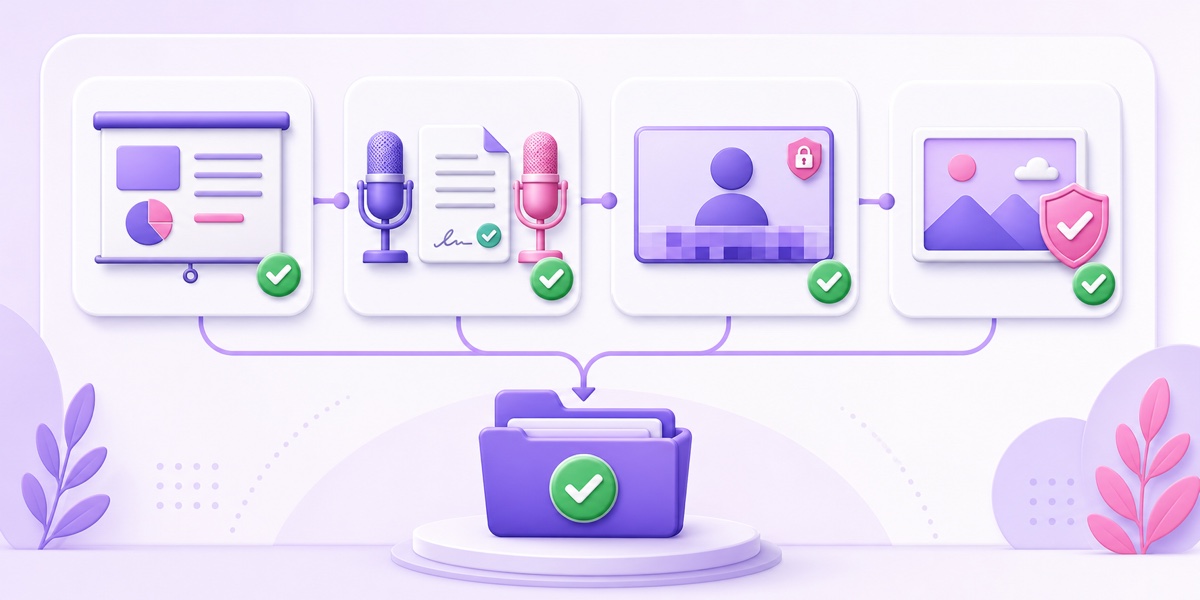
Owning the recording file does not automatically clear every element inside it.Your own talk and original slides are the easy part.Co-hosts, guest experts, attendees, stock assets, and music each need a deliberate check.
- Hosts and guests: get a short written approval that explicitly covers edited clips, live rebroadcasts, and repeated online use.An email reply is better than relying on a memory of a verbal conversation.
- Attendee moments: trim audience camera tiles, names, email addresses, company data, and identifiable Q&A contributions unless your consent language clearly permits rebroadcast.If the insight matters, re-record the question in the host’s voice.
- Slides and demos: remove confidential dashboards, stale customer data, and screenshots you would not publish today.Blur is acceptable only when nothing sensitive remains readable frame by frame.
- Images, music, and clips: confirm that the license covers ongoing online streaming, not merely use in a one-time presentation.Replace uncertain assets with material you created or licensed for the purpose.
Keep the approvals and asset licenses in one folder beside the final export.This is usually an hour of careful work, and it prevents a much more awkward removal request later.The same discipline applies to a larger conference replay channel.If any media rights are unclear, use the more detailed guide to copyright risk on 24/7 loops before publishing.
Choose webinars that deserve another run
Do not pour every recording into one endless playlist.Two excellent sessions create a stronger channel than ten dated ones.Review each candidate with three questions:
- Is the advice still accurate? Check product screens, laws, pricing, benchmarks, and named tools.Cut or re-record any passage that could send a viewer down the wrong path.
- Is the offer still valid? A dead coupon, expired cohort date, or discontinued package breaks trust immediately.Replace the segment or cover it with a new, accurate chapter card and voice-over.
- Would you defend every claim in a live Q&A today? If the answer is no, the webinar is an archive, not programming.
Evergreen how-tos, tactical workshops, product education, case-study teardowns, and objection-handling sessions usually pass.Annual trend decks and launch briefings often need substantial editing.A visible recording date does not rescue advice that is no longer true.
Give every selected webinar a clean opening, a short orientation for mid-join viewers, and an ending that returns naturally to the next block.Remove housekeeping, waiting-room chatter, long introductions, and “we will start in five minutes” footage.The channel should feel curated, not like a folder set to autoplay.
Add an honesty layer viewers can understand instantly
Label the content as a replay on screen and in the description.A simple opening card such as “Recorded March 2026 · replay” is enough.Keep a smaller date marker visible after the opening if facts in the presentation are time-sensitive.
The stream title can still describe the viewer’s problem: “SaaS onboarding teardown — webinar replay live.” In the first description lines, state when it was recorded, whether the host is currently in chat, and where viewers can find the latest version of any referenced offer.
Disclosure improves lead quality.A person who clicks after seeing the date is responding to the substance, not to a false impression that a presenter is currently on camera.That is better for the sales conversation and safer for your brand.A recorded daily news channel needs the same date-first habit because freshness changes how viewers interpret the material.
Recorded does not mean irrelevant.Hidden recording dates make people suspicious; visible dates let them judge the content on its merits.
Build lead capture for the way live viewers actually watch
A continuous stream does not have a dependable “final slide” because many people join in the middle and leave before the webinar ends.YouTube end screens also appear only in the last 5–20 seconds of a video, according to its end-screen documentation.Treat player features as optional support, not as the funnel.
Use three paths that remain understandable throughout the replay:
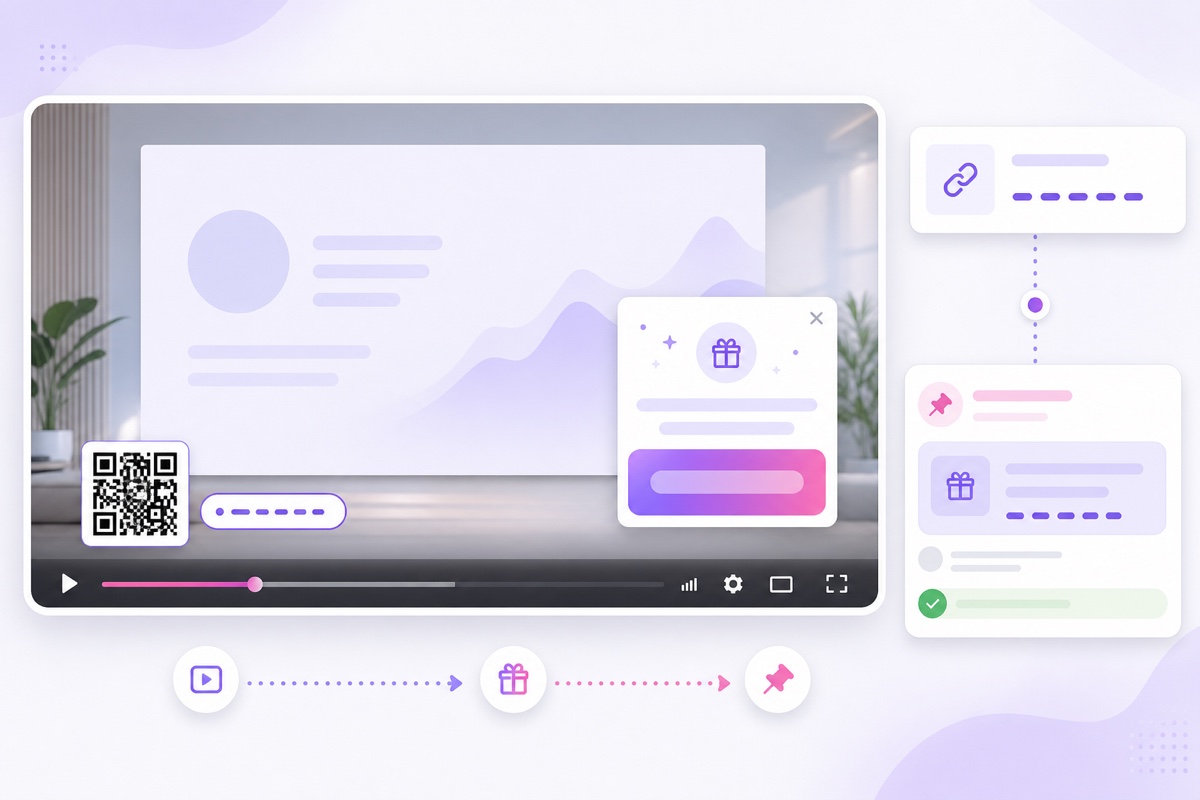
- Description: put one primary landing-page link in the first two lines, followed by a one-sentence promise.YouTube says URLs in descriptions and live chat are clickable for horizontal live streams, while links are not clickable inside the mobile vertical live feed.Its link-sharing guide also notes that clickable external links in long-form descriptions require access to advanced features.
- Pinned chat: post the same destination with a plain explanation.YouTube supports one pinned message at a time, and the channel owner—not a moderator or viewer—pins it.Keep the message useful rather than posting it repeatedly.
- On-screen QR and short URL: burn both into the lower safe area at the opening, after major chapters, and near the close.The QR helps TV and desktop viewers; the typed short URL matters when someone watches on the same phone they would otherwise use to scan.
Choose one CTA per webinar: book a diagnostic, download a template, start a trial, or join a course waitlist.Three competing offers turn the recording into a menu.Repeat the chosen invitation at natural breaks, not over the most useful slide.
Add UTMs to every destination.For example, use utm_source=youtube&utm_medium=live&utm_campaign=webinar_replay&utm_content=onboarding_teardown.Give the description, pinned message, and QR separate content values if you want to see which placement earned the visit.Send every version to the same focused landing page.
Program and measure the channel
Start with two to four webinars grouped around one buyer problem.A sensible six-hour block might contain a foundation lesson, a teardown, a customer-use-case walkthrough, and a short FAQ session, then repeat.Someone joining at any point should understand the topic within a minute.
Use this production sequence:
- Audit rights, claims, offers, and personal data; save the approvals.
- Edit each replay into a self-contained block with the recording date, chapter orientation, and one CTA.
- Export every block with consistent resolution, frame rate, audio level, and codec so transitions do not jump.
- In YouTube Studio, go to Create → Go live → Stream, create or select the stream, and copy its stream key securely.
- In StreamNeo, upload the finished blocks, arrange the playlist, connect the destination with that key, and test the result as unlisted before making it public.
If you want a fixed launch window rather than an immediate start, follow the full guide to scheduling a live stream from uploaded video.Test every QR code and link on desktop, TV, and one mobile device before promotion.
A small marketing team should not need to maintain OBS, a spare streaming PC, and an office internet connection for this job.StreamNeo runs the programmed loop in the cloud; the international plan starts at $9.99 per month.Compare the current plan details on the pricing page rather than inventing a competitor-price comparison.
Review the lineup quarterly, but check links more often when an offer changes.Replace weak sessions; do not merely keep adding hours.For measurement, track UTM visits, qualified form submissions, booked calls, and the questions that appear in chat.Watch time is a useful content signal, but a long session with no relevant clicks is not automatically a successful lead channel.
Revenue from the stream itself is a separate decision.If ads or partner-program eligibility matter to your model, read the guide to monetizing a 24/7 loop; do not let ad goals weaken the webinar’s primary job of attracting the right prospect.
Know when to add a genuinely live session
The replay loop should be the baseline, not a substitute for every human interaction.After a few weeks, collect recurring chat questions and landing-page objections.Those are the agenda for a fresh live Q&A.
A quarterly live clinic is often enough for a small team.Schedule it on the same channel, promote it inside the replay, answer current questions, and record it with the same consent discipline.After editing and date-stamping, the best parts can join the loop and keep the library current.
This creates a healthy cycle: old sessions educate new viewers, viewer questions shape the next real session, and the new answers refresh the channel.The team stays genuinely present without pretending to be live every hour.
Put one proven webinar back to work.Start free — 24-hour trial, no card.
FAQ
Can I loop a Zoom recording?
Yes, if you control the recording and have permission for everything visible and audible in it.Get written approval from guests, remove attendee names or faces unless consent covers rebroadcast, and replace any uncertain music, images, or clips before building the loop.
How do viewers contact us from a live stream?
Use one UTM-tagged link in the first lines of the description, repeat it in the single pinned chat message, and show a QR code plus a short URL at natural breaks in the webinar.Send all paths to one focused landing page so the next action is obvious.
Should we disclose that it is a replay?
Yes.Put the recording month and year on screen and in the description, and say when the team is available in chat.Clear disclosure prevents confusion and filters for viewers who are genuinely interested in the content and offer.