
A 24/7 stream can accumulate watch time at 3 a.m., but it is not a monetization shortcut. The useful part is simple arithmetic: every genuine viewer-minute can add to a public stream's watch time. The difficult part is keeping those hours valid, attracting real viewers, reaching the subscriber requirement, and passing YouTube's channel review.
This guide separates the calculator from the promise. You will see exactly what 0.5, 1, 2, or 5 average concurrent viewers can produce on paper—and why even 4,000 hours does not guarantee admission to the YouTube Partner Program (YPP).
The YPP thresholds, stated precisely
For Watch Page ad revenue, YouTube currently lists two main routes: 1,000 subscribers plus 4,000 valid public watch hours from long-form content in the last 12 months, or 1,000 subscribers plus 10 million valid public Shorts views in the last 90 days. Watch time generated inside the Shorts Feed does not add to the 4,000-hour total. These are rolling windows, so older activity eventually falls out of the calculation.
In countries and regions where the expanded YPP is available, an earlier application tier unlocks fan-funding and selected Shopping features. That route requires 500 subscribers, three valid public uploads in the last 90 days, and either 3,000 valid public watch hours in the last 12 months or 3 million valid public Shorts views in the last 90 days. It is not the same as the higher ad-revenue tier. Confirm the version offered to your channel in YouTube Studio → Earn and review YouTube's current expanded YPP requirements before planning around it.
Numbers alone are not enough. YouTube also requires policy compliance, an eligible country or region, no active Community Guidelines strikes for the standard application, two-step verification, advanced-features access, and an active AdSense for YouTube account or readiness to create one in Studio. The official YPP eligibility guide is the source of truth because thresholds and regional availability can change.
Which live watch time is valid?
YouTube counts valid watch hours from long-form videos set to public. Its exclusions include private, unlisted, and deleted videos; ad-campaign traffic; Shorts; and livestreams that are unlisted, deleted, or not converted to video on demand (VOD). In practical terms, a livestream should be public and its resulting archive should remain public if you expect those hours to support your YPP threshold.
Public is not a cosmetic setting. An unlisted test can be useful for quality checks, but its watch time does not belong in your YPP forecast.
The arithmetic that makes loops interesting
The live-only estimate is:
Watch hours = average concurrent viewers × qualifying hours streamed
Average concurrent viewers (average CCV) is the time-weighted average number of people watching at once, not your peak and not the total number of views. A stream that briefly reaches 25 viewers but spends most of the day near zero may still have a low average CCV.
A 30-day month contains 720 clock hours: 30 × 24. If qualifying public livestream coverage fills all 720 hours, one average concurrent viewer produces roughly 720 live watch hours. The table assumes no downtime, valid human viewing, public visibility, and a VOD outcome that satisfies YouTube's counting rules.
| Average CCV | Qualifying hours streamed | Estimated watch hours/month | Math-only time to 4,000 |
|---|---|---|---|
| 0.5 | 720 | 360 | 11.1 months |
| 1 | 720 | 720 | 5.6 months |
| 2 | 720 | 1,440 | 2.8 months |
| 5 | 720 | 3,600 | 1.1 months |
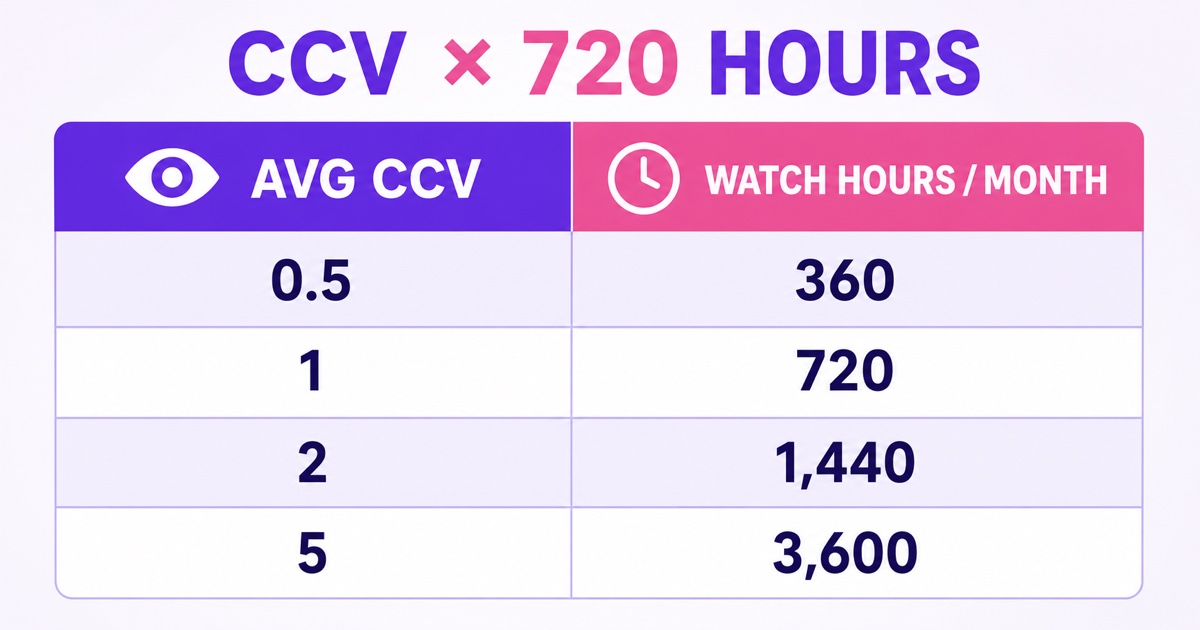
This is arithmetic, not a forecast of audience growth. Over a full 365-day rolling window, 0.5 average CCV would equal 4,380 watch hours only if every one of the 8,760 broadcast hours qualified. Real streams have restarts, outages, invalid traffic filtering, and archive gaps. Build margin into the plan instead of treating 4,000.0 as a safe target.
The 720-hour opportunity is operationally realistic only when the stream can stay online without depending on a creator's laptop and home connection. An always-on cloud setup such as StreamNeo handles that broadcast-hours side; it cannot create viewers or override YouTube's eligibility rules.
The three catches, honestly
1. Subscribers are a separate threshold
Watch time and subscribers do not rise at the same rate. A sleep-sounds listener may stay for hours without subscribing, while a helpful five-minute upload can gain a subscriber with little watch time. Reaching 4,000 valid public hours with 620 subscribers still leaves the ad-revenue route incomplete.
Give long-session viewers a clear reason to return: a reliable format, a recognizable schedule, and a restrained on-screen prompt. The practical ideas in turning live viewers into subscribers are more useful than repeating “subscribe” every few minutes.
2. Hours unlock review, not approval
After you cross the threshold and apply, YouTube reviews the channel as a whole. Its monetization policies expect original, authentic content and reject channels built around mass-produced, generic, repetitive, or minimally transformed material. A loop that you own can still be weak for monetization if it offers little viewer value or looks interchangeable with dozens of other uploads.
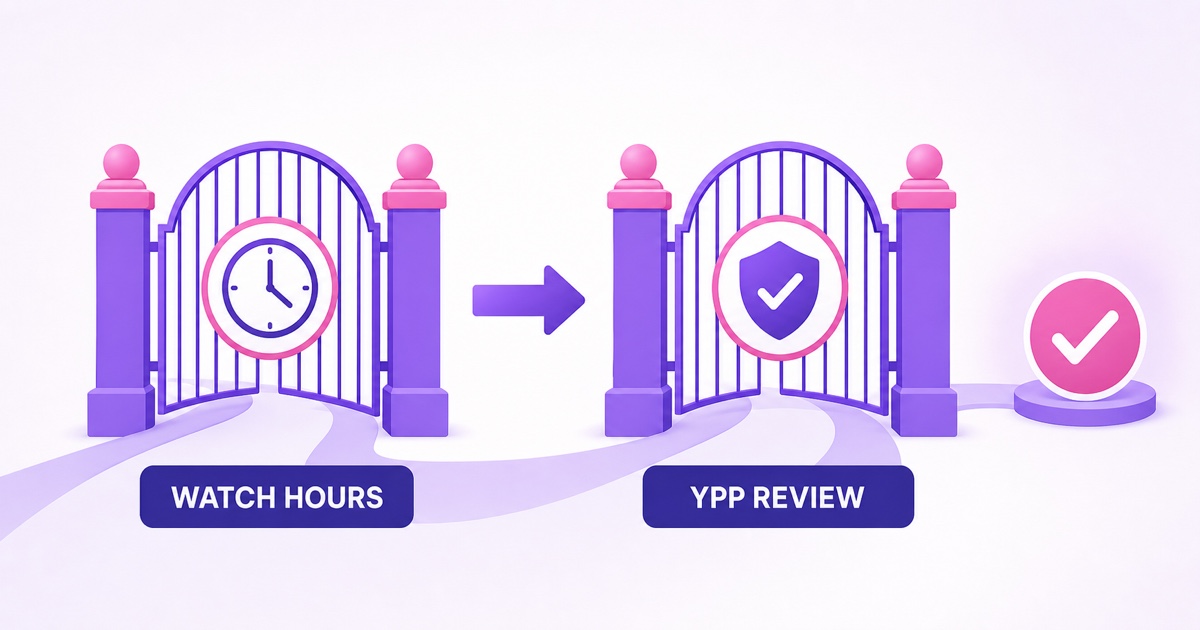
Make authorship and value easy to see. Use footage, music, narration, or teaching material you created or properly licensed; vary the substance of your channel; document your production process; and write accurate metadata. Read the current YouTube channel monetization policies, then compare them with this plain-English guide to monetizing a 24/7 loop and the broader explanation of what YouTube allows for looped streaming.
3. Visibility and archiving can remove hours from the plan
Deleted videos do not contribute valid public watch hours, and changing visibility can affect eligibility. There is another operational catch: YouTube says streams shorter than 12 hours can be automatically archived, while a stream exceeding 12 hours may not be captured at all. Its YPP rules separately exclude livestreams that are not converted to VOD.
That combination matters to an always-on channel. Do not assume one uninterrupted multi-day event will generate a usable public archive. Design a restart cadence that keeps events inside YouTube's archive behavior where your setup supports it, keep each archive public, and inspect the Live tab after every restart. YouTube's live archive documentation should guide the event length; a local recording remains wise as a backup, but uploading that backup later does not retroactively turn an excluded live event into qualifying live hours.
Where to track live stream watch hours
Use three views, because each answers a different question:
- Live Control Room: while the event is running, monitor current and peak concurrents, stream duration, views, and average view duration. This is the operational view, not the final eligibility counter.
- YouTube Studio → Analytics → Content → Live: set a 28- or 30-day range and review watch time, average view duration, traffic sources, and top live streams. For one event, use YouTube Studio → Content → Live → select the stream → Analytics → Engagement.
- YouTube Studio → Earn: check valid public watch-hour progress toward the YPP path offered to your channel. This figure can differ from general Analytics because YPP excludes several sources and uses a rolling window.
YouTube says video-level concurrent reports become available within minutes after a livestream ends. It also notes that Analytics data is processed and de-spammed, so it can differ from Live Control Room. YouTube does not promise a fixed public update interval for every Earn counter, so avoid treating a same-day mismatch as lost hours.
A calmer routine is more useful than refreshing daily. On the first day of each month, record four numbers: qualifying public watch-hour progress in Earn, watch time from Live content, average CCV, and subscribers gained from live. Then spot-check every event from the month for Public visibility and an accessible VOD. If Analytics climbs while Earn remains flat, visibility, deletion, archive conversion, Shorts attribution, ad traffic, or invalid-traffic filtering are the first things to audit.
Building average CCV honestly
You do not need a “growth hack.” You need a live experience that remains useful whenever someone arrives.
- Choose a long-session utility. Sleep sounds, study ambience, meditation, original devotional audio, and focused learning channels naturally fit extended listening. “Long session” is a format advantage, not permission to reuse music or footage you do not own.
- Design for the middle. Most viewers will not enter at the beginning of a loop. Avoid five-minute intros, unexplained countdowns, or calls to action that interrupt the core experience. A person joining at minute 43 should immediately understand what the stream provides.
- Make the title specific. “Live now” says nothing about the benefit. A truthful title such as “Gentle rain for study and sleep — continuous live ambience” identifies the use case without making health claims or pretending the footage is happening in real time.
- Give viewers a reason to return. A dependable sound profile, clear daypart, consistent visual identity, and occasional genuinely new segments build habit. For a bhajan channel, that could mean distinct morning and evening programs made from recordings you control—not one track cloned across every stream.
- Reject artificial traffic. Bought views, view-exchange groups, bots, and hidden embeds do not create a healthy audience. They can be filtered and can put the channel at risk. The table above assumes genuine viewing.
Measure average CCV by week, not by your best five-minute peak. When it rises, identify the content, traffic source, and time block responsible. Repeat the viewer value—not merely the thumbnail color.
The strategy in one paragraph
Use a public loop as the baseline watch-time engine, then use edited uploads and clips as the discovery and subscriber engine. Long-form uploads can answer searchable questions; short clips can introduce the channel, although Shorts Feed watch time does not enter the 4,000-hour bucket; the live stream serves people who want a continuing experience. The formats support different jobs, as this comparison of live streams, Premieres, and uploads explains. Patience is part of the design: optimize for returning viewers and original value, not the earliest date a spreadsheet can display 4,000.
FAQ
Do live watch hours count for YPP?
Yes, valid watch hours from public livestreams can count toward the long-form YPP threshold. YouTube excludes livestreams that are unlisted, deleted, or not converted to VOD, so check visibility and the public archive instead of assuming every broadcast minute qualifies.
What average CCV reaches 4,000 hours?
Purely mathematically, about 0.46 average CCV sustained across all 8,760 hours in a 365-day year equals 4,000 watch hours. At one average CCV for a perfect 720-hour month, the estimate is 720 hours per month, or about 5.6 months. This is not a viewer forecast, and the subscriber and review gates still apply.
Does the stream's VOD watch time count too?
A public VOD can continue earning valid public long-form watch time after the live event. Deleted or unlisted videos do not count, and a livestream that never converts to VOD is excluded. Keep qualifying archives public and verify them in YouTube Studio → Content → Live.
If you have original, rights-cleared video ready for an always-on channel, the setup is ready to test. Start free — 24-hour trial, no card. Then compare ongoing options on the StreamNeo pricing page.