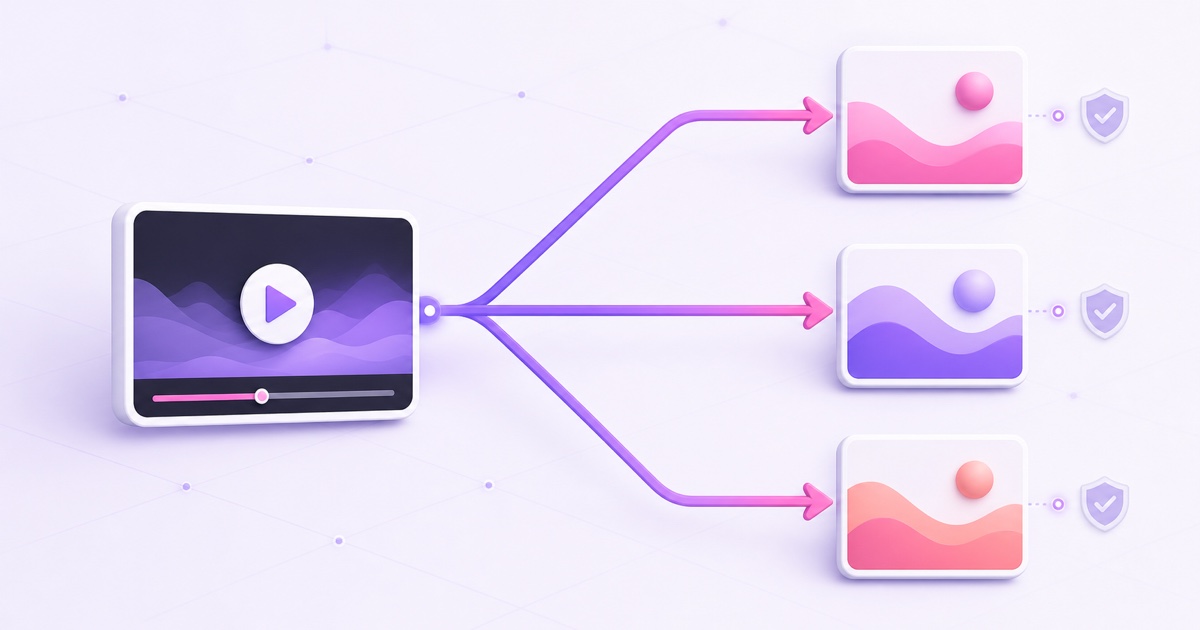
Yes, you can usually send the same live programme to more than one platform. The important word is usually: public platform rules, monetisation-programme terms, and a creator's private contract are three different layers.
If you are about to add a second destination, do not rely on an old memory of “Twitch exclusivity” or assume every platform treats a pre-recorded loop the same way. Here is the practical policy check, based on official platform pages reviewed on 26 July 2026.
The short version, per platform
| Platform | Answer checked 26 July 2026 | The condition that matters |
|---|---|---|
| YouTube | Yes, cross-platform simulstreaming is expressly supported. | Your stream still has to meet YouTube's content, rights, and live-streaming rules. |
| Twitch | Yes, unless your own Twitch agreement requires exclusivity. | Keep the Twitch experience at least as good, do not direct viewers away, and do not show combined cross-platform activity. |
| Kick | Yes under the current public Partner terms. | KICK Partner Program streamers must enable Multistreaming for other long-form platforms; the session payout is reduced. |
| Simulcasting itself is not the main public-policy problem. | Pre-recorded footage must be labelled, and Facebook Live says it should not be used for looping video. |
This table is a starting point, not a substitute for the agreement attached to your account. A platform can allow simulcasting publicly while a bespoke talent, sports, music, ambassador, or sponsorship deal imposes narrower rights.
Twitch: what changed and what did not
Twitch's current Simulcasting Guidelines FAQ says the rules apply to all streamers unless they have an agreement with Twitch requiring exclusivity. Twitch also updated its standard monetised-streamer terms to permit non-exclusive streaming, including simulcasting, subject to those guidelines.
The three public conditions are easy to misunderstand. In Twitch's exact wording, the critical fragments are “at least the same user experience,” “not provide links” that direct people away, and not “combine activity from other platforms.” In practice:
- Do not make Twitch the inferior copy. Keep video quality and community engagement on Twitch at least as good as on the other service. Deliberately shrinking or degrading the Twitch feed is Twitch's own example of a violation.
- Do not use Twitch to move the live audience elsewhere. You can list your wider presence, but you cannot push viewers from the Twitch broadcast, title, notification, QR code, banner, or chat command to the concurrent stream on another service.
- Do not present merged cross-platform activity to viewers. A private moderator dashboard can combine chats for your own use. A combined chat or activity layer displayed to the Twitch audience is the problem.
These conditions did not create blanket permission to ignore a separate signed deal. Open the latest copy of your Partner, ambassador, event, league, or promotional agreement and search for exclusive, simulcast, live content, competing service, and window. If those terms conflict with the public FAQ, ask Twitch support or the contract owner before going live.
YouTube: ordinary creators can stream elsewhere too
YouTube is the clearest of the four. Its official cross-platform streaming guide says, “You can go live with the same content across multiple platforms at the same time.” That directly answers whether you can stream on YouTube and Twitch at the same time: YouTube permits the YouTube side of that setup.
Simulcasting does not relax the other rules. You need live access enabled, an account in good standing, and the necessary rights for the video, music, artwork, and performance on every service receiving the feed. YouTube says live streams are scanned for third-party material; even licensed material can interrupt a stream if the rights owner has not allowlisted your channel in Content ID.
Create the YouTube destination through YouTube Studio → Create → Go live → Stream. Treat its stream key as a password, and do not reuse the Twitch or Facebook key. For the full two-destination workflow, see how to stream the same video to YouTube and Facebook.
Facebook: simulcasting is not the risky part of a loop
Facebook's public Live policy does not state a general exclusivity requirement for an ordinary Page broadcast. But a 24/7 pre-recorded stream faces a more direct restriction: the Facebook Live Policies say pre-recorded material must be clearly identified, and say Facebook Live should not be used to broadcast looping videos.
The labelling rule is explicit: “All pre-recorded content contained in a broadcast streamed to Facebook Live must be clearly marked as pre-recorded.” Meta gives a graphic, title, or description disclaimer as examples. Apply the label to the Facebook version even if YouTube or another destination uses different metadata.
For a genuine live programme, sending the same feed to Facebook and YouTube is not automatically a policy breach. For a repeating 20-minute clip or an always-on static scene, multistreaming does not cure the underlying Facebook Live issue. Do not assume that because a tool can keep publishing RTMPS, the content format is allowed.
Also read any programme-specific terms for monetisation, managed partnerships, sports rights, or licensed music. Those terms can be stricter than the general Live page and may be tied to a particular Page or catalogue.
Kick and newer platforms: public rules versus your deal
Kick's public position is currently non-exclusive. Its KICK Partner Program terms say the relationship is not exclusive and that a streamer may use other platforms, but a KPP streamer must enable the multistreaming toggle when simulcasting to another platform.
The current Kick multistreaming help page, dated 22 May 2026, adds an important commercial detail: for long-form destinations such as Twitch or YouTube, enable the toggle after starting the Kick stream; the payout is reduced by 50% for the multistreaming session. The help article says the toggle is not needed for short-form or vertical services such as YouTube Shorts, TikTok Live, or Instagram Live.
That is permission with an operational and revenue condition, not a promise that every private creator deal is identical. Newer platforms change programmes quickly, and custom guarantees can carry separate exclusivity language. If you are also evaluating Rumble or X, use the current platform links in our Kick, Rumble, and X loop-policy comparison, then read whatever you personally accepted.
The technical rules nobody writes down
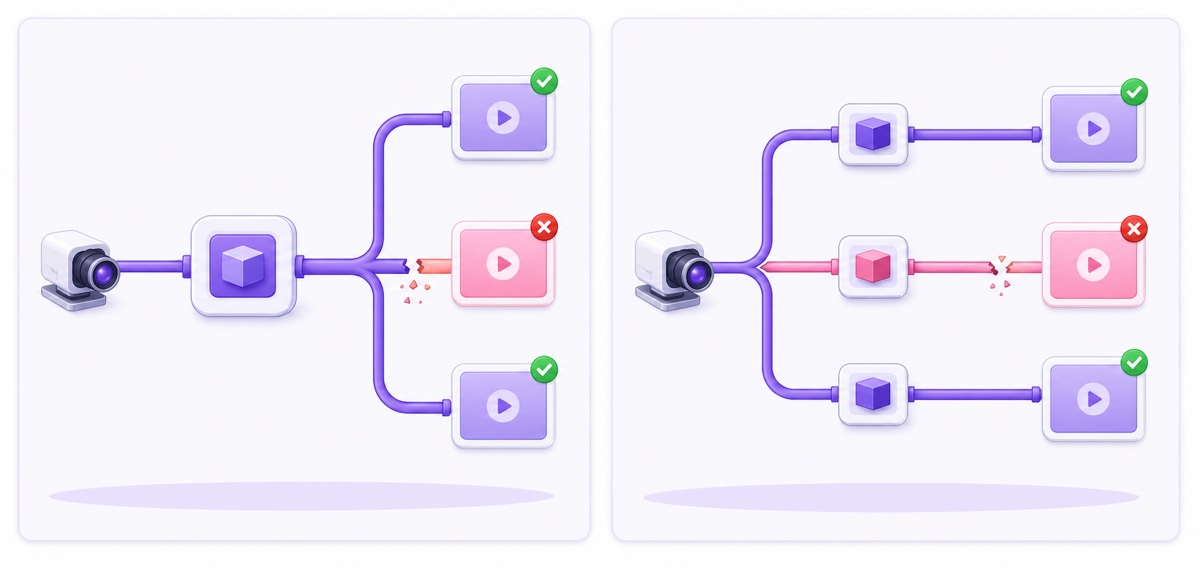
A policy-safe plan still needs fault-tolerant delivery. Give every destination its own server URL, stream key, metadata, health check, and outbound encoder leg. If Twitch rejects a rotated key, YouTube should continue rather than die with a shared publishing job.
Failure isolation is an engineering choice worth demanding from any cloud tool. Ask, “If one destination rejects authentication or reconnects, do all other outputs stay live?” A dashboard showing multiple logos does not prove the processes are independent.
Use destination-specific titles and descriptions where the tool allows. A Facebook pre-recorded disclosure, a Twitch-safe call to action, and a YouTube search title are not interchangeable. This guide to streaming with different YouTube and Facebook titles shows the metadata split.
Unified-chat tools need the same care. Twitch permits a combined view for the streamer's personal use, but not a cross-platform activity layer presented to viewers during a simulcast. On an unattended 24/7 feed, a unified inbox also does not replace native moderation, platform-specific blocked-word lists, or someone who can respond when authentication expires.
Bandwidth reality for home multistreamers
Local multi-output multiplies your outbound payload. With two destinations at 4,500 kbps video, the arithmetic is:
4,500 kbps × 2 = 9,000 kbps, or 9 Mbps of sustained video upload.
Three destinations are 4,500 × 3 = 13,500 kbps, or 13.5 Mbps. Audio streams and protocol overhead sit on top of those figures, so a speed test that barely reaches 9 Mbps is not enough for two stable 4,500 kbps outputs. Wi-Fi contention, cloud backups, and evening congestion can reduce usable upload even when the plan headline looks adequate.
A cloud fan-out changes where the multiplication occurs. You send one source to the cloud relay, which sends separate outputs from its own network. For an uploaded pre-recorded file, your home line is not carrying any live output after the upload completes. The destinations should still be independent inside the cloud service; saving home bandwidth is not a reason to accept shared-failure architecture.
A five-item pre-flight before you add a destination
- Read your own agreements. Check standard programme terms plus any individual talent, sponsorship, league, music, or ambassador contract. A public help page cannot waive a deal you signed.
- Open the current simulcasting page. Do this on the day you configure the feed. Save the official URL and note the date; screenshots without a source age badly.
- Confirm pre-recorded labelling and format rules. Put the required disclosure in every destination's title, description, or video layer. Remember that Facebook's policy separately discourages looping Live video.
- Verify the stream key and persistence setting. Create each event in its native control room and use its own key. For Twitch, follow the current stream-key guide, then keep the key out of screenshots and chat.
- Run a ten-minute controlled test. Watch every native preview, listen for audio drift, inspect health warnings, send a chat message, and deliberately stop one destination to confirm the others survive.
Once policy, keys, and failure isolation are checked, adding a destination becomes routine rather than risky. For pre-recorded content that is allowed on the chosen platforms, compare StreamNeo plans or start free — 24-hour trial, no card.
FAQ
Can I stream to YouTube and Twitch at the same time?
Yes. YouTube explicitly supports cross-platform simulstreaming, and Twitch permits simulcasting under its current guidelines. Keep the Twitch experience at least as good, do not direct its viewers to the competing live feed, do not display merged cross-platform activity, and check whether your own agreement requires exclusivity.
Does Facebook mind if I also stream to YouTube?
Facebook's public Live policy does not impose broad simulcast exclusivity on ordinary Page streams. Its content rules still apply separately: pre-recorded footage needs clear labelling, and Facebook Live says it should not be used for looping videos. Programme-specific terms may add further limits.
Does multistreaming from home use more upload?
Yes when your machine sends a full feed to each platform. Two 4,500 kbps video outputs use 9 Mbps before audio and overhead; three use 13.5 Mbps. A cloud relay or uploaded-file service performs the fan-out on its own network instead.