StreamNeo update — 19 September 2026: Every slot streams whatever you upload — any quality, up to 4K 60fps — at one price per billing term, so the prices below are the whole story. The 24-hour trial includes one YouTube stream, your videos in their original quality, and 10 GB of storage. See current plans.
A good cafe ambience live stream does not need a plot. It needs a believable room, clean sound, and enough consistency that someone can open it during a study session, a coding sprint, or a quiet afternoon and leave it running.
There are two viable versions of this idea. A creator can build an imaginary coffee-shop world from owned or licensed assets. A real cafe can turn its own atmosphere into an always-on piece of local marketing. The production rules overlap, but the goals and measurements do not.
Why cafe ambience holds attention
Cafe sound sits in a useful middle ground. Silence can feel stark, while music or speech may demand too much attention. A soft layer of cups, distant movement, an espresso machine, and indistinct room murmur gives the listener a sense of company without asking them to follow a story.
That makes the format suitable for long work and study sessions. It also raises the quality bar: one sharp clatter, recognisable conversation, abrupt loop seam, or accidental pop song can pull a listener out of the room immediately.
Choose your business model before you record anything:
| Model | Main goal | Best source material | Useful metrics |
|---|---|---|---|
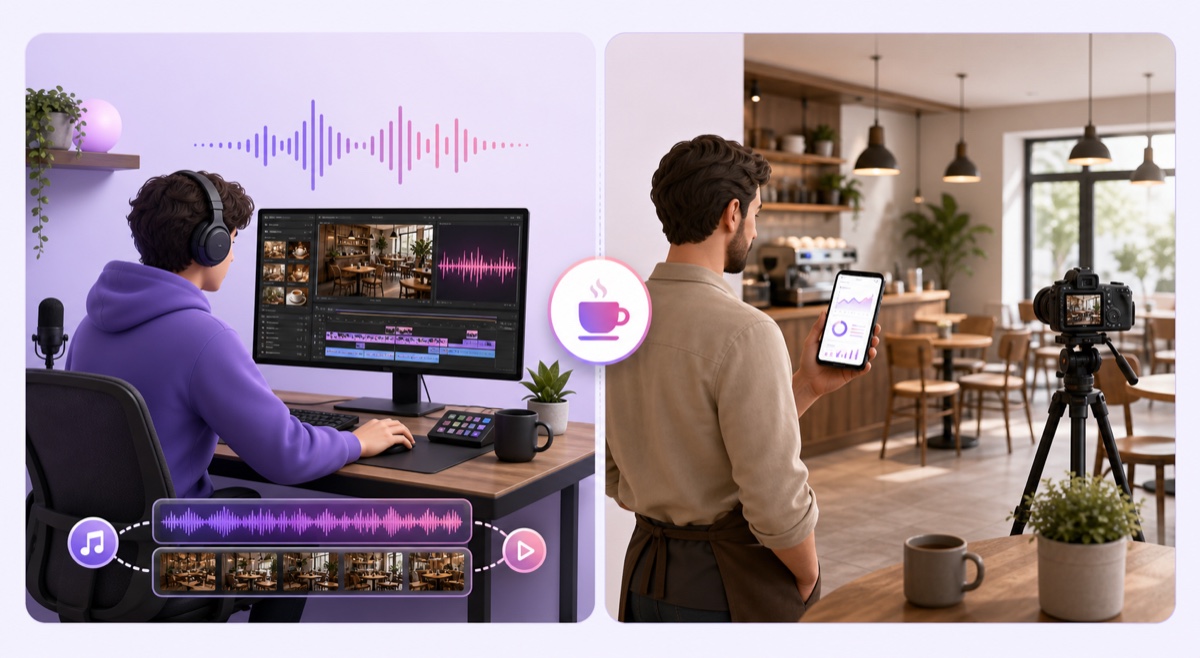
| Creator channel | Build a repeat audience around a consistent ambience | Original recordings, licensed effects, owned visuals | Watch time, returning viewers, subscribers |
| Venue channel | Keep a real cafe visible and give potential visitors a feel for the space | The cafe's own room tone and footage, captured with permission | Tracked link clicks, code mentions, direction or menu-page visits |
A creator can invent a rainy bookshop, a late-night espresso bar, or a quiet Indian cafe at dawn. A venue should stay grounded in what visitors will actually find. If the recording was made on Tuesday before opening, say that; do not imply that viewers are watching the room live.
The audio bed
The safest raw material is audio you recorded in a venue with the owner's permission. For an actual cafe, schedule the session before opening or after closing. You will get cleaner control over espresso-machine bursts and crockery, while avoiding identifiable customer conversations and a complicated privacy problem.
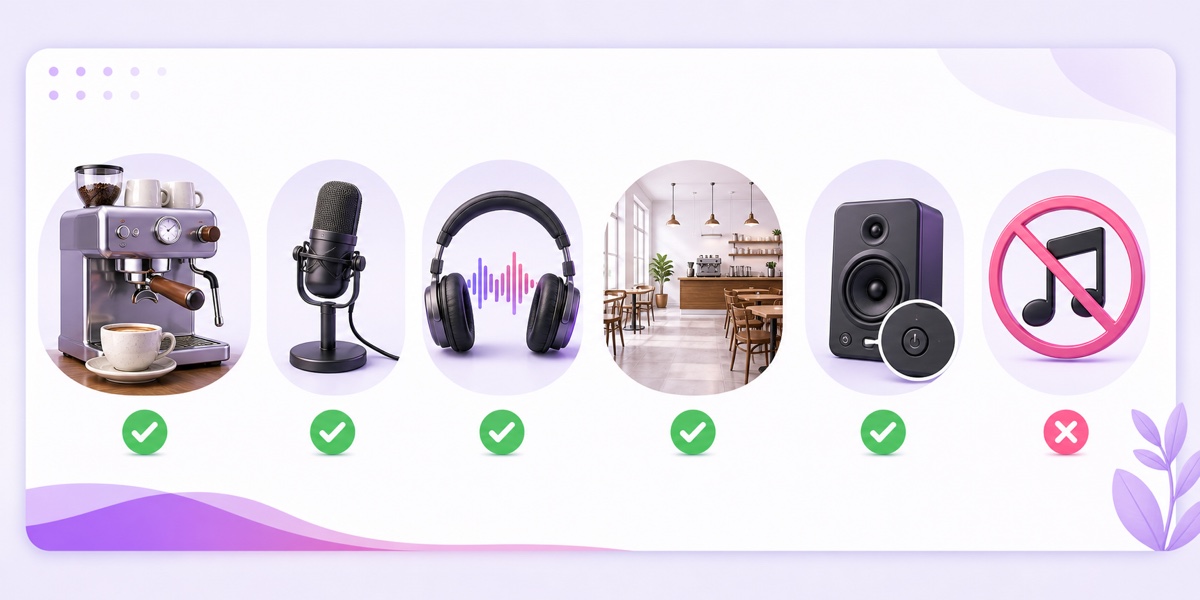
Switch the venue's music off before recording. If a commercial playlist is audible in the room, the recording now contains music you probably do not have permission to broadcast. Lowering it, hiding it under chatter, or assuming the microphone will not catch it does not solve the rights issue.
- Get the owner or manager's recording permission in writing, even if the arrangement is friendly.
- Turn off speakers, radios, televisions, and staff phones. Walk through the room with headphones and listen for sound leaking from the kitchen or street.
- Place the recorder where a seated customer might hear the room. Keep it away from refrigerator hum, air-conditioner vents, and the espresso steam wand unless those sounds are intentional.
- Record several 20–30 minute takes: quiet opening, gentle cup activity, and a controlled coffee-making sequence. Leave headroom so a dropped spoon does not distort the whole take.
- Review every take on headphones. Remove names, clear speech, music, alarms, and harsh peaks before building the loop.
If you cannot record a real room, layer licensed sound effects instead: a low murmur with no intelligible words, occasional cups, a restrained espresso machine, a door bell, and light room tone. Use fewer layers than you think. Constant cup clinks every ten seconds sound mechanical and become exhausting during a two-hour session.
Make the ending meet the beginning gently. A short equal-power crossfade often hides a stable ambience seam, but inspect the waveform and listen through the join several times. Keep separate copies of the raw recordings, edits, licences, and exported master so you can prove where each element came from.
The jazz question
“Jazz cafe” is an attractive package because the visual and musical mood fit naturally. It is also the version most likely to create a copyright problem. Owning a Spotify, Apple Music, or other consumer subscription does not give you permission to place that catalogue inside a continuous video stream.
There are three workable paths:
- Use properly licensed music. Read the actual licence, not just a track title that says “no copyright.” Confirm that livestreaming, video use, commercial use, and continuous or repeated playback are allowed. Save the licence and receipt.
- Commission musicians. Agree in writing that you may use both the composition and the delivered recording in monetised, repeated livestreams. Ask who owns any samples or standards used in the performance.
- Skip music. Chatter-only coffee shop sounds can be a focused, convincing product. They also leave more room for the espresso, cups, rain, and room itself to define the channel.
A licence can limit platforms, channels, audience size, or repeat use. If its terms are unclear about 24/7 looping, ask the provider before publishing. Do not treat a successful upload or the absence of an immediate claim as proof of permission.
The visual layer
The visual does not need constant action, but it should reward a glance. For a real venue, lock a camera on a tripod, set exposure and white balance manually, and record long takes when the room is empty. Small movements such as steam, rain, or changing light help the scene feel alive without turning it into a distraction.
Get the owner's permission for the location and any visible branding. Do not show identifiable patrons or staff unless they have consented to that use. Reframe, blur, or remove a take when a face, name tag, payment screen, licence plate, or private conversation slips into the material.
A creator channel can use a licensed cozy-interior loop, original 3D scene, or a hybrid such as rain moving across a window while the interior stays still. Check the visual licence for commercial streaming and repeated use, just as you would check audio. For adjacent formats, see the cozy fireplace ambience playbook and the guide to turning long rain videos into a 24/7 channel.
Match the video seam as carefully as the audio seam. A 20-minute room shot that jumps from bright sunlight back to a darker first frame will reveal the loop even if the sound is perfect. Cut during a visually quiet moment, test the joined export twice, and keep titles honest about resolution and source.
The venue-marketing playbook
A real cafe's stream should work like a digital window, not a loud advertisement. A menu board can appear naturally in the scene, but animated price cards and constant calls to action destroy the atmosphere people opened the stream to enjoy.
- Create one clean master. Combine the approved room audio and venue footage into an MP4. Add a small, unobtrusive venue identifier only if it belongs in the scene.
- Package for local discovery. A title such as “Pune cafe ambience for study — recorded morning coffee shop sounds” says what the viewer gets and where the venue is. Avoid writing “live cafe cam” when it is recorded.
- Build a useful description. Put the cafe name, city, current opening hours, menu or directions link, and an explicit line such as “Recorded ambience streamed continuously.” Update the hours whenever the venue changes them.
- Create the destination. In YouTube Studio, go to Create → Go live → Stream, create the broadcast, and copy the stream key into your streaming service. Keep that key private.
- Test unlisted. Listen on headphones and a phone speaker, watch through the loop boundary, open every description link, and confirm that no private conversation or commercial music is present.
- Publish and review. Make the broadcast public only after the full check. Revisit the description, thumbnail, links, and recorded label each month.
The same honesty principle applies to any recorded “live” format. The recorded nature-cam guide explains how to preserve the live-channel experience without misrepresenting the source. If your concept expands into neighbourhood talk or local artists, the city radio channel playbook covers that broader format.
For a cafe, StreamNeo can keep the approved master running from the cloud without leaving a laptop at the counter. The India monthly plan is ₹999 for a stream slot; compare that fixed amount with the cafe's own local-directory, flyer, or ad spend rather than assuming it is automatically cheaper. Review the current StreamNeo pricing before choosing a plan.
What “converts” means here, measured honestly
For the creator model, conversion happens on-platform. Track watch time, returning viewers, subscribers gained, and which ambience variations keep people around. Compare complete weeks because a study channel can behave differently on weekdays, exam periods, and holidays. Do not turn one strong evening into a growth claim.
For a venue, the stream is a branded-presence channel. Give it a tagged menu or directions link so analytics can separate stream traffic from other sources. A simple mention code can reveal that a customer encountered the stream, and staff can record those mentions without collecting personal details.
Footfall remains an offline outcome influenced by location, reviews, weather, events, pricing, and many other factors. A link click is measurable; a code mention is measurable; “the stream brought 30% more customers” is not credible unless the cafe has a proper attribution method. Report the evidence you actually have.
Run a monthly review with two columns: channel signals and venue signals. Keep the stream if it builds useful watch behaviour, sends qualified local clicks, or creates reusable brand material at a sensible cost. Change the title, thumbnail, recording, or offer one variable at a time so you can tell what affected the result.
If your cafe master is cleared, tested, and ready to loop, the next step is simple: Start free — 24-hour trial, no card.
FAQ
Can I record ambience inside my own cafe?
Yes. Record with the venue's commercial music switched off, ideally before opening or after closing. Avoid identifiable patron conversations and faces; get consent for any recognisable person you intentionally include.
Can I use a Spotify jazz playlist in the background?
No. A consumer music subscription does not grant the rights needed to include those recordings in your stream. Use jazz with a licence that clearly covers livestreaming and repeated commercial use, commission suitable music, or publish a music-free ambience.
Does this actually market a real cafe?
It can create a consistent branded presence and send viewers to a menu, directions page, or offer. Measure tagged link clicks and mention codes. Do not claim precise footfall impact unless the venue has a reliable way to attribute those visits.