Your eight-hour rain video already proves the difficult parts: you can produce a sound people choose, hold a consistent mood, and deliver a long file without obvious distractions. Moving from that VOD to an always-on channel is not a new content business. It is a new distribution layer for an asset you already understand.
The sensible question is not whether an 8-hour rain video or live stream is universally better. It is whether one persistent live page can add a useful listening option without disturbing the uploads that already bring people to your channel. This playbook shows you how to test that idea cleanly.
VOD vs live for ambience: what actually changes
A rain VOD is an individual search result. Each upload can target a distinct intent—rain on a tent for sleep, window rain for study, distant thunder for relaxation—and each earns its own impressions, click-through rate and viewing history. A library gives YouTube several specific pages to surface.
A live stream creates a different experience: one persistent watch page with a LIVE badge and a stream that is available whenever a listener arrives. Someone searching at midnight does not need to choose whether an eight-hour upload will last until morning. They can open the same always-on room they used yesterday.
That presence can be useful, but it is not a magic multiplier. Going live does not repair harsh audio, an artificial-looking visual, weak packaging or unclear rights. It also does not guarantee recommendation traffic. Treat live as the radio layer above your catalogue, while VOD remains the searchable library underneath it.
If you are still designing the overall niche, start with the broader rain, nature and ambience channel playbook. Creators whose audience mainly listens overnight should also compare the production choices in the sleep sounds and white noise guide.
Live is a presence strategy layered on top of proven content, not proof that the same content will suddenly grow faster.
Your existing files are the asset
An eight-hour master is already long enough to make repetition hard to notice. The one check that matters before you loop it is simple: does hour eight end where hour zero begins? A listener may never hear an internal edit, yet a click or brightness jump at that boundary will repeat every cycle.
Run a deliberate seam test before uploading anything:
- Put on headphones and play the final 30 seconds of the master.
- Immediately continue into the first 30 seconds. Do not leave a silent gap between them.
- Listen for a click, sudden thunder cut, noise-floor change, stereo shift or volume step.
- Watch the picture for a raindrop pattern, exposure change, lightning flash or camera movement that visibly snaps back.
- Repeat the test on a phone speaker and the device your viewers commonly use, such as a TV or bedside speaker.
If the join is obvious, fix it in the editing timeline instead of hoping viewers will tolerate it. Place the end beside the beginning, overlap compatible ambience, add a short audio crossfade, and choose visual frames whose motion and brightness agree. Re-render the repaired master, then test that exported file—not only the timeline preview.
Give the export a basic technical pass as well. Keep the frame size and frame rate constant, confirm that audio continues through the full file, and use a streaming-friendly MP4 with H.264 video and AAC audio when possible. The 24/7 streaming format guide explains the practical checks without turning them into a codec lecture.
Check the rights before the loop
Only stream rain audio, footage, artwork and music that you created or have permission to use in a continuous live broadcast. A licence that covers a normal edited upload may restrict redistribution, standalone ambience files or always-on streaming. Read the actual terms; a download button is not a broadcast licence.
Keep project files, field-recording originals, licence receipts and written permissions together. A monsoon recording from your own balcony can become a distinctive India-first asset, but avoid identifiable private conversations and do not record from a location where you lack permission.
Convert without cannibalizing what already works
Do not delete your eight-hour videos when the live page launches. Their search history, comments, playlists and existing links continue to do a job the live stream cannot replace. Removing them would throw away your baseline just when you need it for comparison.
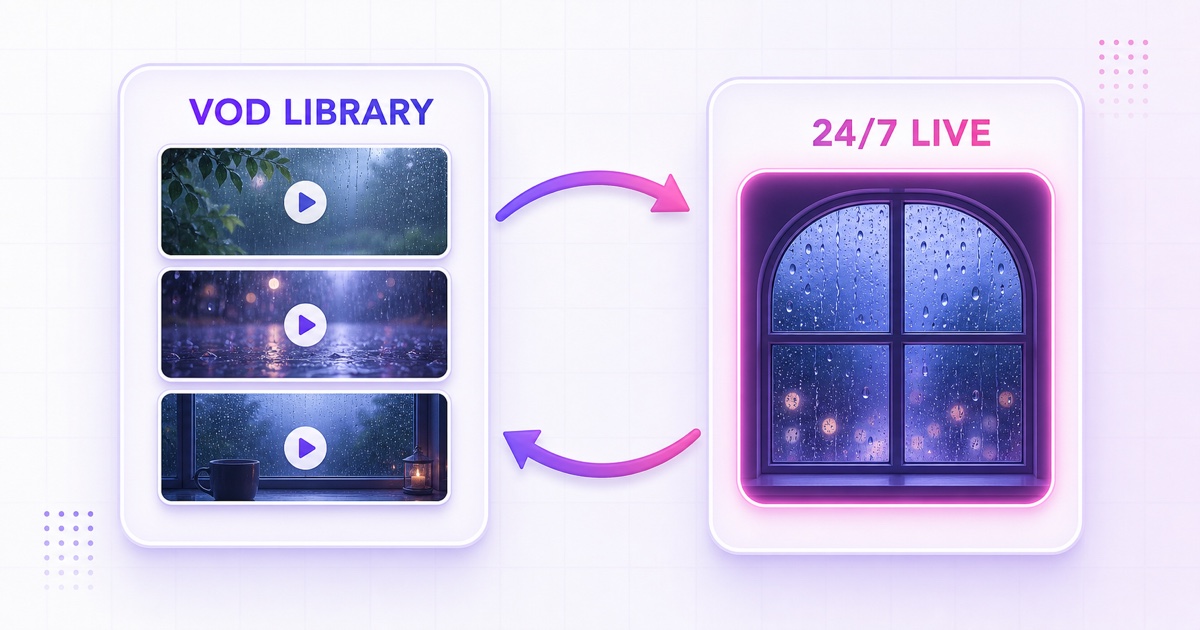
Instead, connect the two formats in both directions:
- Add the live URL near the top of relevant VOD descriptions: “Want uninterrupted rain right now? Listen on our 24/7 live stream.”
- Add a pinned comment on the strongest VODs after the stream is stable.
- In the live description, link to a named playlist of the original eight-hour videos for viewers who prefer a fixed recording.
- Use channel sections so visitors can see “Live now” and the rain VOD playlist without hunting.
Keep the experiment interpretable. Do not rename every VOD, replace every thumbnail and launch the live page on the same day. If several variables change together, a rise or drop will tell you very little. Start the live layer, add the cross-links, and leave the established catalogue packaging alone for the first measurement window.
Choose a variety architecture listeners can trust
You can build the live channel around one master file or a rotating playlist. Neither is automatically more professional. The right choice follows the promise in the title and thumbnail.
Single-file purity works when a listener wants one stable texture all night. “Steady rain on a window, no thunder” should not unexpectedly become a tent storm. A long, carefully repaired master also gives you the cleanest baseline for the first 30 days.
A rotating playlist works when the channel promise is broader: rain on glass, a sheltered veranda, soft monsoon rain, rain on a tent and distant thunder. Before combining files, match their perceived loudness, channel layout, frame size and overall visual brightness. Leave out any track with a noticeably different noise floor or aggressive thunder peak.
The order matters too. Put neighbouring moods together rather than jumping from gentle window rain to a violent storm and back. Test every file-to-file transition plus the final-file-to-first-file boundary. The step-by-step looping playlist guide covers sequencing and zero-cut setup in more detail.
For Indian audiences, monsoon framing can make the channel feel specific rather than generic. Use place, season or language only when it truthfully describes the recording—“Mumbai monsoon window rain” should not be a stock storm from another country. You can test English and natural Hindi descriptors in titles or descriptions without stuffing both into every line.
The numbers to watch during a 30-day test
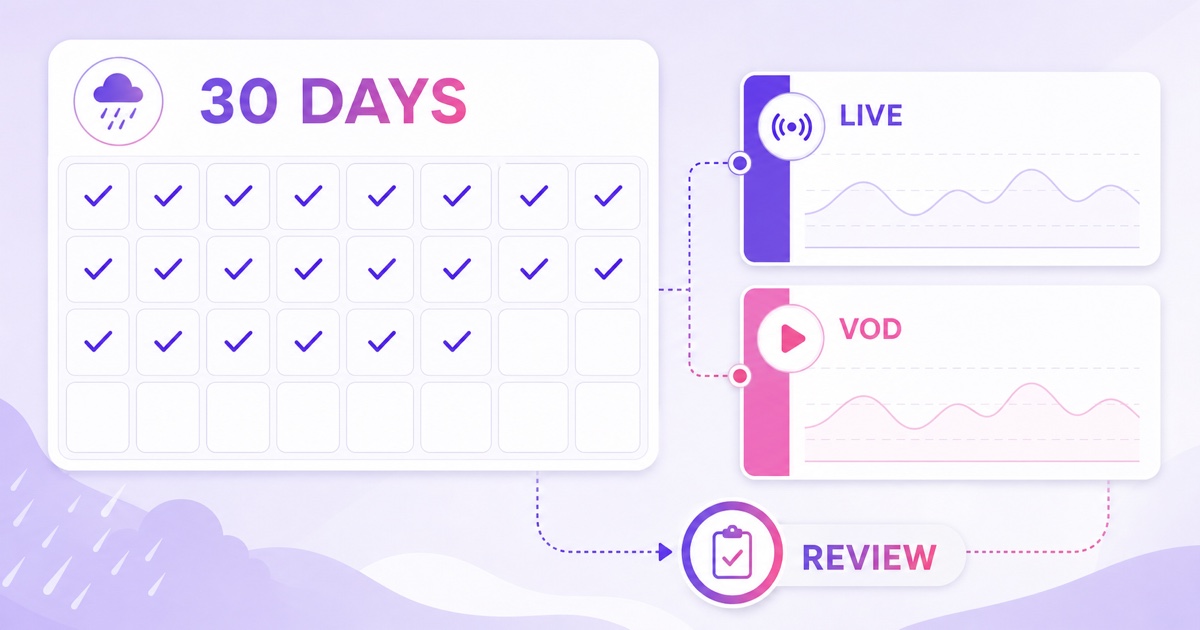
Choose 30 days as an evaluation method, not as a promise that growth arrives on day 30. Rain demand varies by weekday, season, geography and the strength of your existing catalogue. A full month gives you several comparable weekly windows and enough time to find technical failures that a two-hour test would miss.
Before launch, record a 28-day baseline for your rain VODs. Save their impressions, impressions click-through rate, views and average view duration. Also note the channel’s audience mix so you can see whether people begin coming back more consistently.
For the live page, track average and peak concurrent viewers, average view duration, watch time, traffic sources and stream health. In the current desktop flow, open YouTube Studio → Content → Live → select the stream → Analytics → Engagement for the concurrent-viewer report. The channel-level Live view is under YouTube Studio → Analytics → Content → Live. YouTube’s official live-metrics guide is the safer reference if the interface moves.
Log concurrents at consistent hourly windows rather than saving only the best screenshot. For an India-focused channel, you might compare the same morning, evening and overnight windows each week. Look at the returning, casual or regular-viewer information available in your Audience reports as a direction of travel, not as a verdict after a few days.
| Checkpoint | Live stream | VOD library | Question to answer |
|---|---|---|---|
| Before launch | Confirm seam, title, thumbnail and stream health plan | Save the prior 28-day baseline | What does “normal” look like? |
| Days 1–7 | Check hourly concurrents, playback stability and traffic sources | Watch for unusual impression or CTR movement | Is the setup technically sound? |
| Days 8–21 | Compare the same time windows week over week | Keep titles and thumbnails stable | Are repeat listening patterns forming? |
| Day 30 | Review averages, not one peak | Compare against the saved baseline | Continue, adjust the offer, or stop the test? |
Do not compare raw live watch time with one VOD and declare a winner; the live page is available for far more hours. Ask whether the live stream attracted a repeatable concurrent audience, whether viewers returned, and whether the VOD library held its search visibility. A flat result is still useful: it may tell you to improve the promise, repair the programming, or keep focusing on uploads.
Run the rain channel without leaving a PC on
A local OBS setup can work, but an always-on rain channel should not depend on whether your laptop is awake, your home Wi-Fi is steady or an operating-system update restarts the machine. The cloud workflow is intentionally short: upload the tested master once, attach it to a streaming slot, and let that slot keep sending it to YouTube.
With StreamNeo, the practical path is:
- In YouTube Studio, choose Create → Go Live → Stream, prepare the live page, and copy its stream key. Treat the key like a password.
- In StreamNeo, open Videos → Upload Video and upload the seam-tested master.
- Open Streams, select the slot, enable YouTube, paste the key, and choose the uploaded file under Choose Videos (Playlist).
- Select Go Live Now, then return to YouTube Live Control Room and confirm the preview, audio and stream health before making the page public.
In product terms, your existing 8-hour file + a loop slot = the channel. The file remains the creative asset; the slot handles the repetitive broadcast job. If you later add rain-on-tent or distant-thunder masters, the same slot can use them as a playlist after you have matched and tested the transitions.
Recovery matters most at 4 a.m., when your listeners may be asleep on the stream and nobody is watching your encoder window. A managed loop should detect an unexpected streaming-process exit and retry sensibly, while still surfacing failures that automation cannot repair, such as a revoked stream key. Read the auto-restart and recovery guide before choosing any unattended setup.
Keep the first month deliberately boring: one proven master, one clear promise, stable packaging and a weekly scorecard. That gives your rain channel a fair test without sacrificing the VODs that earned the opportunity.
Check the current StreamNeo pricing, or Start free — 24-hour trial, no card. Use the trial to listen through a real overnight cycle and inspect the seam yourself.
FAQ
Should I delete my 8-hour videos after going live?
No. Keep them public if they still serve viewers and comply with your rights and channel strategy. They retain their own search history and can send listeners to the live page; the live description can send people back to the VOD playlist.
Is a live rain channel better than VODs?
They do different jobs. VODs create specific searchable pages, while live offers one persistent always-available destination. Run both, keep the variables stable, and review a 30-day test instead of assuming the LIVE badge will improve performance.
Will my existing recording loop cleanly?
Only a boundary test can answer that. Play the last 30 seconds directly into the first 30 seconds and listen for clicks, volume changes, cut-off thunder or visual jumps. If the reset is noticeable, repair and re-render the join before streaming.