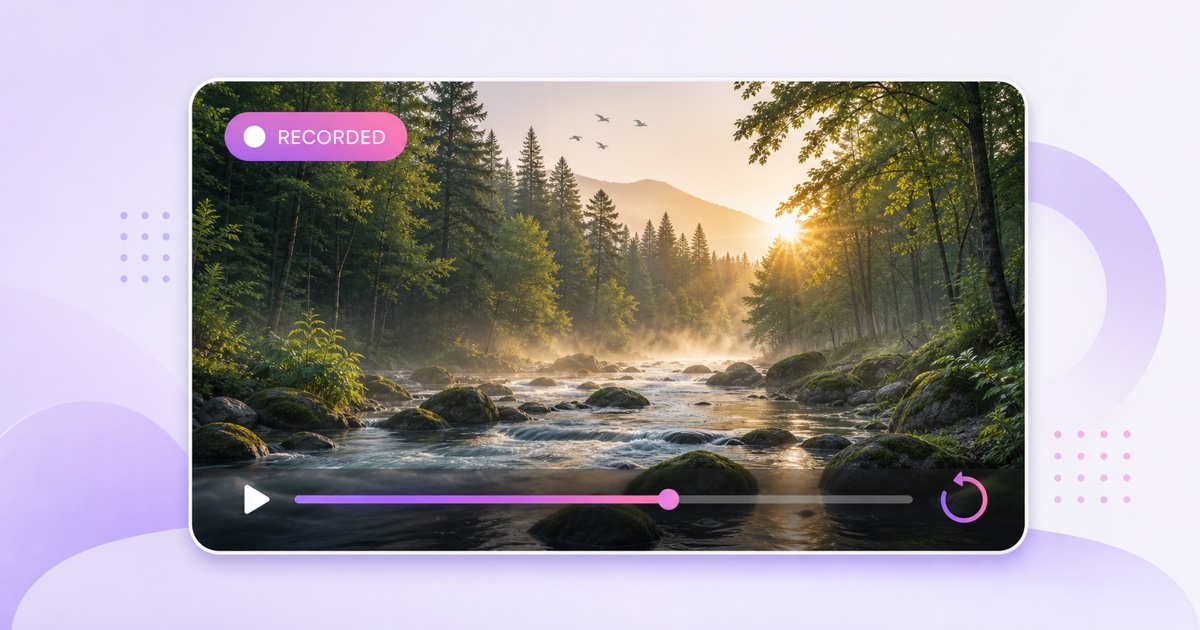
A nature live stream channel does not need a camera bolted to a tree or a reliable connection from a remote forest. You can build a calm, continuous channel from footage you shot earlier. The format works when the viewing experience feels natural and the packaging tells the truth.
That last part matters. Your stream may be live on YouTube, but the river, birds, or grazing animals on screen are not happening in real time. Treat that distinction as part of the product, not a disclaimer to hide. This playbook covers the footage, rights, programming, encoding, retention, and growth decisions that make a recorded nature channel worth leaving on for hours.
The honesty line that protects the channel
A real nature cam transmits what a physical camera is seeing now. A recorded nature channel sends an edited file or playlist into a live broadcast continuously. Both can be relaxing, but they are different promises.
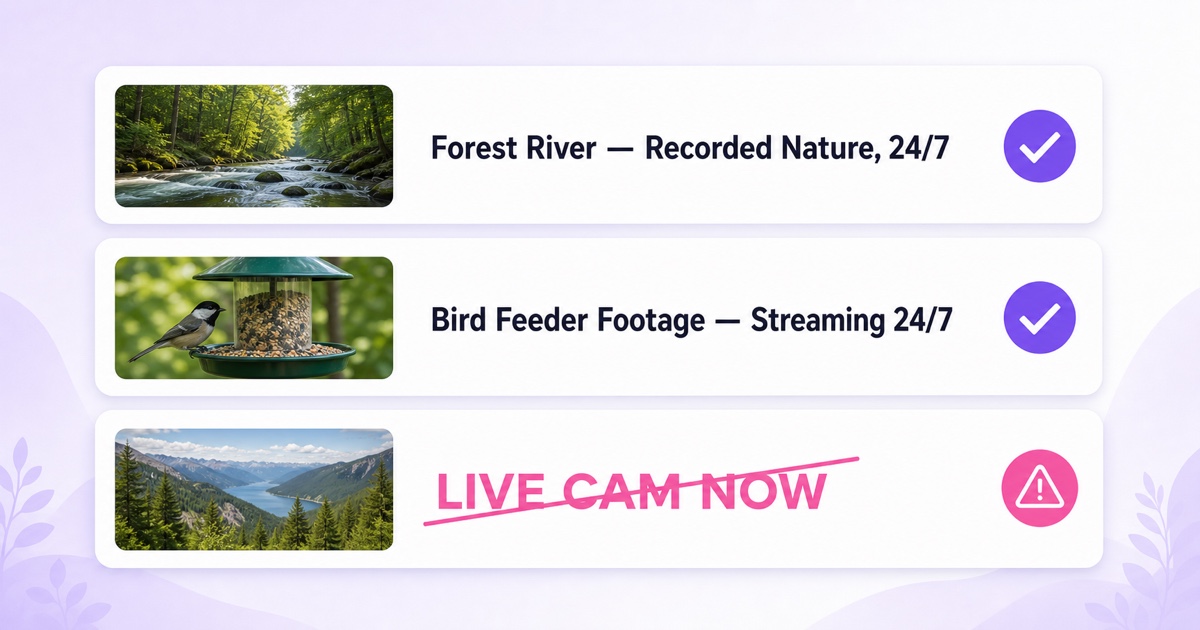
Use plain language near the top of the title or description: “recorded nature footage, streaming 24/7” is clear. “Forest River Sounds — Recorded Nature, 24/7” is also clear. Avoid “LIVE CAM,” “watch now in the wild,” a current timestamp, or a location claim that makes old footage sound real-time.
YouTube's spam and deceptive practices policy prohibits metadata that leads people to expect content the video does not contain. More importantly, viewers who discover the loop will feel tricked if the title promised a real camera. Honest framing prevents that avoidable backlash.
The red live indicator on the player describes the broadcast session. It does not prove the scene is happening now. Make the recording status easy to find in three places:
- Title: use “recorded nature,” “nature footage,” or “ambience stream.”
- Description: state who filmed or licensed the scenes and that the playlist repeats.
- Pinned chat message: welcome viewers and repeat the recorded-footage note without making it sound defensive.
Footage that works for a nature channel
Beautiful clips are not automatically good ambience. A ten-second drone reveal may be excellent in a travel reel but exhausting when it returns every few minutes. For a 24/7 nature stream, look for steady shots with low editorial pressure.
Aim for at least 10 minutes per scene before a visible cut. Bird feeders, forest canopies moving in the wind, slow rivers, pond edges, grazing animals, rain on leaves, and wide coastal views all give the eye somewhere to rest. Lock the camera on a tripod or a solid support. If you must stabilize footage heavily, inspect the edges for warping before using it.
Record longer than you think you need. A 20-minute river take may contain a passing person, sudden camera shake, aircraft noise, or a blown-out exposure shift. The extra material lets you keep a clean 10- to 15-minute section without forcing a rough edit.
Own the footage or verify the exact license
Your own video and field audio create the cleanest rights trail. Keep the original files, shoot dates, locations, and project exports. If somebody else filmed for you, get a written agreement covering commercial use, editing, streaming, and repeat broadcasts.
“Royalty-free” does not mean unconditional. A stock provider may allow social videos but limit redistribution, standalone use, broadcast use, or repeated live streaming. Read the current license for each provider and asset. Confirm that it covers commercial use, live transmission, looping, and the territories you will reach; save the receipt and license version with your project.
YouTube's livestream terms place responsibility for necessary rights on the streamer. Licensed third-party material can also trigger matching systems, so keep proof and follow the provider's claim-release process if one exists.
Natural sound is usually the best soundtrack here. Clean water, wind, birds, or insects make the scene more believable and avoid adding a separate music-rights layer. Check the field recording for music from nearby shops, radios, or events before publishing; “captured in the background” does not automatically make a song safe to stream.
Build the day, not just a random playlist
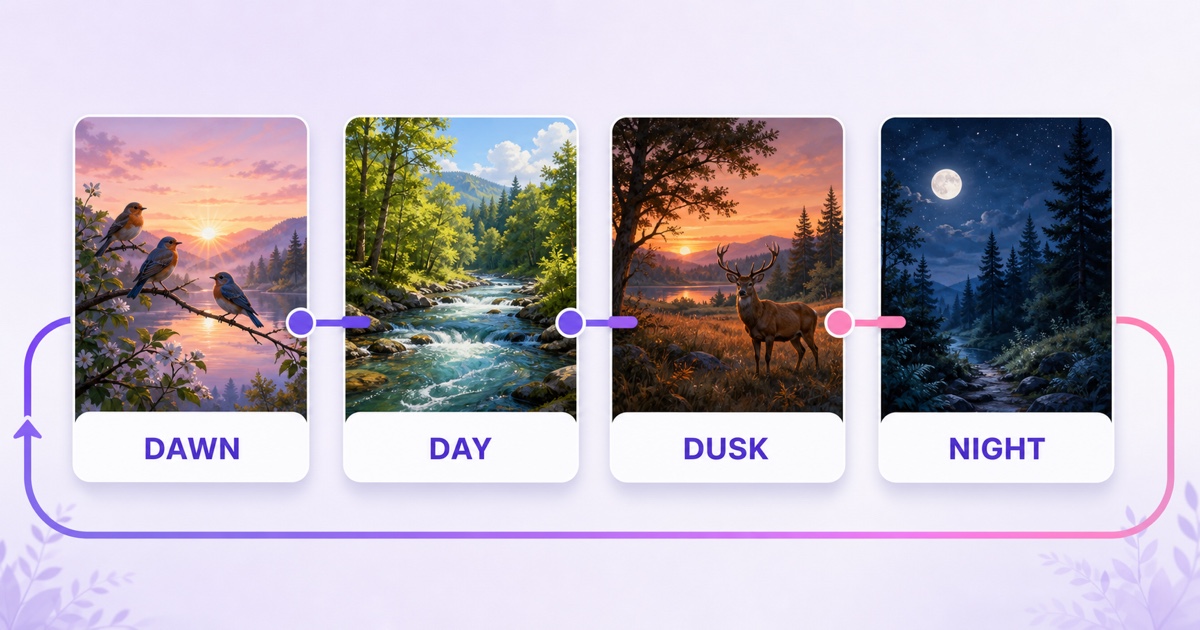
A strong scene order feels like a gentle day outdoors: dawn birds, brighter daytime water or forest, warm dusk, then subdued night scenes. The sequence gives the channel shape without demanding a narrative.
Start with a two- to four-hour programming wheel. For example:
- Dawn, 30 minutes: feeder activity, mist, and a light bird chorus.
- Day, 60 minutes: rivers, forest movement, or animals grazing in open light.
- Dusk, 30 minutes: warmer scenes with quieter motion.
- Night, 30 minutes: moonlit woods, frogs, crickets, or dark water with restrained audio.
- Transition, 10 minutes: a neutral forest or stream scene that makes the return to dawn less abrupt.
Treat those durations as a starting point, then adjust them from retention and chat feedback. Do not claim that “dawn” on screen matches the viewer's wall clock. A playlist can restart after an interruption, drift across time zones, or repeat several times per day. Label these as moods or chapters unless your scheduling system genuinely controls local-time playback.
If viewers should know when specific blocks recur, use a stable published schedule and learn how to handle resets in this 24/7 stream scheduling guide. For a simpler channel, promise only the order: dawn to day to dusk to night.
Make every transition feel intentional
Match adjacent clips by brightness, motion, and sound. A hard jump from quiet fog to a bright waterfall feels louder than the meter suggests. Use short audio crossfades, cut on similar natural motion, and keep ambient loudness consistent. At the end of the full wheel, test the night-to-dawn boundary just as carefully as every internal cut.
Do not stretch a single ten-minute clip into an all-day stream if the repeated bird flight or wave pattern is obvious. A smaller set of long, well-matched scenes beats a giant folder of unrelated stock clips, but the wheel still needs enough genuine variation to avoid feeling mechanical. For a broader ambience library, see the rain, nature, and ambience channel guide.
Technical spec for a stable, calm stream
Consistency matters more than exotic quality settings. Export every playlist item with the same resolution, frame rate, video codec, audio format, and channel layout. Mixed files can create a black frame, audio shift, or failed transition when the encoder moves to the next scene.
| Setting | Practical starting point | Why it matters |
|---|---|---|
| Resolution | 1920×1080 | Sharp enough for televisions without making the workflow unnecessarily heavy. |
| Frame rate | 30 fps, constant frame rate | Avoids timing surprises from variable-frame-rate phone or action-camera files. |
| Video | H.264, about 6,000 Kbps | A sensible starting point for detailed leaves and flowing water; test the real scene. |
| Keyframes | Every 2 seconds | Keeps the live encode aligned with common platform guidance. |
| Audio | AAC, 48 kHz, 128–192 Kbps | Reliable stereo delivery for natural ambience. |
Calm locked-off scenes compress efficiently, but fine leaves, rain, ripples, and moving water still create detail. Inspect dark foliage for blockiness and raise the video bitrate within your platform's accepted range if needed. Avoid exporting at 60 fps unless the source and creative goal genuinely need it.
Normalize the files before upload instead of hoping the streaming service repairs mismatches. The workflow in this looping playlist guide explains how to prepare multiple videos for clean hand-offs.
Before launch, create an unlisted test in YouTube Studio → Create → Go live → Stream. Let the playlist cross every clip boundary, including the final-to-first loop. Watch on a phone and a television, listen with headphones, and confirm that the title and description show the recorded-footage label.
Retention mechanics for nature ambience
Nature viewers often use the stream while reading, working, sleeping, or filling a television with a calm scene. They are not waiting for a plot twist. The product is continuity.
That changes the editing priority: a clean seam matters more than adding one more location. Sudden volume changes, a repeated camera bump, a white flash, or a logo appearing at the stock clip boundary can end a long session. Review the full wheel at normal speed at least once, then replay every transition three times with headphones.
Keep the on-screen experience restrained. A small channel mark can be fine, but animated calls to subscribe every few minutes undermine the reason people opened the stream. Put context in the description and pinned chat instead: species names when known, general filming locations, scene order, recording dates, and the honest loop note.
Title the viewing promise plainly. Useful patterns include:
- Forest River Sounds — Recorded Nature, 24/7
- Bird Feeder Footage — Calm Recorded Nature Stream
- Monsoon Forest Ambience — Original Footage Streaming 24/7
Use a thumbnail that matches the dominant environment rather than the most dramatic animal in the library. If the deer appears for only 15 minutes in a three-hour wheel, making it the entire promise invites the wrong click.
Growth and monetization reality
Build discovery around a specific use case and habitat, not a bag of keywords. “Forest river sounds for focus” gives a viewer a clearer reason to click than “relaxing nature wildlife birds rain sleep study 24/7.” Put the primary phrase early, then write the rest for humans.
Create regular uploads from your strongest original scenes as well as the continuous stream. A focused 30-minute river video, a bird-feeder playlist, and the always-on channel can lead viewers between formats. Embed the stream on a lodge, wildlife group, school nature page, or your own site only when the environment is relevant and you have permission.
For adjacent formats, a rain-heavy library can become a dedicated 24/7 rain channel, while underwater footage fits the aquarium and relaxation visual playbook. Keep each channel promise distinct instead of cloning the same wheel across many pages.
Monetization is not automatic
A continuous stream follows normal YouTube Partner Program rules. Watch time alone does not guarantee approval. YouTube's channel monetization policies look for original, authentic content and warn against mass-produced, repetitive, or minimally changed reused material.
A commercial stock license can solve a rights question without proving creative originality for YPP review. Your own footage, field notes, deliberate programming, useful descriptions, and distinct edited uploads make your contribution easier to understand. Read the full 24/7 loop monetization guide before planning revenue around the channel, and never assume a particular RPM or approval outcome.
Once the wheel is ready, StreamNeo can keep it broadcasting from the cloud without leaving your laptop or phone online. Upload the uniform files, connect the destination with its stream key, set the order, and launch. Review the current plans, or start free — 24-hour trial, no card.
FAQ
Can I call it a “live cam”?
Not when the pictures come from recorded footage. The broadcast may be live, but “live cam” suggests a real camera showing the present moment. Use “recorded nature footage, streaming 24/7” or similarly direct wording in the title and description.
Can I use stock nature footage?
Only when the exact license covers your use. Check commercial use, live streaming, looping, territories, and any attribution or redistribution limits for each provider and asset. Save the license and receipt. Remember that permission to use stock does not by itself guarantee YPP approval.
Music or natural sound?
Natural sound usually wins for authenticity and rights simplicity. Use audio you recorded or properly licensed, remove accidental copyrighted music, balance loudness across scenes, and test every loop seam with headphones.