An aquarium live stream has an unusual job: it needs to be interesting without demanding attention. People put it on a television while they work, read, wait at a clinic, or settle down for the night. Calm motion, saturated colour, and clean sound matter more here than a plot.
You do not need an enormous footage library to begin. A carefully recorded 20-minute fish tank sequence can become a polished 24/7 channel when you own the rights, hide both loop seams, and package it honestly. This guide takes you from the glass tank to the big screen.
The screensaver economy
A virtual aquarium loop is TV-replacement content. It fills an otherwise blank screen with gentle movement and colour, so the viewer can enjoy it for hours without following a story. That makes living rooms, reception areas, cafés, clinics, and office displays natural viewing situations.
This format sits beside rain windows, fireplaces, and recorded nature cams, but fish create constant micro-movement. A plant sways, bubbles rise, and a fish crosses the frame. The scene can feel alive without becoming noisy or distracting.
Be precise about what the viewer is seeing. If the footage is prerecorded, say so in the title or description with language such as “recorded aquarium loop streamed continuously.” Do not label it as a live camera, imply that viewers are watching a public exhibit in real time, or hide the fact that the sequence repeats. The same transparency principle applies to any recorded nature cam-style channel.
A continuous broadcast can be live while its source video is prerecorded. Tell viewers both facts plainly.
Get footage that is yours
Rights are the first production decision, not a box to tick after editing. Your safest source is your own tank, followed by footage you commissioned under a clear agreement. Public-aquarium footage and stock clips require extra checks.
Film your own tank
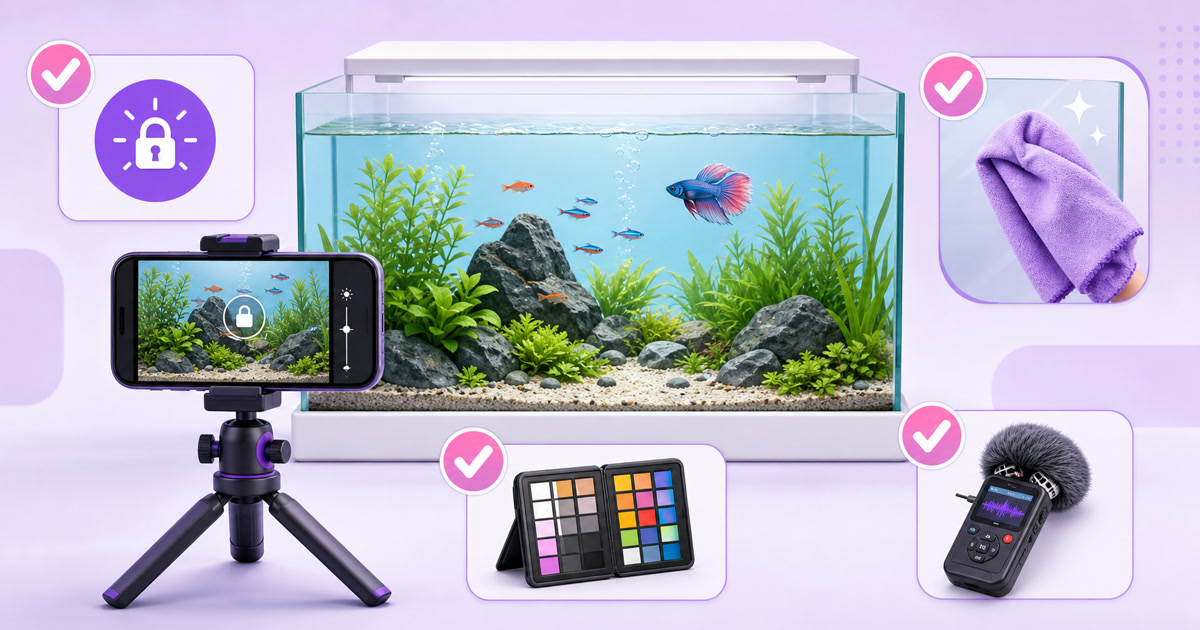
Clean the inside and outside of the glass before the shoot, then place a phone or camera horizontally on a stable tripod. Keep the lens square to the glass to reduce reflections and distortion. Darken the room behind the camera while leaving the tank lighting consistent; a black cloth behind the camera can remove stubborn room reflections.
Use the main rear camera rather than digital zoom. Set the frame, tap to focus on the area where fish usually pass, and lock focus, exposure, and white balance. Automatic exposure can brighten every time a dark fish enters, while automatic white balance can shift blue water toward green mid-shot. Those changes make the eventual seam obvious.
Record several 10–20-minute takes. Feed the fish shortly before a take only as part of their normal feeding routine—never overfeed or tap the glass to force activity. Let the camera roll long enough for the animals to settle, and keep filters, pumps, and lights in the same state throughout every usable take.
Use public-aquarium footage only with written permission
A visitor ticket or a venue’s personal-photography policy is not permission for a monetized, continuously broadcast channel. Ask the aquarium for written commercial-filming permission that covers the specific footage, editing, online livestreaming, worldwide availability, and monetization. Confirm whether exhibit names, logos, other visitors, staff, or recorded venue audio may appear.
Keep the approval with your project records. If the venue says no, does not reply, or limits filming to personal use, choose another source. Cropping out a logo later does not create rights you never received.
Check stock licences line by line
For licensed stock, verify that the licence allows commercial video, monetization, editing, and continuous livestream use. Avoid editorial-only assets. Also check restrictions on redistributing a clip in a form that lets someone extract it as a substitute for the original asset. Save the invoice, licence version, asset URL, and a PDF or screenshot of the terms that applied on purchase day.
Edit for the infinite watch
The viewer should not feel the timeline return to zero. Choose a section with stable lighting, no camera movement, and similar fish density near its start and end. Avoid cutting just as a large fish enters the frame; its sudden disappearance will reveal the loop immediately.
- Build a clean visual cycle. Place a copy of the opening seconds after the end of the selected sequence, then use a short dissolve or opacity blend where motion aligns. Watch individual bubbles and fast fish during the transition; a dissolve cannot hide badly mismatched movement.
- Treat audio as a second loop. Use water, bubbles, or room tone you recorded yourself, or audio licensed for commercial continuous streaming. Remove clicks, sudden splashes, voices, and tonal changes. Crossfade the audio seam separately instead of assuming the video edit fixed it.
- Test repeated passes. Duplicate the finished cycle three times on a timeline and watch across both joins with headphones. The first seam can sound clean while a low pump hum jumps on the next pass.
- Export one dependable master. A 1920×1080 MP4 using H.264 video and AAC audio is a practical baseline. Keep the frame rate and colour settings consistent with the source rather than converting without a reason.
Grade for television viewing, not for a phone held close to your face. Lift muddy shadows enough to preserve plant and fin detail, control clipped highlights on bubbles, and add colour carefully so coral does not become fluorescent. Keep the frame free of persistent banners, clocks, chat overlays, or animated logos. For more sound and scene-building ideas, see the guide to rain, nature, and ambience loops.
Stream spec for TV screens
Use 1080p as the practical minimum for a channel intended for televisions. A calm scene often compresses efficiently, but tiny bubbles, waving plants, gravel, and schooling fish still contain fine movement. Test the stream on a real television before assuming it looks good because the encoder preview is sharp.
| Setting | Practical starting point | Why it matters |
|---|---|---|
| Resolution | 1920×1080 | Preserves detail on larger screens |
| Frame rate | 30 fps | Smooth enough for calm motion without needless overhead |
| Video codec | H.264 | Broad, dependable live-stream compatibility |
| Video bitrate | About 6–8 Mbps for 1080p30 | A sensible test range for detailed aquarium footage |
| Keyframe interval | 2 seconds | Matches YouTube’s recommended live setup |
| Audio | AAC, 48 kHz stereo | Keeps ambience clean and compatible |
YouTube’s current encoder guide lists bitrate ranges by codec, resolution, and frame rate, so check it when you configure the destination. Bitrate is not a quality badge by itself: keep it steady, leave comfortable upload headroom, and choose a value your connection can sustain around the clock. The 720p versus 1080p bitrate guide goes deeper into the trade-offs.
In YouTube Studio, go to Create → Go live → Stream, create a test stream, and keep its visibility unlisted. Let it run for at least ten minutes. Check Stats for nerds on a TV, inspect the dark gradients for banding, listen through both TV speakers and headphones, and watch the loop boundary more than once.
Claim exactly the resolution you send. If the source and outgoing stream are 1080p, do not add “4K” to the title or thumbnail. Upscaling a 1080p master does not restore detail that was never captured, and an inflated label weakens viewer trust.
Widen the channel
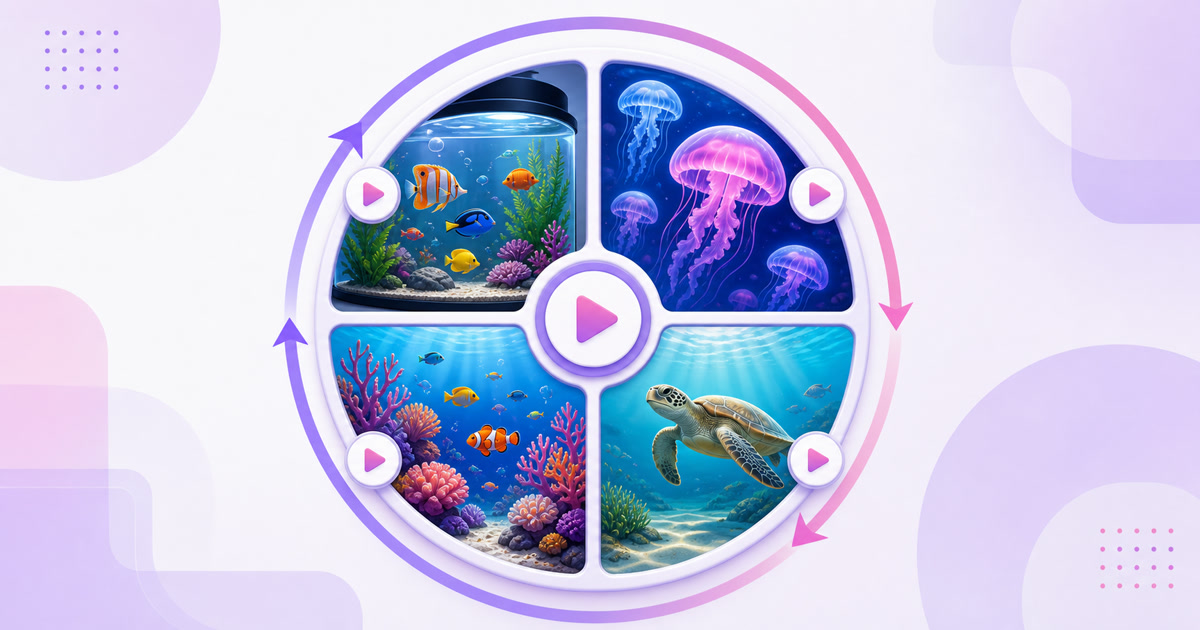
Start with one strong aquarium, then develop a small set of distinct viewing moods. A tropical community tank can be bright daytime content; jellyfish can carry a darker evening look; coral close-ups can emphasize colour; and a permitted or self-produced turtle sequence can become a slower special. Seasonal versions should change the actual scene or grade, not merely add a holiday sticker.
Export every variation to the same resolution, frame rate, codec, audio level, and channel layout. Matching specifications prevent black frames, rescaling surprises, and volume jumps when you rotate videos. Use a gapless looping playlist to change the experience without forcing viewers through a restart.
“Aquarium for cats” is a real packaging angle because movement near the edges can hold a pet’s attention, but keep the promise measured. Do not frighten animals with sharp sounds or show distressed fish for engagement. A pet-focused version can use closer fish passes, quieter audio, and a description reminding owners to supervise pets around televisions.
Packaging and monetization
Lead with the viewing purpose, then the subject and honest format. A title such as “24/7 Aquarium Relaxation — Recorded Fish Tank Loop | 1080p” tells a viewer what it is, why to open it, and what resolution to expect. Use related phrases—fish tank live stream loop, relaxation visuals stream, virtual aquarium loop, sleep, study, or waiting-room ambience—only where they accurately describe the video.
Choose a thumbnail with one clear subject, vivid water colour, and strong separation between fish and background. Avoid a collage of ten species or fake resolution badges. The guide to thumbnails for always-live content explains how to keep the image readable at small sizes.
In the description, state that the footage is recorded and continuously streamed, name your recording or licensing basis, and credit music or sound when the licence requires it. Add simple chapters only if the stream rotates distinct scenes. A pinned comment can tell viewers what is currently playing and invite requests for the next tank variation.
Monetization is governed by the normal YouTube Partner Program eligibility and channel-review process; a long session does not guarantee approval or revenue. YouTube’s channel monetization policy emphasizes original, authentic work and meaningful variation rather than mass-produced repetitive uploads. Make authorship easy to understand with behind-the-scenes clips, a clear channel description, distinct tank programmes, and records for every visual and audio element. Read the fuller guide to monetizing a 24/7 looped stream before building a revenue plan.
Other options can include relevant aquarium-equipment affiliate links or a sponsorship, but recommend only products you genuinely know and disclose commercial relationships. Track clicks and conversions rather than publishing earnings promises.
Run the loop without babysitting an encoder
One polished 20-minute master can occupy a single 24/7 stream slot for months. Create the destination in YouTube Studio, copy its stream credentials into your StreamNeo stream setup, upload the final file, confirm the loop, and start the broadcast. Check the public watch page after launch instead of relying only on a dashboard status.
Low maintenance does not mean no maintenance. Review the public stream, audio level, title, and recent channel notices on a schedule. Rotate in genuinely different aquarium scenes as you produce them, and keep a local copy of the master plus every rights document.
Start free — 24-hour trial, no card. You can also review the current StreamNeo plans and pricing before choosing how many aquarium variations to run.
FAQ
Can I stream footage from a public aquarium?
Only when the aquarium gives you written permission for commercial filming and the planned livestream use. A general visitor photography rule is not enough. Keep the approval and follow any restrictions covering exhibits, logos, people, audio, credits, or monetization.
What resolution should I claim?
Claim exactly the resolution delivered to viewers. If your source and outgoing stream are 1920×1080, call it 1080p—not 4K. Check the public playback quality menu and a television test before publishing the resolution in your title.
Do people really watch fish loops?
They fit a background and TV-viewing niche: relaxation, study, sleep, reception areas, and pet viewing. Long sessions are more likely when the footage is attractive, the audio is gentle, and neither the video nor audio seam calls attention to the repeat.