You have kept the stream running, checked it from your phone, and still see zero, one, or two concurrent viewers. That is frustrating, but it does not automatically mean the stream is broken or your channel is shadowbanned. When a live stream has no viewers, the useful question is not “Why is YouTube against me?” It is “Where does the path from discovery to watching fail?”
Work through that path in order. First confirm that a stranger can reach a healthy public watch page. Then test whether anyone wants the topic, whether the title and thumbnail communicate it, and whether you are creating routes into the stream. This article gives you a practical diagnosis and a measured 30-day plan—without promising a magic audience.
First, verify it’s discoverable at all
Do not change your title, buy promotion, or restart the encoder until these five checks pass. Use a signed-out browser window or a phone on a different account wherever possible; your own Studio view is not proof that the public can watch.
- Visibility is Public. In YouTube Studio, go to Content → Live, select the active stream, open its details, and check Visibility. Private streams are restricted to invited accounts. Unlisted streams can be watched by people with the link but are not intended for normal public discovery. For growth, the active event must be Public.
- The channel can live stream. Open YouTube Studio → Dashboard and review any channel-violation or feature-eligibility notice. Also check the email attached to the channel. A restriction, copyright action, or incomplete live-stream activation is an account issue, not a packaging issue.
- The stream is actually live and healthy. Go to YouTube Studio → Go Live → Stream. Confirm that Live Control Room is receiving video and audio, the stream status is healthy, and the public watch page plays current content rather than “Waiting.” A green encoder status that never reached the intended event can leave you monitoring the wrong destination.
- The title matches a phrase a viewer might use. Search from a signed-out window for the specific problem, mood, activity, or subject your stream serves. “LIVE NOW 24/7” describes a format; it does not explain why someone should watch. “Brown Noise for Deep Sleep — 24/7 Live” supplies a clear reason and a recognizable query.
- The audience setting is accurate. Check the Made for kids choice in the stream details. Set it according to the content, not as a growth experiment. YouTube requires an accurate designation, and made-for-kids content loses features including notifications and live chat. A wrong setting can therefore change the viewing experience while also creating a compliance problem.
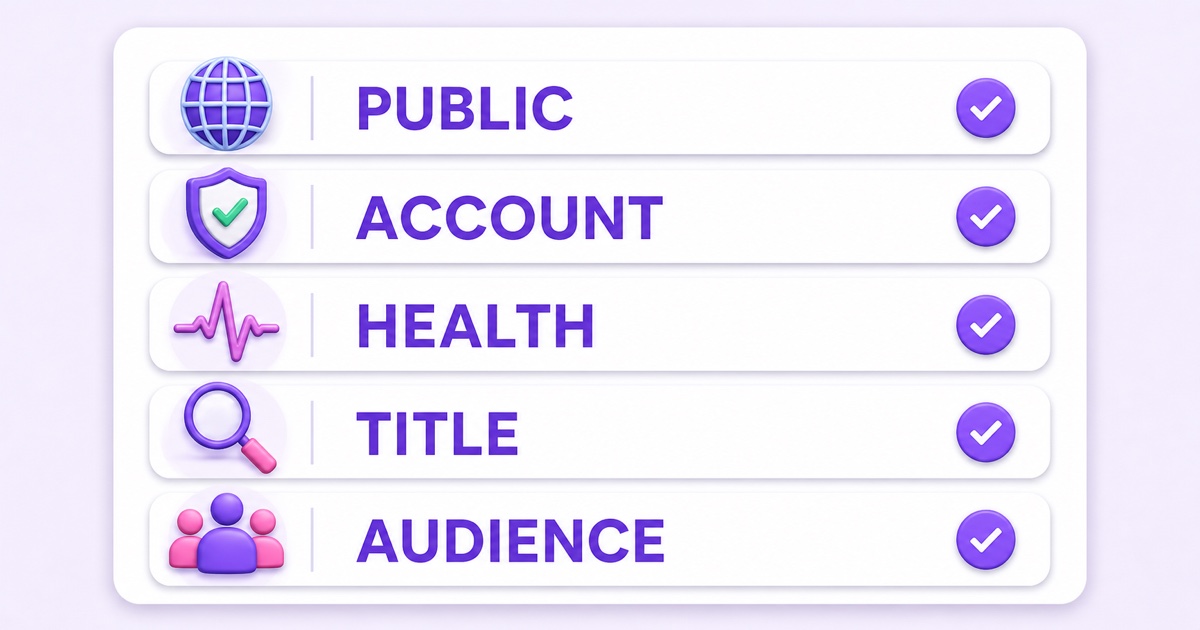
If all five checks pass, stop hunting for an invisible technical punishment. You now have a functioning public stream with a demand, packaging, or distribution problem. Those are slower to solve, but they are measurable.
How live discovery actually works
A public live stream can be encountered through YouTube Search, recommendations such as Home and Up Next, a channel page, subscriptions, notifications when available, and links outside YouTube. These are not equal traffic taps. Each viewer sees a personalized mix, and the mix changes with their history, device, context, and response to content.
In Search, YouTube says it considers relevance, engagement, and quality. Relevance includes how the title, description, and content match the query. Recommendations are also shaped by viewer preferences and by what happens when content is offered—whether people choose it, keep watching, and respond positively. The platform explains those systems in its official guides to Search and recommendations.
A new channel has little viewing history, few returning viewers, and limited evidence about who enjoys its content. Near-zero initial distribution is therefore unsurprising; it is not, by itself, evidence of a penalty. Staying live supplies availability, not automatic demand. Your job is to make the audience-content match easier to understand and then collect genuine viewing signals over time.
The demand question nobody asks
Some live ideas solve a repeated need. People deliberately search for brown noise while sleeping, lofi while studying, aarti at a familiar time, or a calm aquarium on a television. “My random vlogs, continuously live” may have no comparable job for the viewer. Perfect uptime cannot manufacture a reason to click.
Use YouTube autocomplete as a rough demand check. On mobile or in a signed-out window, type the core topic slowly and note whether useful completions appear. Try the intent in different forms: “brown noise for sleep,” “study lofi live,” “morning Hanuman Chalisa,” or a regional-language devotional phrase. Autocomplete is directional, not a search-volume report, but it reveals the language real viewers commonly use.
Then inspect comparable live streams, not only polished uploads. Record the current concurrent audience for five to ten genuinely similar streams at the same two times on several days. Competitor concurrents are an imperfect proxy: channels differ in age, geography, loyalty, and promotion. Still, if every close match is nearly empty, demand may be the ceiling. If several attract relevant viewers, your next suspects are packaging, content satisfaction, and routes into the stream.
Useful distinction: low demand means few people want the promise; weak packaging means the right people do not recognize the promise. The fixes are different.
Packaging fixes that actually move
Packaging is what a potential viewer sees before watching. You control it today, and you can improve it without interrupting a healthy broadcast.
- Front-load the search phrase in the title. Put the viewer’s need before your channel name and before “24/7 Live.” Compare “Channel X LIVE NOW” with “Rain Sounds for Sleeping — 24/7 Live.” Use the practical formulas in Live Stream Titles for 24/7 Channels, but keep the wording natural.
- Make the thumbnail state one promise. Use one focal image, high contrast, and only essential words, if any. Check it at phone size; many Indian viewers will meet it on a small screen. The 24/7 stream thumbnail guide shows how to package always-live content without pretending recorded footage is a live camera.
- Use the first two description lines well. Say what plays, whom it helps, and what the viewer can expect. “Continuous brown noise for sleep and focus. Smooth audio, no sudden voice breaks.” is useful. A block of repeated keywords is not.
Change one element at a time and date the change. If you replace the title, thumbnail, and content together, any movement becomes impossible to diagnose. A test also needs enough time to gather impressions; a few quiet hours are not a verdict.
Compounding tactics that create routes in
Discovery improves when your stream is not an isolated watch page. Build several honest paths that can keep sending suitable viewers.
- Use uploads as feeders. Publish focused VODs that answer one adjacent query, then mention the live stream where it genuinely helps. Add its stable link to the description and, where appropriate, a pinned comment or end screen. A rain-sound channel could publish a focused sleep routine and point interested viewers to the continuous ambience.
- Organize a useful playlist. Place the live watch page beside closely related uploads under a specific viewer goal, not a vague “all videos” collection. A playlist titled around deep focus or morning devotion gives the channel structure that a visitor can understand.
- Embed it where you own attention. If your website has a meditation, study, café, or community page, embed the stream with a sentence explaining its purpose. An embed is valuable when it serves that page’s visitors; hiding autoplay players on unrelated pages is not a growth strategy.
- Participate in relevant communities honestly. Answer the question first. Share the stream only when the group allows it and the link directly helps. Drive-by promotion in WhatsApp, Telegram, Reddit, or Facebook groups burns trust and usually attracts weak viewing.
For a broader publishing cadence around an ambience channel, use the realistic 90-day plan. The principle is simple: useful uploads create entry points; the live stream becomes the persistent destination.
What doesn’t help
- Sub4sub creates the wrong audience. A reciprocal subscriber who does not want the content gives you a larger-looking count without dependable viewers. YouTube’s fake engagement policy explicitly names sub4sub as prohibited.
- Bought views and viewbots are fake and risky. Artificial traffic can be filtered, removed, or lead to enforcement. It also corrupts your experiment: you cannot learn whether the topic, thumbnail, or stream satisfies real people.
- Restarting for an “algorithm reset” breaks continuity. There is no useful growth test in repeatedly ending a healthy stream. Depending on your event setup, a restart can interrupt viewers and disrupt the watch page you have been sharing. If a technical restart is required, follow the watch-page continuity guide.
- Keyword stuffing makes the promise harder to read. Repeating every related phrase in the title or opening description does not create relevance. Choose one primary intent, write for a person, and let the content fulfil it.
A patient 30-day protocol
Use a simple sheet with one row per checkpoint. Record the date, fixed time, concurrent viewers, stream health, current title, current thumbnail, and any unusual event such as an outage or external mention. Check at the same one or two times each day—9 a.m. and 9 p.m. IST, for example—so random timing creates less noise.
| Period | Single focus | What to do | What to learn |
|---|---|---|---|
| Days 1–7 | Baseline | Pass the five-check triage, then hold packaging steady and log fixed-time concurrents. | Whether delivery is reliable and what “normal” currently looks like. |
| Days 8–14 | Title | Replace the vague title with one demand-led phrase; change nothing else. | Whether clearer search intent brings more qualified exposure or steadier viewing. |
| Days 15–21 | Thumbnail | Keep the title, replace only the thumbnail, and verify it at phone size. | Whether the visual promise helps people choose the stream. |
| Days 22–30 | Funnel | Add one relevant VOD, playlist placement, embed, or allowed community route. | Whether a repeatable source can introduce genuinely interested viewers. |
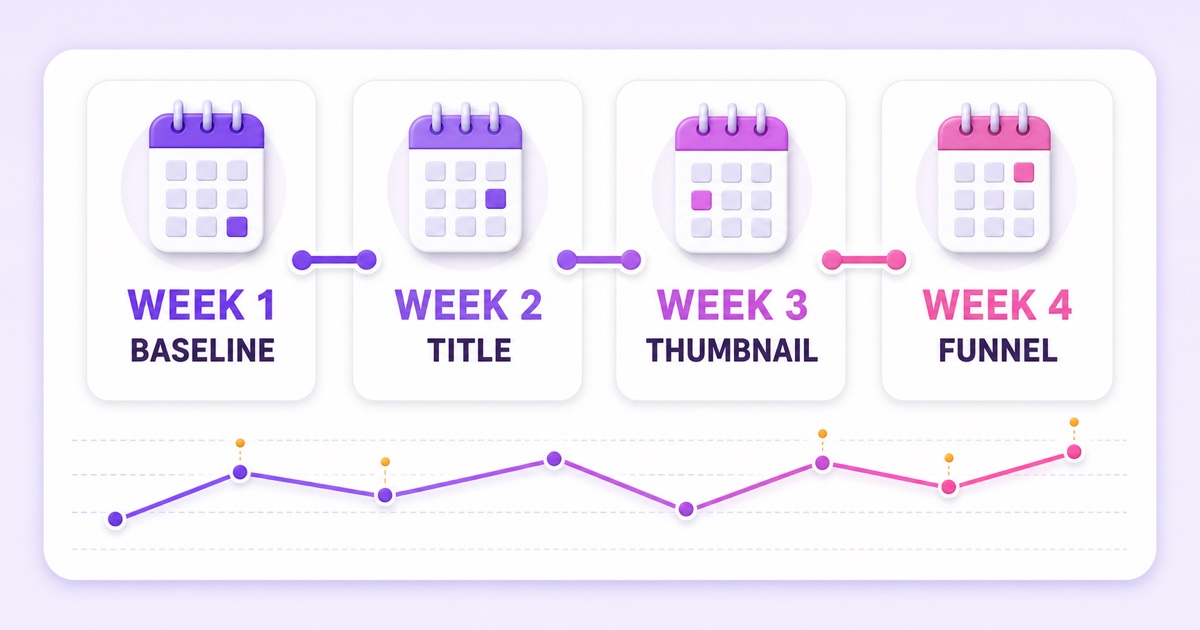
Compare the pattern, not the best screenshot. Look for a higher typical concurrent range, recurring hours with real viewers, relevant traffic sources, and fewer empty checkpoints. Keep notes on content changes too: a new loop, loud transition, or mismatched segment can affect viewing even when packaging stays fixed.
Reliable uptime is table stakes; StreamNeo can keep an approved video loop broadcasting from the cloud while you focus on demand, packaging, and distribution.
Start free — 24-hour trial, no card. See current pricing before choosing a longer-running setup.
Thirty days may reveal a promising direction, or it may show that the niche is too narrow. Neither result is a guarantee. Some channels need months to build returning viewers, and some ideas hit a real demand ceiling. The honest response is to refine the promise or choose a stronger topic—not to fake the graph.
FAQ
Is 0 viewers normal at first?
Yes. A new channel or a new live format can begin with no concurrent viewers because it has little returning audience and limited viewing history. First verify that the stream is public and healthy, then measure demand and packaging over consistent checkpoints rather than judging one session.
Am I shadowbanned?
Do not diagnose a shadowban from the viewer counter alone. Run the five checks: Public visibility, channel eligibility, healthy delivery, a searchable title, and an accurate audience setting. If strangers can open the watch page, investigate demand, packaging, and distribution with evidence.
Do restarts reset the algorithm?
No documented discovery benefit makes routine restarts worthwhile. Ending and recreating a live event can interrupt viewers and may break the watch-page continuity behind your shared links. Restart only for a real technical or content reason, and preserve the existing event when your setup allows it.