
An always-on Quran or naat channel can make carefully prepared audio available whenever a listener needs it. The technical part is straightforward; the serious work is securing every right, checking every label, and presenting each recording without careless interruptions.
This guide treats a Quran recitation live stream 24/7 as a programmed service, not an endless folder on shuffle. You will build a rights-cleared catalog, record consistent audio, package it respectfully, and operate the stream from a repeatable schedule.
Serving listeners around the clock
A continuous stream serves people across very different routines and time zones. Someone may listen after Fajr in Lucknow while another joins in the evening in London or during a quiet hour in Toronto. Ramadan, Jummah, and religious occasions create natural changes in listening, but the channel still needs to feel intentional on an ordinary day.
Define the promise before preparing media. Is this recitation only, a clearly separated mix of recitation and naat, or scheduled blocks for different languages and audiences? Put that promise in the channel description and live title so a person joining midway knows what is playing.
You do not need hundreds of tracks to launch. A carefully reviewed six-to-twelve-hour program can loop while you prepare more material. Variety matters, but correct reciter credits, clean starts and endings, stable audio levels, and a predictable order matter more than raw catalog size.
Rights and copyright: clear the recording, not only the text
The key distinction is between the underlying scripture and a particular recorded performance. A recitation captured in a studio is a sound recording with its own rights; the fact that the recited text is ancient does not make somebody else's audio free to rebroadcast. The U.S. Copyright Office explains the general distinction between a sound recording and the words or other work embodied in it in its sound-recording guidance.
| Source | What you need | Practical evidence to keep |
|---|---|---|
| Your own recitation | Agreement from every performer and clarity on who owns the final master | Session notes, original files, performer release, and project export |
| Another qari or naat khawan | Written permission that explicitly covers continuous YouTube livestreaming and archived replays | Signed letter or email naming the recording, channel, platforms, territories, term, and monetization choice |
| Licensed catalog | A license whose actual terms permit livestream use, not merely personal listening or a standard video upload | License text, invoice, track list, expiry date, and rights-owner contact |
Do not treat a download button, a forwarded MP3, a WhatsApp message, a CD purchase, or a credit in the description as permission. If the voice is not yours, identify who owns the master and obtain an explicit grant. For a famous qari's tilawat, assume permission is required unless the rights owner provides a clear license for your exact use.
YouTube says it scans live streams for third-party content and may interrupt a stream when it finds a match. Even a properly licensed stream can be interrupted if the rights owner uses Content ID and has not added your channel to its allowlist, so include allowlisting in the permission conversation. See YouTube's official live-stream copyright guidance and this fuller guide to copyright strikes on 24/7 loops.
Translations need a separate check. A modern English, Urdu, or other translation can be protected as its own work; the Berne Convention expressly treats translations as protected original works without affecting rights in the source. Verify the specific edition's license before placing translation text on screen. Save the permission page or correspondence with the project, and do not assume that one translation's permission applies to another.
Recording your own recitation
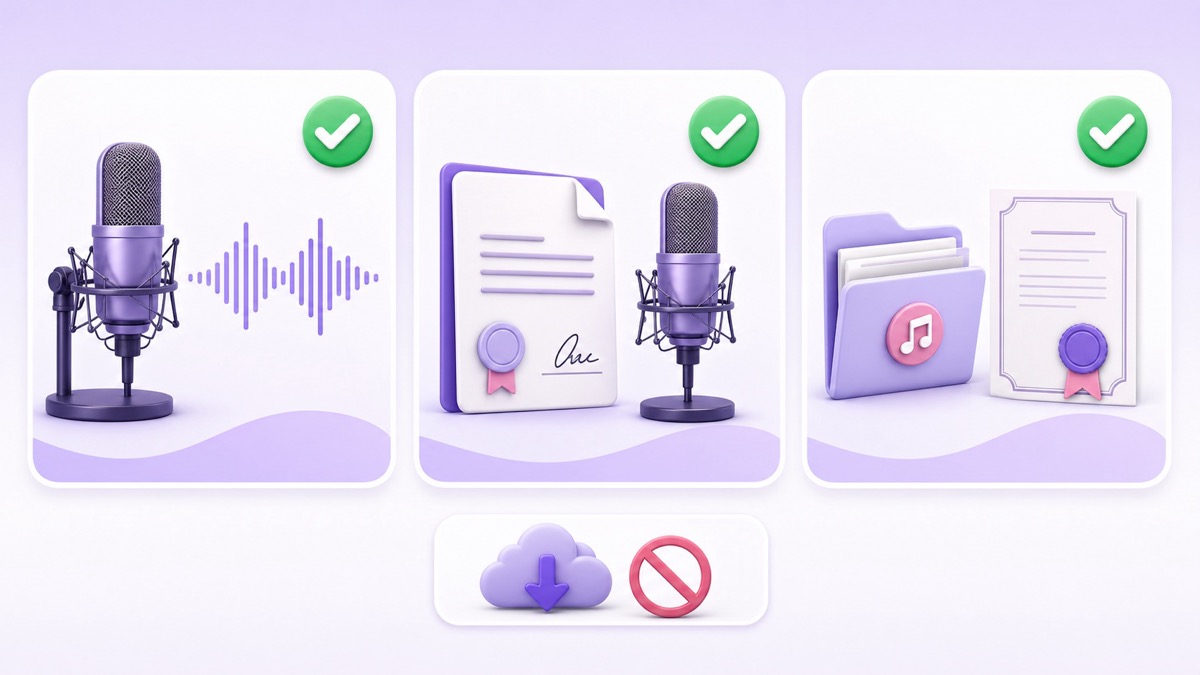
Your own production gives you the cleanest rights trail and the most control over quality. Choose the quietest furnished room available, turn off fans and notification sounds during takes, and keep the microphone position fixed. Start roughly 15–20 cm from the microphone with a pop filter, make a short test, and adjust from there for the reciter's voice and mic.
Record in complete, reviewable sessions by surah or another meaningful boundary. Keep the raw take, an edited master, and a streaming export in separate folders. Use filenames that identify reciter, surah, take, language, and version; “final-final.mp3” becomes risky when a volunteer has to replace a track at short notice.
A simple quality-control pass should confirm that no verse is cut, duplicated, mislabelled, or followed by studio talk. Listen on headphones and a phone speaker. Match perceived volume across the catalog without crushing the natural dynamics, then have a qualified reviewer verify recitation and on-screen references before publication.
For naat, decide deliberately whether the channel includes instrumentation. This is both a rights question and an audience-expectations question: an instrumental backing track can have a different owner from the vocal recording. State the format clearly rather than allowing a surprise track to define the channel by accident.
Respectful presentation
Use visuals that support attention without pretending to be the content. An uncluttered nature scene, a properly licensed architectural shot, or a restrained motion background usually ages better than aggressive animation. Every photo, Kaaba clip, calligraphy asset, and ambience video still needs its own usage rights; the sourcing checklist in this guide to nature and ambience loops applies here too.
Place the reciter's name and accurate surah and ayah references in a consistent area of the frame. If you are not certain about a reference, leave the item out until it is reviewed. Show a translation only after confirming the exact translation and edition permit this form of display; attribution does not replace a license.
Export a uniform 1920×1080, H.264 video at 30 fps with AAC audio at 48 kHz. Static or gently moving visuals are enough. Put transitions between complete recordings, never across the middle of a recitation, and review every join in the final playlist. Avoid sudden stingers, loud logos, unrelated promotional pop-ups, or visual effects that compete with listening.
The monetization question
There is no single operational answer that fits every community. Some creators keep Quran recitation free from ads as a matter of adab. Others enable monetization to cover recording, moderation, bandwidth, and production. This is a values decision for the channel owner and community, not a technical rule a streaming tool should prescribe.
If the channel is eligible for YouTube monetization, review the controls before going live: YouTube Studio → Create → Go live → Stream or Manage → Edit → Monetization. YouTube's current live-monetization help says that turning monetization on can enable pre-rolls, while mid-rolls may be automatic or manually inserted. A mid-roll can interrupt a recitation for an eligible viewer, so do not accept default settings without examining them.
Choose the policy first, then configure the stream to match it. Options include keeping monetization off, using it only on separate explanatory videos, or enabling it with carefully considered live settings. Recheck the setting when duplicating or rescheduling an event. The practical controls and eligibility details are covered in running ads on live streams.
Programming the stream
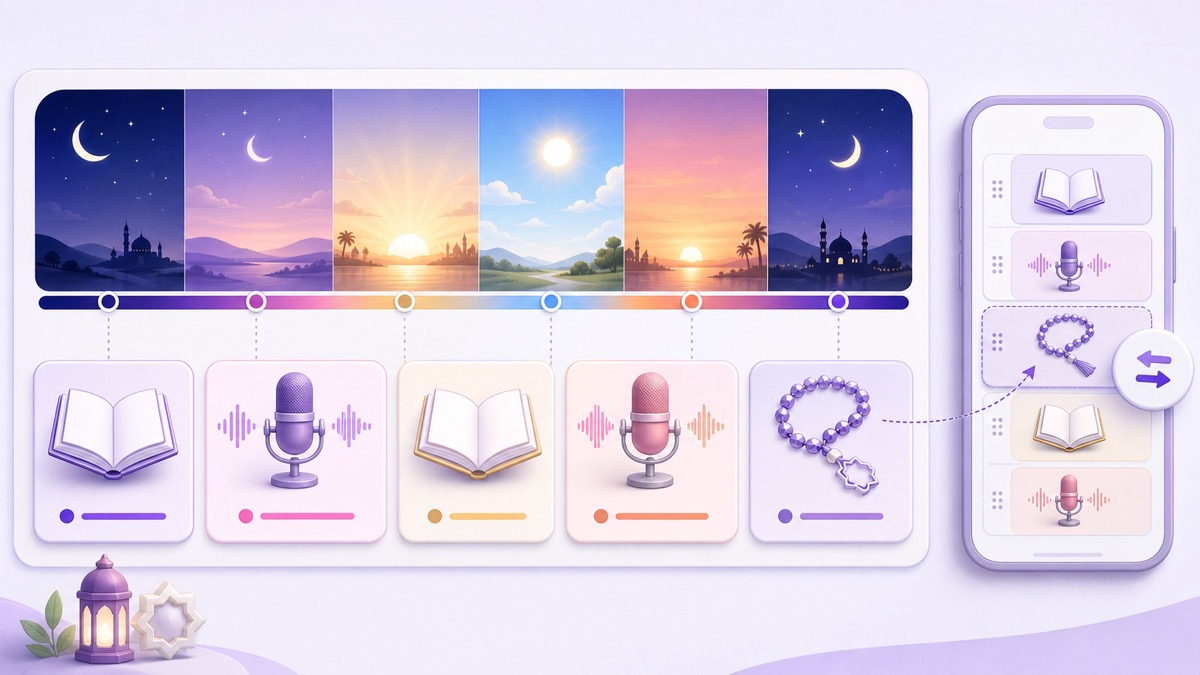
Program blocks rather than throwing files into random shuffle. Recitation blocks can be grouped by surah, length, reciter, or translation language. If the channel also carries naat, give it a named segment and a clear boundary so listeners are not surprised by a format change.
A normal-day schedule might use a longer recitation block, a short station identification card, a separate naat segment, and then another recitation block. For Ramadan, prepare an alternate playlist with pre-dawn, daytime, evening, and night blocks that your local reviewer has approved. Treat those labels as programming cues, not claims about what every listener should hear at a particular time.
- Build the master catalog: record the rights status, reciter, content reference, duration, language, and approved visual for every file.
- Export clean blocks: use matching video and audio settings, then watch each boundary at least once.
- Create the YouTube event: open YouTube Studio → Create → Go live → Stream, add a precise title and description, choose visibility, and copy the stream key securely.
- Test privately: run an unlisted stream, check mobile playback, audio level, labels, and the restart point before making it public.
- Schedule deliberate swaps: prepare the Ramadan or Jummah version in advance instead of editing the active catalog under pressure.
For date-based events rather than a permanent channel, follow this guide to scheduling a stream from an uploaded video. In StreamNeo, upload the approved videos, arrange the playlist, connect the YouTube destination, and use the phone dashboard to swap a prepared Ramadan schedule while the cloud stream keeps running.
Community care
The live chat should reflect the same care as the recording. Pin a short etiquette note that asks viewers to keep discussion respectful, avoid sectarian arguments, and report mistakes privately through a monitored contact. Do not use engagement prompts that turn worshipful listening into a like-or-share contest.
Before launch, assign at least one trusted moderator. In YouTube Studio, go to Settings → Community moderation → User management to add a standard or managing moderator. Under Community moderation → Content controls, choose whether potentially inappropriate live-chat messages should be held and add blocked terms carefully. You can also enable slow mode from the stream's Edit → Customization settings.
Write the description for the audience you actually serve. An Urdu, Arabic, and English structure can list the reciter, current program, translation credit and license where applicable, rights contact, schedule, and correction contact in a consistent order. Have fluent readers review each language instead of relying on unreviewed machine translation for religious references.
Run one final phone-first check: open the public watch page on mobile data, listen through the loop point, confirm that the title matches the current block, and test the report or contact route. For another India-focused devotional workflow, compare the operational lessons in the 24/7 bhajan channel playbook while keeping the traditions and audience expectations distinct.
Once the rights sheet, reviewed files, and moderator plan are complete, the channel is ready to run without leaving a PC on. Review StreamNeo plans, then start free — 24-hour trial, no card.
FAQ
Can I stream a famous qari's tilawat?
Only when you have explicit rights for that particular recording and your intended livestream use. A public upload, credit line, purchase, or forwarded file is not enough. If the owner uses Content ID, also ask them to allowlist your channel; otherwise, record your own recitation.
Should Quran streams run ads?
That is a values decision for the creator and community. Some channels disable ads as a matter of adab; others use revenue to fund the work. Review YouTube's live monetization controls, especially pre-roll and mid-roll behavior, and configure them consciously.
Can I show an English translation?
Only after checking the rights for the exact translation and edition. Modern translations can carry their own copyright even when the underlying scripture is ancient. Keep written evidence of the license, follow its attribution terms, and remove the text if permission is unclear.