A 24/7 artist radio is not just a very long playlist. It is one live destination where a listener can enter your catalogue at any hour, hear a properly sequenced mix, and find the next useful action: save a track, join your list, buy merch, or check a gig date.
The format works for Hindi indie, Carnatic instrumentals, metal, hip-hop, ambient, devotional originals, electronic music, or any other genre. The important condition is simple: the recordings must be yours to stream, and the programme must feel curated rather than mechanically repeated.
Why a permanent radio beats another upload
A normal upload asks the audience to choose one song. An always-on radio gives the whole catalogue a front door. Someone who discovers you at 3 a.m. can hear a finished programme immediately instead of landing on a channel page and deciding where to begin.
It also gives new releases a useful home. You can place a single inside an established rotation, explain it in the description and pinned chat, then return to the evergreen programme after the launch window. That is more controllable than waiting for an older upload to be surfaced again, but it is not a promise of reach.
Think of the stream as programming, not storage. A two-hour journey that moves deliberately between energy levels will represent an artist better than every release dropped into a folder by date. Beatmakers who need a more production-focused version can use this 24/7 beat-radio playbook; ambience-heavy artists can also borrow sequencing ideas from the lofi radio guide.
Rights & copyright: the self-claim trap nobody warns artists about
Owning the song does not guarantee a claim-free stream. If your distributor or rights administrator enrolled the recording in YouTube Content ID, its audio fingerprint can match your own live feed. The system is identifying the asset it was told to protect; it does not automatically know that your channel and the rights account belong to the same person.
A Content ID claim is not the same as a copyright strike. However, it can change who handles monetisation on that video, and a live claim is a poor surprise on launch day. Resolve the expected treatment with your distributor before the public test, and keep the confirmation.
| Distributor | Current self-claim route | Practical action |
|---|---|---|
| DistroKid | Its official help page says the YouTube Allowlist tool works on individual videos only, after Content ID has claimed them; it does not allowlist an entire channel. | Let the unlisted test produce the video claim, then submit that specific video through the YouTube Allowlist tool. |
| TuneCore | TuneCore documents a channel-level whitelist through YouTube Channel Preferences. | Set the radio channel to excluded/whitelisted before the public launch and confirm the preference in your TuneCore account. |
| CD Baby | CD Baby says your own videos can receive its Content ID claims; its current release route starts with a dispute in YouTube Studio. | Open YouTube Studio → Content → Restrictions, select the claim, and follow CD Baby's documented dispute instructions. |
These controls change, so use the distributor's live help centre rather than an old screenshot. If you use another administrator, ask one precise question: “Can you exclude my whole channel, or must you release each claimed video ID?” Do not dispute a valid claim from an unrelated owner.
Covers need more care than originals. Permission to distribute an audio cover does not automatically settle every right involved in a live video, and a karaoke or purchased backing track has its own recording owner. Featured artists, producers, sample owners, session players and labels may also have approval or payment rights. Keep licences, sample clearances, contributor releases and signed split sheets together. If any part of the mix is third-party music, start with this guide to music you can legally stream and verify the licence permits continuous live use.
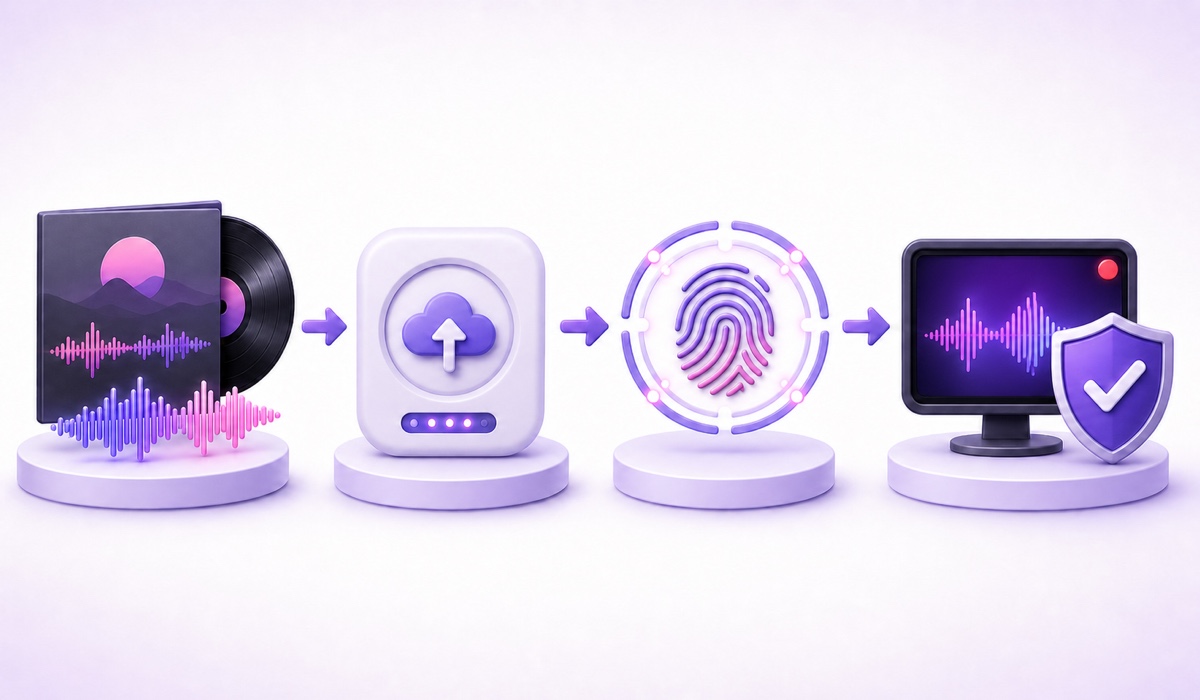
Build the mix
Start with a two-to-four-hour block. That is long enough for regular listeners to avoid hearing the same opening every few minutes, but short enough for an independent artist to curate and quality-check. Longer is not automatically better; add time only when the extra tracks improve the journey.
Sequence by mood and function, not release order. Open with a track that establishes the sound quickly, follow it with something compatible but distinct, and separate two recordings that share the same intro, tempo or key centre. Put a calmer passage before the last quarter, then finish with a track that can hand back to the opener without a jarring change.
- Choose one well-balanced master as the loudness reference.
- Listen to every transition on headphones, phone speakers and one normal room speaker.
- Adjust clip gain in small 0.5–1 dB moves; do not remaster the songs just to build the radio file.
- Use short fades only where silence or a hard cut sounds accidental.
- Play across the final-to-first boundary twice, because that transition will repeat most often.
YouTube may apply audio enhancements such as Stable volume to some viewing sessions, but its help documentation says the feature is not available for every video and is turned off for YouTube Music and official music videos. Do not rely on the player to repair inconsistent masters. Match the programme yourself, and do not crush a dynamic song merely to make a meter look louder.
Audio specs that respect the music
Separate your production master from the live delivery file. Keep the best available WAV masters while editing. If an intermediate lossy file is unavoidable, AAC-LC stereo at 192–320 kbps and 48 kHz is a sensible high-quality working range; converting a low-bitrate source upward will not restore missing detail.
For the actual YouTube Live feed, follow the platform's current encoder specification rather than copying upload settings from a music forum. YouTube's live encoder guide currently lists AAC or MP3, CBR, 128 kbps for stereo and 44.1 kHz for stereo. That live-ingest recommendation differs from YouTube's file-upload guidance. Test the exact file and delivery path you will use, then watch YouTube Studio → Go Live → Stream → Stream health for warnings.
Use an MP4 with H.264 video and AAC audio for broad compatibility. For an audio-first station, 720p at 30 fps is normally enough for cover art or slow motion; a static scene gains nothing meaningful from 1080p60 and costs more video data. The detailed trade-offs are in this 720p vs 1080p bitrate guide.
Quality rule: preserve the master, encode once where possible, and test the final live path. A larger number is not useful if YouTube expects a different ingest setting or the source was already compressed.
The visual half
You have three dependable formats: one strong cover image, a subtle motion loop, or a slow slideshow of press photos you control. Static art is the simplest and most robust. Motion gives the live page more life, but it should not fight the music or expose an obvious two-second seam.
Bake in your artist name, handle and a compact tracklist card. Avoid dates, “out Friday” messages and prices in the permanent render; those make an otherwise reusable file expire. A now-playing bar is useful only when its timing stays aligned with the programme. For production methods, see the guide to baking overlays into a 24/7 loop.
Export a short private test first. Check for cropped text on a 360 px-wide phone, inspect the first and last frame of the motion loop, and confirm that every photograph, typeface and visual asset is cleared for this use.
Titles, description and credits for an India-aware station
Lead with what the listener will hear, not the streaming technology. “Hindi indie — 24/7 artist radio” is clearer than “My live stream.” Other useful patterns include “Carnatic instrumental for study — live radio” and “Punjabi acoustic originals — always-on mix.” Use Devanagari, Tamil, Telugu, Bengali or another regional script when that is how your audience actually searches and reads; do not stuff the same phrase into three scripts.
In YouTube Studio → Create → Go live → Stream, write a description that answers five questions quickly: who the artist is, what the programme contains, whether the recordings are originals, where the full credits live, and where a listener can follow next. Add the ordered tracklist with featured artists, writers and producers. Then include one clean row of official links: preferred streaming service, website or mailing list, merchandise, and gigs.
Keep licence notes factual. “All sound recordings used with permission” is useful only if the paperwork exists. Do not paste a generic “no copyright intended” disclaimer; it does not create permission.
The release-day play
Seven days before release, lock the master, artwork, credits and rights treatment. Two days before, render a release-week version of the radio block and run it as an unlisted stream. Check audio transitions, mobile readability, the pinned-chat link and Content ID status.
The night before launch, replace the evergreen loop with the release version. Put the single near the beginning so a new visitor does not wait an hour, then place it once more around the middle of the two-to-four-hour block. Do not stack it three times in twenty minutes; the station still needs to feel like a programme.
On launch morning, update the live title with a restrained marker such as “New single in rotation,” refresh the first description lines, and pin one chat message with the official link. During launch week, answer real chat questions and note which older tracks listeners mention. Seven days after release, remove the temporary title marker and switch back to the evergreen mix, unless the new sequence is genuinely better.
With StreamNeo, that campaign version is a loop-file change rather than a fresh destination setup. Your YouTube connection and permanent programming concept stay in place, which makes the night-before swap and post-launch return practical instead of becoming two new broadcast projects.
Money, honestly
A 24/7 radio is not an automatic income machine. YouTube memberships, Super Chat and advertising depend on programme availability, channel eligibility and policy compliance. Music channels also need to show clear ownership and original value; a repetitive feed assembled from material you cannot document is a weak monetisation case. Read the full guide to monetising a looped stream before planning around platform revenue.
The nearer-term returns are simpler: a listener saves the single, joins your mailing list, buys merch, enquires about a licence, or discovers a gig. Put those paths beside the music and track them, but publish no earnings forecast. The radio's first job is to make your catalogue easier to enter.
If the rights are clean and the programme is ready, compare the StreamNeo plans, then start free — 24-hour trial, no card. Load the tested radio file, connect your YouTube destination, and keep your release-week version ready as a separate asset.
FAQ
Why did my own song get claimed on my own live stream?
Your distributor or rights administrator likely enrolled the recording in YouTube Content ID, and its fingerprint matched your live feed. Check the claimant name before acting. Then use the distributor's current route: TuneCore documents channel whitelisting, DistroKid allowlists individual claimed videos rather than whole channels, and CD Baby directs artists through YouTube Studio's dispute flow to request release. Keep the response for your records.
How long should an artist radio mix be?
Two to four hours before the programme repeats is a comfortable starting range. It gives regular listeners variety without forcing a small catalogue into filler. A tight two-hour sequence with clean transitions is better than a six-hour file padded with weaker versions.
Can I include cover versions?
Only when you have the clearances required for the composition, recording and live-video use. A distributor's audio-cover process may not cover every YouTube live right, and a karaoke backing track belongs to its own recording owner. Original recordings you fully control are the safest core; get territory-specific rights advice for anything uncertain.