You do not need camera footage to build a useful live channel. A carefully sequenced folder of photographs, artwork, quote cards or temple images can become a video, and that video can become a continuous YouTube live slideshow with music.
The rendering is the easy part. The work that separates a credible showcase from a disposable loop is rights clearance, pacing, context and a reason for someone to keep watching. This guide covers both sides, including a working ffmpeg route and a no-terminal route.
What this format is good for, and what it is not
A slideshow stream works best when the images already belong together. Think of a travel photographer showing one district at dawn, an illustrator presenting a themed collection, a temple sharing an approved photo journey, or a shayari creator combining original writing with original card designs. Viewers can join halfway through without losing a plot.
It is also a strong low-bandwidth production format. You render once, inspect the finished video, then send that predictable file to the platform. There is no camera, scene switching or live desktop to keep running.
What it is not is an automatic monetisation plan. YouTube's current channel monetisation policy lists image slideshows with little or no narrative, commentary or educational value among examples that are not eligible. Owning the pictures clears one rights problem; it does not prove that the channel gives viewers original value.
Start with a purpose other than ads: show prospective clients your range, document a place, teach through annotated art, support a print shop, or give an existing community an always-available visual channel. If the stream would still be worth running without ad revenue, the concept has a healthier foundation.
Clear the image, quote and music rights first
Your own photographs and artwork are the safest core, but ownership can still have layers. Confirm that you may publish identifiable people, private interiors, commissioned work and event photographs. Keep model releases, client permission and source files together rather than trying to reconstruct the paper trail after a claim.
- Stock images: read the licence for the exact plan and asset. Do not assume that a paid download permits every broadcast or lets the image become the main product. Save the receipt and licence version.
- AI-generated art: check the generator's current commercial terms for your account and output. If an image realistically depicts a real person, place or event that did not occur, review YouTube's altered or synthetic content disclosure setting before publishing.
- Quote cards: attribution is good practice, but attribution does not replace permission. Public-domain text is safer after you verify the specific work and translation; for a living writer, obtain permission.
- Search results: never treat an image found through Google Images, Pinterest or a social post as free source material. Those services help you find files, not licences.
The music bed is a separate rights layer. You need terms that cover livestreaming and the intended commercial use, not merely personal listening or use in an offline edit. Keep the track name, creator, download page and licence proof. Read the fuller guide to music you can legally stream 24/7 before committing a whole catalogue to one bed.
Render the slideshow with ffmpeg
Put copies of the selected JPEGs in one working folder. Name them in the viewing order—001-opening.jpg, 002-street.jpg, 003-detail.jpg—because a meaningful sequence is easier to maintain than a pile of camera filenames. Keep the untouched masters elsewhere.
From that folder, run:
ffmpeg -framerate 1/8 -pattern_type glob -i '*.jpg' -vf "scale=1920:1080:force_original_aspect_ratio=decrease,pad=1920:1080:(ow-iw)/2:(oh-ih)/2,format=yuv420p" -r 30 -c:v libx264 -crf 20 silent-slideshow.mp4
1/8 means one image every eight seconds. The scale filter fits each photograph inside 1920×1080 without stretching it. The pad filter fills the remaining area to make every output frame exactly 1920×1080, while format=yuv420p creates broadly compatible pixel output. The result is a silent H.264 MP4 at a constant 30 frames per second.
That fixed canvas also prevents a familiar encoder failure: height not divisible by 2. Phone photographs can have odd pixel dimensions, but H.264 with common 4:2:0 output expects even dimensions. Scaling and padding onto an even 1920×1080 frame removes the problem without distorting portraits.
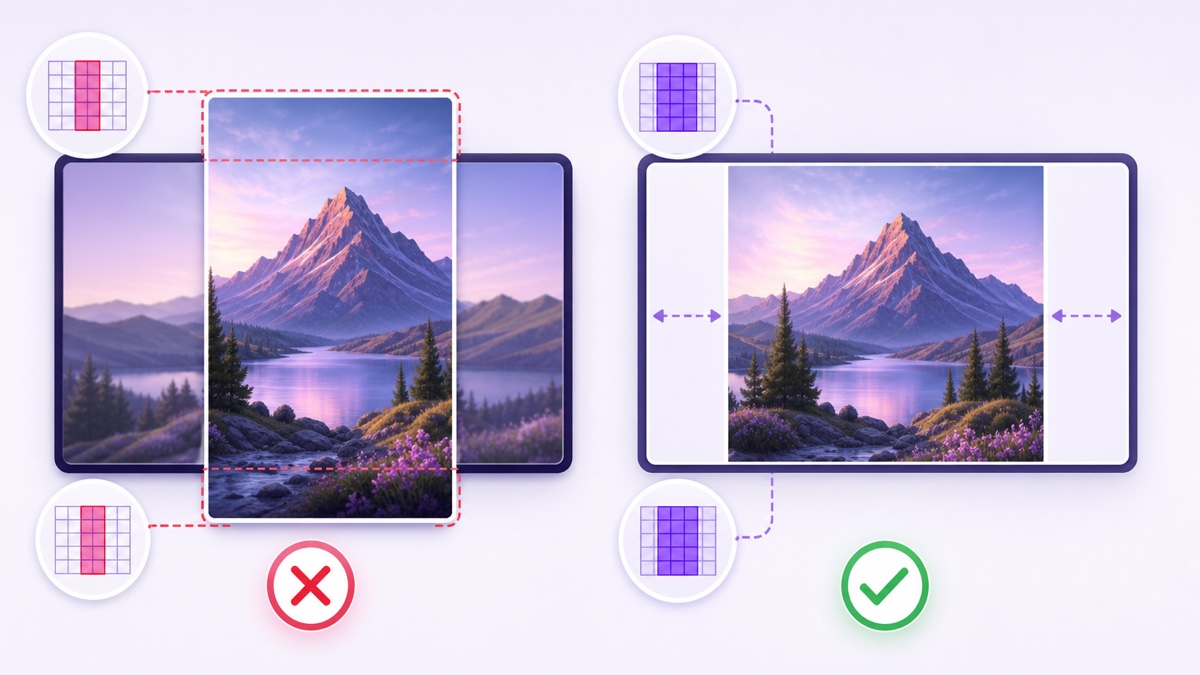
Open the result and inspect the first image, a portrait image, a landscape image and the final frame. Check for unexpected crops, sideways EXIF rotation, black padding you dislike and a jarring last-to-first transition. Fixing the folder or filter now is much cheaper than discovering the defect in a live loop.
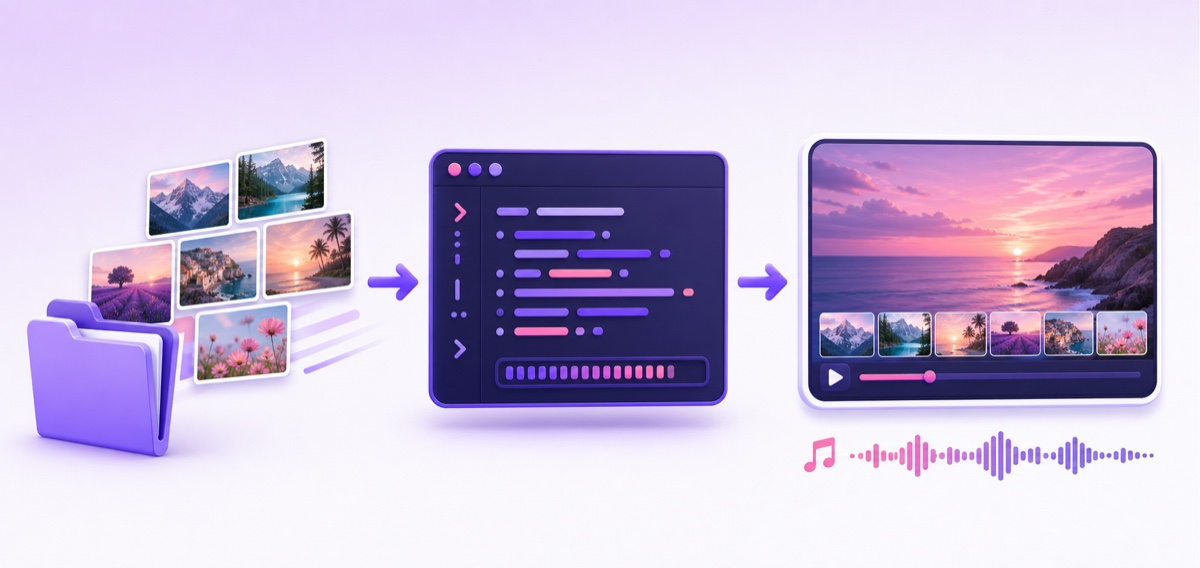
Add the music and gentle motion
If the music file is shorter than the slideshow, loop the audio input and stop at the video's end:
ffmpeg -stream_loop -1 -i music.mp3 -i silent-slideshow.mp4 -map 1:v:0 -map 0:a:0 -c:v copy -c:a aac -b:a 192k -shortest slideshow-with-music.mp4
This copies the already rendered video instead of encoding it again, converts the audio to AAC at 192 kbps and uses -shortest to finish when the video finishes. Listen on earphones and a phone speaker. A music bed that seems tasteful on studio monitors may overpower captions or narration on a small speaker.
A completely static image can look like a stalled player, especially when a viewer joins mid-frame. Slow motion gives the eye evidence that the stream is alive. The core ffmpeg filter is:
zoompan=z='min(zoom+0.0015,1.5)':d=240:s=1920x1080
At 30 fps, d=240 produces eight seconds per image. The expression increases zoom slowly and caps it at 1.5. That ceiling can crop too aggressively for tightly framed portraits, so test a handful of images and lower the cap when faces or artwork edges leave the frame. Motion should feel like a camera drift, not a template effect.
If you add a logo, handle or context card, burn it into the rendered video once. A copy-mode loop cannot place a changing graphic over the frames later. The 24/7 overlay guide explains which elements belong in the picture and which should stay in metadata.
Build the same slideshow without a terminal
ffmpeg is repeatable, but it is not mandatory. In Canva, start with Create a design → Video (1920×1080) → Uploads, place one image on each page, set the page duration, add restrained transitions, and export MP4. In CapCut, use New project → Import, select the images in order, set a common duration, add the licensed audio and export.
Google Photos can make a quick highlight video, but it offers less control over exact canvas, audio and timing. Use it for a draft, then confirm the exported file before relying on it for continuous streaming.
Whatever editor you choose, the delivery target stays the same: H.264 video, AAC audio, yuv420p, a constant frame rate and an MP4 container. Keep exports consistent with the rest of your library; the best video format for 24/7 streaming guide shows how to inspect those details.
Make the sequence worth watching
Do not sort by filename and call the result finished. Arrange a visual journey: wide establishing image, medium view, detail, human moment, then a quiet reset. A Jaipur photo set might move from sunrise rooftops to market details to evening architecture; an art portfolio might group pieces by medium or colour rather than date.
- Add a short context card before each chapter: location, date, medium or the idea behind the series.
- Write captions that contribute information instead of repeating what the viewer can see.
- Record a brief spoken introduction or chapter narration. A human voice is one of the simplest ways to demonstrate authorship and intention.
- Burn in a discreet handle so a viewer who finds the stream embedded elsewhere can locate the creator.
- Put the image list, credits, music licence notes, commission link and schedule in the description.
For nature material, motion clips usually hold attention better than frozen pictures. If you have even a few recorded scenes, compare this method with a recorded nature-cam style channel before choosing the final format.
Use honest duration math and refresh deliberately
Eight seconds per image is a starting pace, not a law. Detailed art may need 15–30 seconds; simple quote cards may need only long enough for two comfortable reads. Time the content on a phone rather than choosing a duration because a template suggested it.
| Images | Seconds each | Block length |
|---|---|---|
| 60 | 8 | 8 minutes |
| 90 | 8 | 12 minutes |
| 240 | 30 | 2 hours |
| 900 | 8 | 2 hours |
This arithmetic matters because 60–90 images at eight seconds do not create a two-hour programme; they create an 8–12 minute loop. A short repeat can become obvious very quickly. Either use more material, let appropriate images breathe longer, or accept a shorter showcase and label it honestly.
Keep one master folder with numbered chapter subfolders, a rights record and an export note. Each month, replace roughly a quarter of the set only if you have strong new work; do not manufacture filler to hit a schedule. Render a 60-second sample after every structural change, then watch the seam from the final ten seconds into the opening ten.
With StreamNeo, the operational step stays small: one finished render, one upload, and the showcase can stay live without leaving an editing laptop awake. Test it unlisted first, then view the YouTube watch page from another device before making it public.
Where slideshow channels actually earn their keep
The strongest return is often outside the YouTube ad system. A photographer can embed the live portfolio on a site, an illustrator can point viewers to commissions, a gallery can keep an exhibition sampler available, and a print seller can connect each chapter to a collection in the description.
Track enquiries, portfolio visits and print or commission clicks. Those outcomes tell you whether the stream serves the business even when concurrent viewers are modest. Ad revenue is the least dependable target for this format because originality review is especially hard on bare, repetitive slideshows. Read the full 24/7 loop monetisation guide before building a plan around ads.
Once the rights, render and viewer value are in place, start free with a 24-hour trial, no card. Check current pricing, upload the tested MP4 and keep your creative energy for the next collection instead of babysitting an encoder.
More from the journal: 24/7 YouTube Streaming: The Complete 2026 Guide · How to Build a 24/7 News Channel From Your Own Bulletins · How to Read Your Live Stream Analytics When the Stream Never Ends · How to Reach 1,000 Subscribers With an Always-On YouTube Channel
FAQ
How do I turn photos into a video for streaming?
Place the images in order, render them with ffmpeg at a fixed seconds-per-image rate, or build the sequence in Canva or CapCut. Export a stream-ready H.264/AAC MP4, test its final-to-first seam, then loop that finished file through your streaming setup.
Why does ffmpeg fail on my photos?
Odd pixel dimensions are a common cause, often reported as height not divisible by 2. Fit every image inside an even 1920×1080 canvas with the scale-and-pad filter above, output yuv420p, and test portrait and landscape samples before rendering the complete folder.
Can a photo slideshow channel be monetised?
It is one of the hardest formats to pass YouTube's originality review when it contains only pictures and music. Use your own images, add meaningful narration or educational context, vary the substance, and treat portfolio enquiries or sales as the primary business case rather than assuming ad approval.