You have probably seen a video labelled LIVE at 3 a.m., opened it again after breakfast, and found the same channel still broadcasting. There may be no host, countdown, or obvious beginning. That is a 24/7 stream: a useful format for some repeatable content, but not a magic button for reach.
The appeal is simple. A creator can make one strong block available whenever viewers arrive, including a student looking for focus music, a devotee opening YouTube for morning bhajans, or a customer exploring a product after business hours. The harder question is whether the format gives that viewer a reason to stay.
What is 24/7 streaming?
24/7 streaming is one continuous live broadcast, usually fed by a looping pre-recorded video, that remains live for days or months rather than minutes. Nobody has to sit in front of a camera for the whole run. The watch page does not reach a normal end screen every time the source video finishes; the encoder starts the block again and keeps sending the feed.
At its simplest, the system has three parts:
- A file: the video and audio block you own or have permission to broadcast.
- A stream key: the private credential that tells the destination which channel should receive the feed.
- An encoder that does not stop: software or a cloud service that sends the file as a live signal and recovers when that push fails.
The word “24/7” describes the availability, not a promise that every broadcast will literally run forever. Platforms can end streams, keys can be reset, files can fail, and creators need maintenance windows. The practical goal is a dependable always-on channel, with a restart plan when something breaks.
What a continuous stream is not
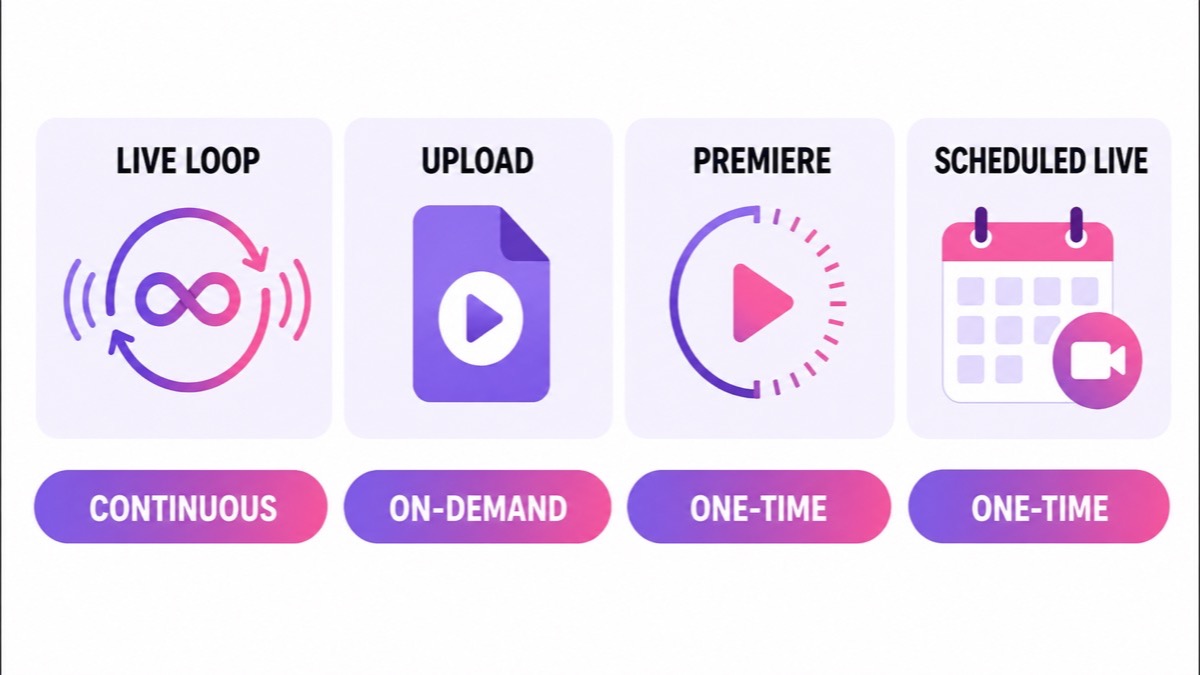
A live loop can use the same source file as an upload, but the viewer experience is different. It is not a playlist moving through separate watch pages, a Premiere with a scheduled first showing, or a conventional live event built around a specific start and finish.
| Format | Duration and control | Conversation | After it ends | Main discovery job |
|---|---|---|---|---|
| Continuous live loop | Runs while the encoder keeps sending; viewers join in progress | Live chat can remain open | Very long sessions should not depend on a complete archive | Maintains a current live watch page |
| Upload | Starts when the viewer presses play | Comments, not live chat | The upload is the permanent asset | Search, browse, suggested videos, and your library |
| Premiere | One scheduled communal first watch | Live chat during the Premiere | Becomes a regular upload | Upcoming watch page first, then upload surfaces |
| Scheduled live event | A planned window with a real beginning and end | Live chat during the event | Eligible shorter streams can become replays | Event promotion, notifications, and live surfaces |
If you need a launch moment, a Premiere may be better. If viewers need to start from lesson one, use an upload or playlist. If the value is that something relevant is playing whenever they arrive, a loop is the stronger candidate. Our detailed live vs Premiere vs upload comparison helps with that choice.
Why live behaves differently in discovery
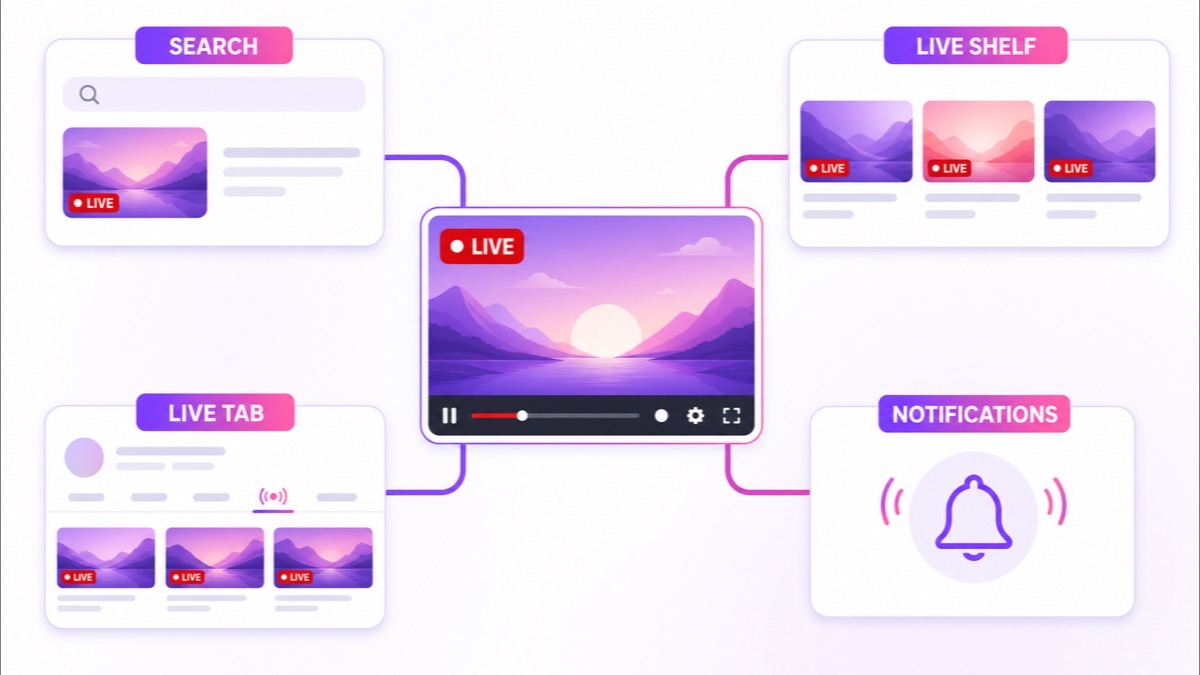
A live stream is still a video, so its title, thumbnail, topic, viewer response, and channel history matter. The difference is that YouTube can present it through live-specific signals and surfaces while it is broadcasting. These mechanisms create opportunities; none guarantees impressions, clicks, or viewers.
A visible LIVE state
When a broadcast is active, its live state can distinguish it from ordinary videos in a busy result set. That is especially relevant to searches with present-tense intent, such as “rain sounds live”, “study music live”, or “bhajan live”. The badge may win attention, but only when the surrounding title and thumbnail answer the search.
Browse, live collections, and channel pages
Live content can be found through browse features, search, suggested videos, channel pages, and other sources. YouTube exposes these sources in live-stream analytics, which is useful because it lets you see where discovery actually happened instead of guessing. A channel’s Live area also gives returning visitors a direct place to find current, upcoming, and previous broadcasts.
Start notifications
When a stream starts, eligible subscribers may receive a notification or see it in their subscription feed, depending on their notification settings and YouTube’s delivery rules. This is useful for a deliberate launch or restart, but it is not a reason to stop and start a loop repeatedly. Frequent artificial restarts can confuse regular viewers and break the stable watch experience you are trying to build.
Fresh intent
Some searches mean “give me something to watch now,” not “show me the definitive video from three years ago.” An active focus room, devotional stream, or continuous market explainer can fit that intent naturally. News and live data are different: if your material is not genuinely current, a LIVE label does not make stale information fresh.
YouTube’s own analytics documentation lists browse features, YouTube Search, suggested videos, and channel pages among the ways viewers find live streams. Treat those as routes to measure, not an algorithmic entitlement.
Why always-live availability can compound
A weekly one-hour stream occupies a live surface for one hour. An always-on broadcast can remain available across mornings, evenings, weekends, and time zones. That wider availability is the first advantage: more potential arrival moments, not automatically more demand.
Continuous formats also make joining halfway feel normal. A listener entering a lo-fi radio block at track four has not “missed” the show. Someone opening a mantra loop during a commute can begin with the verse already playing. This removes the waiting that makes a scheduled event awkward for evergreen material.
Then there is session accumulation. When people discover the stream and stay, their viewing time can add up while the creator is asleep or working elsewhere. The numbers depend entirely on real viewers and real session length; the stream creates no watch time by itself. See the watch-time arithmetic for 24/7 streams for the calculation rather than treating “always on” as a promise.
The compounding effect is operational too. One stable watch page can become familiar to regulars, earn bookmarks, and remain the link you place in a community post or WhatsApp group. That continuity disappears if the broadcast is constantly replaced, the title changes topic every day, or the stream spends hours sending a dead frame.
The honest counterweight: 24/7 does not create demand
A permanent empty shop is still empty. If nobody searches for the topic, the packaging is weak, or the first minute sounds poor, broadcasting for another hundred hours will not repair the idea. Metadata still has to express a clear promise, and the content still has to satisfy it.
Low-effort repetition brings a second risk. A stock clip stretched into a loop with music you do not control is both fragile on rights and weak in an originality review. Being live does not turn reused material into original work. Before designing the automation, read the practical guide to monetising a 24/7 loop.
Technical defects become larger when repeated. A visible jump every five minutes becomes hundreds of visible jumps. Audio drift gets worse, an expired key stops the feed, and an encoder that stays connected while pushing a frozen frame creates the illusion of uptime without a usable stream. These are not obscure edge cases; they are the basic quality bar.
Finally, running a continuous broadcast does not inherently hurt a channel, nor does it inherently help one. Audience fit, viewer response, rights, and execution decide the outcome. The 24/7 channel myths and reality guide separates those variables from folklore.
What it takes to run one
You do not need a television studio, but you do need a broadcastable asset and a system you trust. A sensible first version has four ingredients:
- 60–150 minutes of content you control. That is long enough to avoid exhausting repetition without hiding weak material inside an eight-hour render. Record your own ambience, performances, lessons, replays, or product demonstrations, and clear every music and footage right.
- A compatible export. Use a stable video file with consistent audio, a clean loop point, and settings accepted by your destination. Test the whole block before leaving it unattended.
- A protected stream key. In YouTube Studio, use Create → Go live to open Live Control Room, then place the key in your encoder. Treat it like a password: do not show it on screen, paste it into chat, or include it in a screenshot.
- Failure recovery. The encoder should reconnect after a network interruption, restart the push when the process dies, and alert you when recovery fails. “The process is running” is not the same as “viewers can see and hear the stream.”
StreamNeo handles the continuous cloud push and restart layer, so your laptop does not need to remain switched on. For the full sequence, follow the 24/7 YouTube setup guide instead of rebuilding it from this overview. You can also review the current plans before choosing an operating model.
Who this format fits—and who should avoid it
It fits repeatable, mid-join-friendly material. Ambience, sleep sounds, music you own, devotional recitations, meditation, replay libraries, revision drills, language practice, and product showcases can make sense. A mobile-first creator in India can prepare a bhajan or study block on a phone, upload it once, and let the cloud encoder carry the broadcast.
It does not fit news that becomes wrong within hours. It also does not fit a class that must begin at lesson one, a Q&A that promises a present host, emergency information, price cards nobody is updating, or any film, music, sport, or television footage you do not own. If the viewer needs a person to respond now, automation is the wrong promise.
There is also no shame in using both formats. Keep searchable uploads for deliberate, start-to-finish viewing and use one live loop for the part of your library that genuinely benefits from constant availability. The live channel can be the room that is always open; uploads can be the labelled shelves.
Run a one-week honest test
Do not begin with a giant library or three simultaneous channels. Pick one topic, build one 60–150 minute block, and run it for seven days. Keep the title and promise stable enough to learn from the result.
Judge the test on three questions. Did it stay up? Check the public watch page, audio, loop seam, and stream health rather than trusting a green process indicator. Did anyone find it? Look at traffic sources and the search terms that actually brought viewers. Would you watch it yourself? Join at a random point on headphones and on a phone; if the next ten minutes feel disposable, automation only multiplies the problem.
At the end of the week, improve the block, rework the packaging, or stop the experiment. A failed test is useful when it rejects a weak premise before you spend months broadcasting it.
If your content passes that test and you want the encoder to run away from your home connection, start free — 24-hour trial, no card.
FAQ
What does 24/7 streaming mean?
It means one continuous broadcast, usually supplied by a looping pre-recorded file, that stays live indefinitely. A file provides the programme, a stream key identifies the destination, and an encoder keeps sending the feed.
Is a 24/7 stream better than uploading?
It does a different job. A live loop maintains a current, mid-join-friendly watch page; uploads give viewers control from the beginning and build a clear searchable library. Most suitable channels use both instead of forcing every video into one format.
Does going 24/7 guarantee more views?
No. It creates a permanent live surface, not demand. Your niche, title, thumbnail, rights, viewer satisfaction, and technical quality still decide whether people arrive and stay.