Your shop may close at 8 p.m., but the questions customers ask do not keep business hours.They still want to see the sofa from three angles, understand the course structure, check how a service works, or find the right person to message.
That is the useful case for live streaming for business: a clear, repeatable showroom that keeps explaining while your team handles actual customers.It is not a substitute for a salesperson, and it should never pretend that recorded footage is happening right now.Think of it as a well-organised first visit that is always ready.
This playbook gives you a copyable 90-minute running order, the consent and copyright checks that protect the business, and a 30-day measurement plan.Start with one channel, one audience, and one action you want viewers to take.
What an always-on channel actually is for a business
An always-on brand channel is a continuous stream built from material you own: product demonstrations, service walkthroughs, common questions, customer stories, and contact instructions.A viewer can arrive at any time, understand what you offer within a few minutes, and know where to go next.
A static homepage video is useful, but it usually asks the visitor to press play and watch from the beginning.A live surface feels active and gives returning viewers a single place to check.That sense of presence carries a responsibility: label pre-recorded material plainly in the title, description, or video itself, and show the date when prices or availability can change.
The best version is specific.A generic corporate montage will not help someone choose a dining table, compare coaching batches, or prepare for a clinic appointment.Build the stream around the questions that reach your phone, WhatsApp, and counter every week.
Simple test: if a segment does not answer a buying question, reduce uncertainty, or show the next step, it probably does not belong in the loop.
What goes in the 90 minutes
Ninety minutes is long enough to avoid an obviously repetitive experience and short enough to refresh without remaking an entire channel.The schedule below totals exactly 90 minutes.Replace the demo names with your own products or services, but keep the progression from welcome to proof to action.
| Time | Segment | What to show |
|---|---|---|
| 00:00–03:00 | Brand introduction | Who you help, where you operate, what this stream contains, and a clear pre-recorded label. |
| 03:00–15:00 | Demo 1 | Your most frequently requested product or service, shown in a real use case. |
| 15:00–27:00 | Demo 2 | A second option for a different budget, need, or customer type. |
| 27:00–39:00 | Demo 3 | Setup, delivery, materials, process, or what happens after purchase. |
| 39:00–51:00 | Demo 4 | A comparison or decision guide, including who should not choose the offer. |
| 51:00–59:00 | Customer story 1 | A consented account focused on the original problem and the experience. |
| 59:00–67:00 | Customer story 2 | A different customer situation; do not script guarantees or exaggerated outcomes. |
| 67:00–73:00 | Pricing and process | How buying, booking, delivery, or admission works; date any price shown. |
| 73:00–83:00 | FAQ block | Answer five common questions with direct, one-minute explanations. |
| 83:00–88:00 | Location and contact | Service area, opening hours, official handle, and one safe short link. |
| 88:00–90:00 | Soft reset | A calm recap and visual transition back to the introduction. |
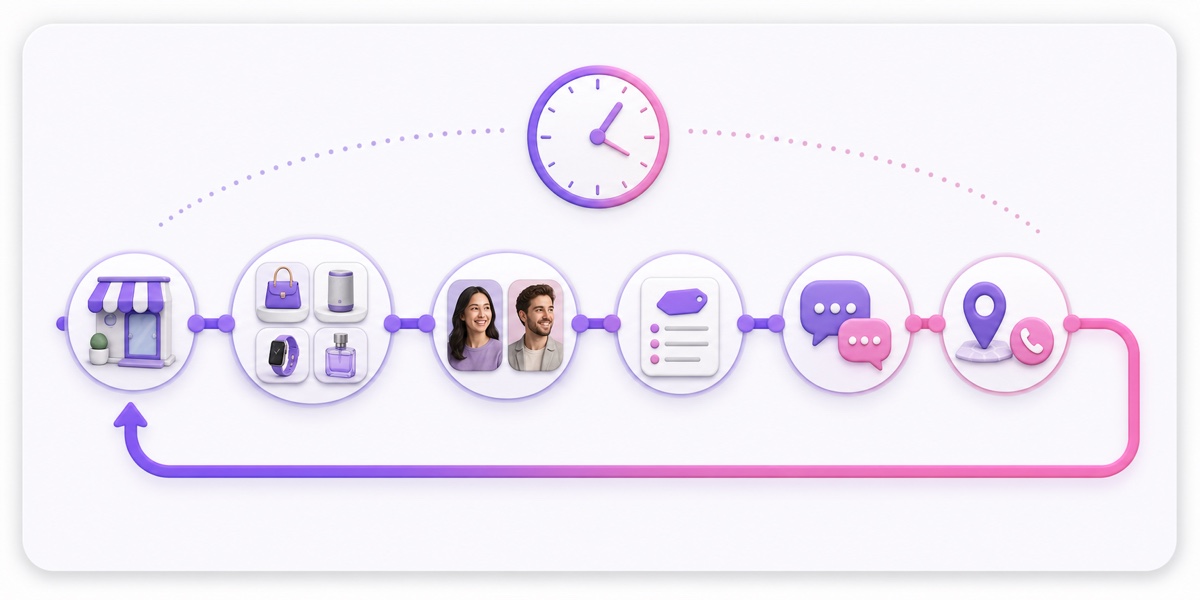
Record each block as a separate scene, then assemble one master file.That makes monthly changes cheap: you can replace a price card or one product demo without re-recording the other 75 minutes.Keep speech clear, use captions, and leave contact details on screen long enough for a mobile viewer to act.
Rights and copyright: clear every element before it loops
A testimonial release should say where the footage can appear and that it may run repeatedly in a permanent public stream.A general photo consent form may not cover that use.Get written consent from customers, obtain agreement from staff who appear on camera, and give people a practical route to withdraw permission for future versions.
Music needs a licence that covers your actual use.A track described as royalty-free is not automatically cleared for every commercial livestream.Keep the invoice, licence terms, track name, source URL, and download date.If you need sources, use this guide to music you can legally stream, then check the current licence yourself.
Do not fill gaps with film scenes, match footage, television clips, competitor ads, or brand assets you found online.The practical limits are explained in what is legal to stream.The same caution applies to fonts, stock footage, templates, and voiceovers.
Create one consent folder for the project.Store signed releases, staff approvals, music and stock licences, invoices, source files, and a simple sheet mapping every segment to its proof of permission.Review the folder whenever a person, track, product, or offer changes.
Sector-by-sector examples, India-first
Jaipur furniture showroom
Loop room walkthroughs, fabric close-ups, measurements, care instructions, delivery zones, and four demonstrations of popular pieces.The risk is stale inventory or pricing: date every offer and remove sold designs instead of letting viewers believe they are still available.
Coaching institute
Use a short demo lecture, faculty introductions, batch formats, a study-plan walkthrough, and admission FAQs.Avoid unverified rank or placement guarantees, and do not show minors, student records, marksheets, phone numbers, or classroom footage without appropriate written consent.
Clinic
Explain appointment preparation, the patient journey, facilities, and general procedures in plain language.Do not diagnose viewers, promise outcomes, make unsupported medical claims, or include identifiable patient footage or records.The action should be to contact the clinic, not self-treat from a loop.
Restaurant
Show ambience, signature dishes, ingredient handling, booking steps, and a clean kitchen process recorded under normal operating conditions.Watch for music playing in the background, visible customer faces without consent, and outdated menu prices or opening hours.
A D2C brand can follow the same pattern with unboxing, fit or size guidance, care instructions, comparisons, dispatch expectations, and a dated offer card.The stream should reduce repeat questions, not create new promises the fulfilment team cannot keep.
The contact layer, done safely
Use one burned-in handle and one memorable short link that points to a page on a domain you control.Put the full destination in the description as well.If WhatsApp is your main sales channel, place a click-to-chat button on that landing page and prefill a neutral message such as a request for current availability.
Do not burn a payment QR code, UPI ID, or bank detail into a permanent public video.A fraudster can screenshot the frame, place a fake support number beside it, or circulate an edited copy after the offer expires.Send viewers to your controlled page, show the current official payment process there, and confirm order details before collecting money.
The contact card should also state service area, working hours, and expected response window.A 24/7 stream does not mean 24/7 staff.That distinction keeps the channel useful without promising instant support at 2 a.m.
Measure it or drop it
Views alone cannot tell you whether the stream helped the business.Create a dedicated landing page and use a tagged description link such as yourdomain.in/live?utm_source=youtube&utm_medium=live&utm_campaign=showroom_loop.Keep the campaign name stable for 30 days so traffic does not fragment across reports.
Make WhatsApp click-through the primary intent signal if conversations drive your sales.Track landing-page visits, clicks on the WhatsApp button, useful conversations, bookings or quote requests, and completed sales only where your existing CRM can attribute them responsibly.Do not manufacture a conversion estimate when the trail is incomplete.
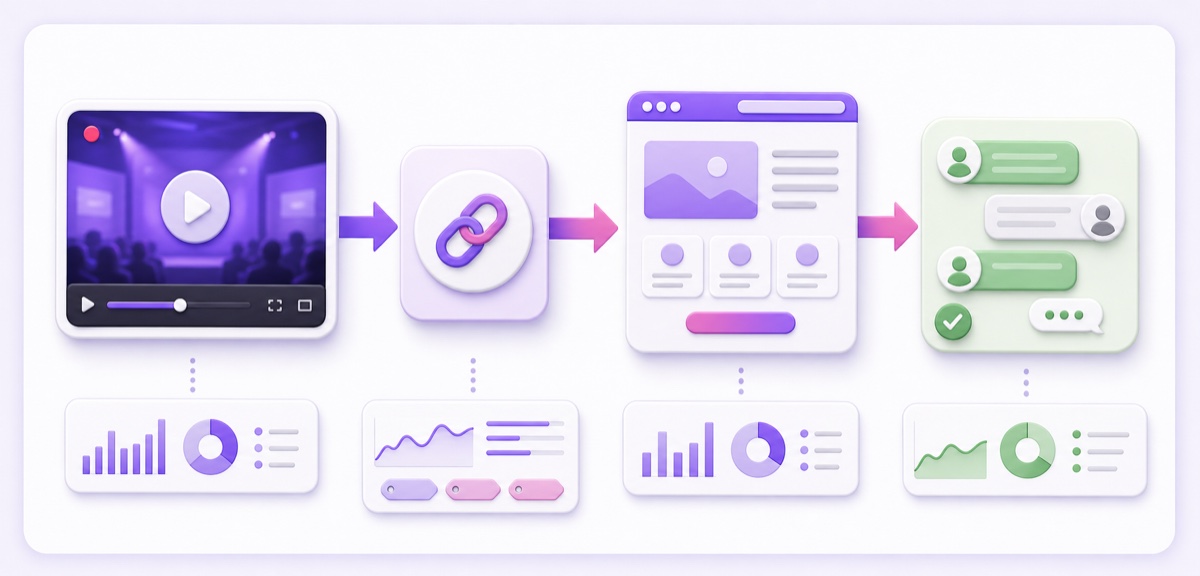
Inside YouTube, concurrent viewers and views answer different questions.Concurrent viewers show how many people watched at the same time; views count legitimate viewing instances.Average view duration and the moments that hold attention help you edit the next version, but a smaller stream that produces relevant enquiries may be more useful than a larger stream that produces none.
Set the review date before launch.After 30 days, compare the stream with your normal website and WhatsApp baseline: Did qualified conversations appear?Which demo was mentioned?Did people ask questions the loop already answered?Continue, revise, or drop the experiment based on those answers, not on the romance of being live.
Put it where your customers already are
Start with YouTube and your website.Create the stream in YouTube Studio → Create → Go live → Stream, add an accurate title and description, set the audience and visibility, and keep the stream key private.Connect the destination in your streaming service, upload the 90-minute master, preview the output, and check audio, captions, contact cards, and the loop transition before making it public.
Then embed the stream on your homepage near the relevant product or enquiry route.On a verified Google Business Profile, add your website and, where the feature is available, your YouTube social profile through Edit profile → Contact → Social profiles.Google notes that social links are available only in select regions, so use the website field as the dependable route and keep it current.
Do not automatically simulcast the loop to a Facebook Page.Facebook Live policy says pre-recorded footage must be labelled and that Live should not be used for looping video.Use finite, clearly labelled Page broadcasts only when the current rules allow your format, or publish selected segments as regular videos and Reels.This is different from sending the same legitimate event to two destinations; see the YouTube and Facebook simulcast guide for that workflow.
Cut vertical clips from the master: one product question, one demonstration, one customer-safe story, and one behind-the-scenes detail per Reel.Each clip should point to the dedicated page, not merely announce that a longer stream exists.If webinars are your raw material, this always-on webinar playbook gives you a more suitable structure.
Refresh it before it becomes a liability
Schedule a monthly content swap.Replace sold stock, seasonal scenes, expired offers, old price cards, changed phone numbers, staff who have left, and any testimonial whose permission changed.Review links and play the full loop once after every export; a two-minute transition error becomes a constant fault on an always-on channel.
Re-record the introduction every quarter so the face, store, and offer still match reality.Recheck licences and consent records at the same time.A stale loop showing last year’s prices is worse than no loop because it creates avoidable disputes before a real conversation even begins.
For a low-risk test, run the stream unlisted first, watch it on mobile data, and ask a team member unfamiliar with the edit to follow the contact route.StreamNeo offers a free 24-hour check with no card; if that works, a ₹49/day pilot lets you observe one real business day before considering a month.Review current pricing before you launch.
Start free — 24-hour trial, no card.
More from the journal: 24/7 YouTube Streaming: The Complete 2026 Guide · How to Programme a 24-Hour YouTube Grid From a Small Library · Turning a Radio Show Archive Into a 24/7 Talk Channel · What a 24/7 Stream Is Worth to a Small Business Beyond Ad Revenue
FAQ
What would a small business even stream 24/7?
Build a 90-minute loop from a short brand introduction, four product or service demos, two consented customer stories, a pricing or process card, FAQs, and a contact card.Use the running order above, then replace segments as stock, seasons, or services change.
Do I need customer permission for testimonials?
Yes.Get permission in writing and make sure it covers the intended channels and permanent, repeated use in a public stream.Keep the signed release with the source footage and provide a clear contact for future withdrawal requests.
How do I know if it is working?
Use a UTM-tagged description link, a dedicated landing page, and a measurable WhatsApp or enquiry action.Review those signals after 30 days alongside viewing quality and repeat questions.If the stream does not create useful conversations or reduce uncertainty, revise it or stop investing in it.